
Table of Contents
- Why Multi-Site Security Management Breaks Down at Scale
- Build a Centralized Security Operations Hub
- Standardize Security Protocols Across Every Location
- Choose NDAA-Compliant Security Systems From the Start
- Physical Security Integration Strategies That Actually Scale
- How to Find Reliable Security Alarms Near Me for Multi-Site Coverage
- Frequently Asked Questions
Last Updated: September 23, 2026
Why Multi-Site Security Management Breaks Down at Scale
Multi-site security management is the practice of running access control, video surveillance, and intrusion detection across every location from one unified system. It breaks down when each site runs its own tools, its own rules, and its own vendors.
That fragmentation creates blind spots. A door left propped open at one site never triggers an alert at another. Camera footage sits on a local recorder nobody checks. Credentials pile up after every staff change.
This guide from Systems Integrations covers the five practices that fix those gaps.
Below, we’ll show you exactly how to centralize oversight, standardize protocols, and respond to incidents across every location you run.
Build a Centralized Security Operations Hub
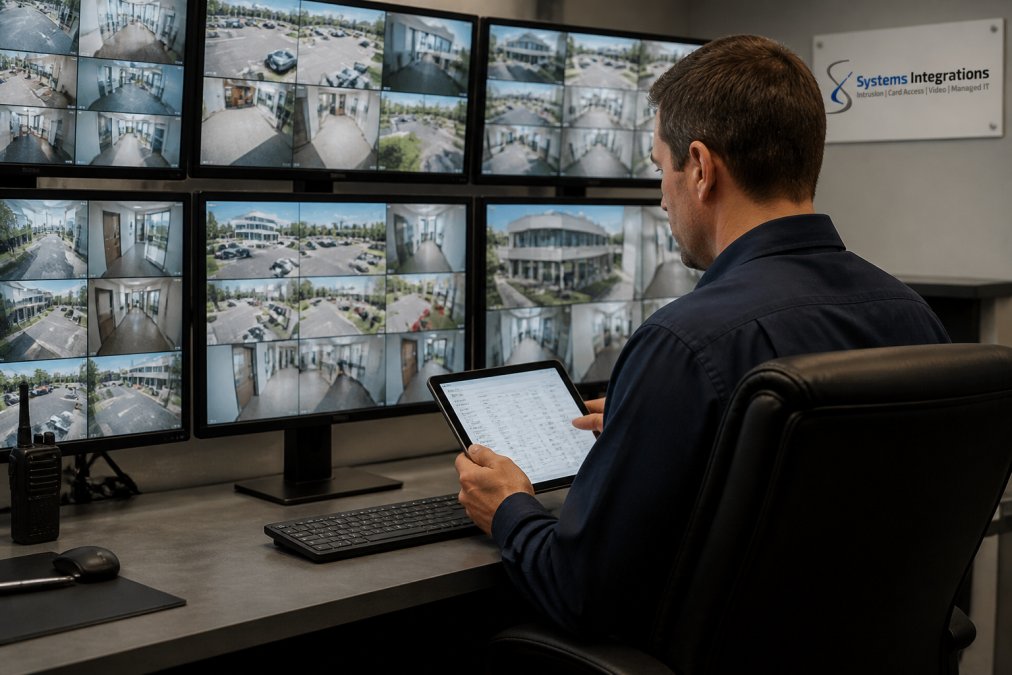
A centralized hub is the foundation of multi-site security. It gives your team one place to watch every camera, control every door, and review every alert. Without it, staff juggle logins, dashboards, and vendor phone numbers, and that is where response times fall apart.
But “centralized” is not a single decision. It is a spectrum, and the right point on that spectrum depends on your site count, your bandwidth, and how much local autonomy your managers actually need.
The Three Hub Models
Most multi-site organizations land on one of three architectures:
- Fully centralized. Every camera, door controller, and alarm panel reports to one cloud platform. One team monitors everything. Best for organizations with consistent site types and reliable broadband.
- Federated. A central team sets policy and handles escalations, while regional managers retain day-to-day monitoring. Common in retail and healthcare, where local staff know their site best.
- Hybrid. Core systems (access control, intrusion) are centralized; high-bandwidth video stays local with cloud failover. This is the most common pattern once a portfolio passes roughly a dozen sites, because pushing every camera stream to the cloud gets expensive fast.
The mistake is choosing fully centralized on day one because it sounds cleanest. A common pattern is a 40-site rollout that saturates its WAN links within a month and has to re-architect video back to the edge.
Centralized vs. Decentralized: The Cost Trade-Off
Decision-makers ask for the ROI story, so here it is in plain terms.
Centralized platforms typically reduce per-site software licensing, eliminate duplicate monitoring labor, and cut truck rolls because most issues are diagnosed remotely. The offsetting costs are higher bandwidth, a heavier cloud subscription, and the engineering work to integrate sites that were never designed to talk to each other.
Decentralized setups have lower upfront network cost and less dependency on a single vendor, but they multiply labor, slow incident response, and make consistent reporting nearly impossible. When you cannot pull one report across all sites, you cannot prove compliance or justify next year’s budget.
The Single Point of Contact Model
A single point of contact is one person or team accountable for every site. When something breaks, you make one call, not five.
Systems Integrations serves as that dedicated single point of contact for distributed organizations, managing cloud subscriptions and hardware across the whole portfolio. No more chasing multiple vendors after a failure.
Pick your hub model based on site count and bandwidth, not on which architecture sounds most modern. The right answer for five sites is rarely the right answer for fifty.
Standardize Security Protocols Across Every Location
Standardization means every site follows the same rules for access, passwords, patching, and alerts. It removes guesswork and closes the gaps attackers look for. Write your protocols down, then enforce them the same way at every location.
The hard part is not writing the policy. It is keeping every site on the same version of it six months later, when staff turn over and hardware ages at different rates.
Access Control and Multi-Factor Authentication
Multi-factor authentication (MFA) requires a second proof of identity beyond a password. It blocks most credential theft before it starts. Pair MFA with card access and you get a clear record of who entered where, which becomes your audit trail.
- Require MFA for every admin account, including vendor accounts
- Issue unique cards, never shared ones
- Revoke credentials the day someone leaves, not at the next review
- Review access logs monthly and reconcile them against your HR roster
Network Segmentation and Layered Authorization
Network segmentation splits your network so cameras and door controllers sit apart from business systems. If one device is breached, the rest stay safe. Layered authorization adds a second check: a manager might view footage but not change door schedules, which limits damage from any single compromised account.
Put cameras and access controllers on their own VLAN with no internet access except to your management platform. This one step blocks most attacks that start at a camera.
Patch Management and Firmware Hygiene
Cameras, recorders, and access panels run firmware, and firmware has vulnerabilities. Unpatched devices are the single most common entry point in multi-site environments because nobody owns the update schedule.
Build a patch cadence into your standard: inventory every networked device, assign an owner per site, and apply vendor firmware on a fixed interval. Test updates at one site before pushing them portfolio-wide, so a bad release does not take down every location at once.
Audits, Risk Assessments, and Benchmarking
A written protocol is only as good as your proof that it is being followed. Run a recurring audit cycle, quarterly self-assessments with an annual deeper review is a common cadence, and score each site against the same checklist so results are comparable.
Benchmark those scores against a recognized framework rather than an internal opinion. The NIST Cybersecurity Framework and CISA’s physical security guidance are both public and widely used for this purpose, and they give you language your insurers and auditors already recognize.
Training and Awareness at Every Site
Technology fails when people bypass it. A door propped for convenience defeats an entire access-control investment.
Standardize onboarding so every new hire at every site receives the same security briefing, and refresh it annually. Track completion the same way you track access-log reviews, because an untrained site is an unstandardized site.
The most common standardization failure is drift, not design. Sites quietly modify local procedures over time until no two locations match. Audits are what catch drift before it becomes a breach.
Choose NDAA-Compliant Security Systems From the Start
NDAA-compliant security systems meet the federal rules that bar certain foreign-made equipment from government use. Choosing compliant gear up front saves you from costly rip-and-replace later.
Government contractors and healthcare facilities often face strict validation. The wrong camera can put a contract at risk.
Systems Integrations builds NDAA-compliant physical security systems, so validation work stays simple. You get gear that meets the standard without a second audit.
The thing nobody tells you: compliance is easier to design in than to bolt on. Swapping cameras after installation costs far more than picking the right ones first.
Physical Security Integration Strategies That Actually Scale
Physical security integration connects your cameras, access control, and alarms into one system that grows with you. Done well, adding a new site takes days, not months.
Scalability is where most plans fail.
Connecting Legacy Systems to Cloud Security
Legacy gear still works. The problem is it does not talk to anything else.
Incident Response Across Geographic Boundaries
Incident response across regions needs one playbook. When an alarm fires in another state, your team should know exactly who calls whom.
- Name a lead contact per region
- Set a response-time target for each site
- Share one incident log across all locations
- Run a tabletop drill twice a year
Systems Integrations delivers immediate alerts and rapid emergency response.
Skipping drills is the fastest way to watch a response plan collapse. Teams that never practice freeze during a real incident, and downtime climbs.
How to Find Reliable Security Alarms Near Me for Multi-Site Coverage
Searching for security alarms near me usually turns up local installers who serve one area. That works for a single building. It fails when you run sites in several states.
| What to Check | Why It Matters | Red Flag |
|---|---|---|
| Geographic coverage | Service at every site | Only serves one metro |
| Single point of contact | One call for all issues | Routes you to many vendors |
| NDAA compliance | Meets contract rules | Cannot confirm sourcing |
| Cloud management | Remote monitoring and updates | On-site visits only |
| Response commitments | Limits downtime | No stated targets |
Frequently Asked Questions
What are the 5 key components of security management for distributed enterprises?
Five components anchor effective multi-site security: centralized visibility through a unified platform, standardized security protocols across all locations, layered authorization and access control, regular risk assessments and security audits, and coordinated incident response. Each component reinforces the others. When one is missing, gaps appear that attackers or unauthorized visitors can exploit. A centralized approach ties these together so no site operates in isolation.
Why is NDAA compliance critical for multi-site physical security systems?
The National Defense Authorization Act restricts federal agencies and contractors from using video surveillance equipment made by certain foreign manufacturers. If your organization holds government contracts or works in critical infrastructure, non-compliant cameras and access control devices can put contracts at risk. Choosing NDAA-compliant security systems from the start avoids the cost of replacing hardware later and keeps your organization eligible for federal work.
How do you standardize security protocols across multiple physical locations?
Start with a written security policy that defines access levels, credential management, visitor procedures, and incident escalation paths. Then deploy the same access control platform and video management system at every site so rules apply consistently. Schedule regular security audits to verify compliance. Training matters too: staff at each location need to understand the protocols and their role in maintaining them.
What should I look for in security alarms near me for multi-site coverage?
Look for a provider that offers centralized monitoring across all your locations, not separate systems per site. Ask whether the alarms integrate with your access control and video surveillance for a unified view. Confirm the provider supports NDAA-compliant hardware if you have government contracts. Also check response times and whether they offer a single point of contact for service across every facility.