
Last Updated: November 17, 2026
Quick Summary
The best practices for remote security system monitoring start with a written plan covering alarm verification, escalation, and connectivity, because systems fail when nobody defines what happens after an alarm fires. Verify alarms before dispatch, harden remote access, test backup power and cellular paths, and review performance metrics on a fixed cadence.
- Effective remote monitoring depends on cameras, contact sensors, motion detectors, and the network path working together.
- A workable verification sequence checks live video, then two-way audio or a site call, before escalating to dispatch.
- Put surveillance devices on a dedicated VLAN, change default credentials, and restrict remote viewing to authenticated users.
- Run quarterly failover drills to confirm alarms still reach the monitoring center when the primary circuit is down.
- Target an alarm-to-assessment time under 60 seconds and review false alarm logs monthly by zone.
Table of Contents
- How Remote Security Monitoring Works and Why It Fails Without a Plan
- The Core Devices Behind Effective Remote Security Monitoring
- Alarm Verification and False Alarm Reduction
- Cybersecurity and Privacy for Remotely Accessed Systems
- Resilience During Power, Internet, and Cloud Outages
- Monitoring Performance Metrics and Service-Level Targets
- A Remote Monitoring Operations Checklist for Multi-Site Teams
- Schedule a Free Consultation with Systems Integrations
- Frequently Asked Questions
How Remote Security Monitoring Works and Why It Fails Without a Plan
Remote security system monitoring is the practice of watching alarms, video, and access events from an off-site location and responding to them through defined procedures, and the best practices for remote security system monitoring start with a written plan. Without a written plan for verification, escalation, and connectivity, that capability degrades into noise. In practice, hardware often works while the operating model behind it does not.
The stakes are real. IBISWorld’s security system services analysis counts 87,086 businesses in the industry growing at a 4.4% CAGR from 2021 to 2026, which means more providers, more devices, and more alerts competing for attention.
Here is the core problem most guides skip: a monitored system fails not when a camera dies, but when nobody defined what happens after an alarm fires. Below, we break down the best practices for remote security system monitoring that actually hold up across single sites and distributed portfolios.
The Core Devices Behind Effective Remote Security Monitoring
Effective remote monitoring depends on four device classes working together: cameras, contact sensors, motion detectors, and the network path that carries their signals. Each one fails differently, and each needs its own health check. Device lists often stop at the hardware; the operational detail that matters is how each device reports, how it fails, and what a remote operator can actually do with the signal it produces.
Cameras provide live video and recorded evidence. The distinction that matters remotely is between cameras that stream continuously and cameras that only wake on an event. Continuous streaming gives operators context during an alarm but consumes bandwidth and storage; event-triggered recording conserves both but can miss the seconds before a trigger.
Contact sensors report perimeter breaches on doors and windows. They are the most reliable alarm source in a remote-monitoring stack because they are binary: open or closed, with no sensitivity tuning to get wrong.
Motion detectors cover interior zones and are the highest-maintenance device class. Passive infrared sensors react to heat and movement, so HVAC vents, sunlight through windows, and small animals all become alarm sources if zones aren’t tuned.
The network path is the device class most guides omit. A door sensor that reports over Wi-Fi is only as reliable as that Wi-Fi, and a camera that streams over a single broadband circuit goes dark when that circuit does.
Health checks by device class. Remote monitoring only works if you know a device is offline before an alarm exposes it.
Watch out: a device that shows “online” in a dashboard can still be failing to record or failing to report alarms; verify the full signal path, not just connectivity status.
Alarm Verification and False Alarm Reduction
Alarm verification is the process of confirming a genuine intrusion before requesting emergency response, and it is a widely used practice in remote monitoring. Unverified alarms waste dispatch resources and erode trust with responding agencies.
A workable verification sequence looks like this:
- Alarm triggers and the signal reaches the monitoring center
- Operators check live video for the affected zone
- Two-way audio or a call to the site contact confirms or dismisses
- Verified events escalate to dispatch; unverified events get logged and reviewed
Pair verification with configuration discipline. Tune motion detection sensitivity by zone, exclude high-traffic areas from instant alarms, and review false alarm logs monthly. Consumer Reports’ home security system testing surveyed more than 11,000 system owners, a reminder that user behavior and setup quality drive outcomes as much as hardware.
Cybersecurity and Privacy for Remotely Accessed Systems
Every remotely accessible camera and NVR is a network endpoint, and unsecured endpoints get exploited. Remote access without hardening is a common weakness in existing installations.
Start with network segmentation: put surveillance devices on a dedicated VLAN, separate from business systems. Change default credentials, disable unused services, and enforce firmware updates. Restrict remote viewing to authenticated users over encrypted connections rather than open ports.
EXTERNAL_LINK: Systems Integrations’ case study on insecure NVR remote access shows how exposed setups get compromised and what remediation looks like. For teams building this out, our guidance on VLANs, NVR hardening, and secure remote access covers the configuration detail.
Privacy matters too. Retention schedules, access logs, and role-based permissions keep footage governance defensible.
Resilience During Power, Internet, and Cloud Outages
Resilience is the difference between a system that reports an outage and one that goes silent during it. Design for three failure modes: power loss, internet loss, and cloud service disruption.
- Power: battery backup on panels and cameras, plus surge protection
- Internet: cellular or secondary connectivity for alarm signal paths
- Cloud: local recording fallback so video survives a WAN outage
Cloud-hosted services offer flexibility and scalability for real-time monitoring, but they introduce a dependency most teams never test. Run quarterly failover drills. Confirm that alarms still reach the monitoring center when the primary circuit is down. EXTERNAL_LINK: Systems Integrations’ comparison of cloud cameras and traditional NVRs walks through the cost, security, and reliability tradeoffs.
Monitoring Performance Metrics and Service-Level Targets
You cannot improve remote monitoring you do not measure. Track a small set of metrics and review them on a fixed cadence.
| Metric | What It Reveals | Target Direction |
|---|---|---|
| Alarm-to-assessment time | Operator responsiveness | Under 60 seconds |
| Verified vs. unverified alarm ratio | Configuration quality | Rising verification rate |
| False alarm rate by zone | Sensor tuning needs | Falling month over month |
| System uptime | Network and device health | Approaching full availability |
| Mean time to repair | Vendor and support performance | Shorter is better |
Set service-level targets with your integrator in writing. Response time commitments, escalation paths, and maintenance windows belong in the agreement, not in a verbal understanding.
A Remote Monitoring Operations Checklist for Multi-Site Teams
Distributed sites need centralized monitoring, not duplicated effort. A single control room view across multiple locations is the goal; per-site tooling is the failure mode.
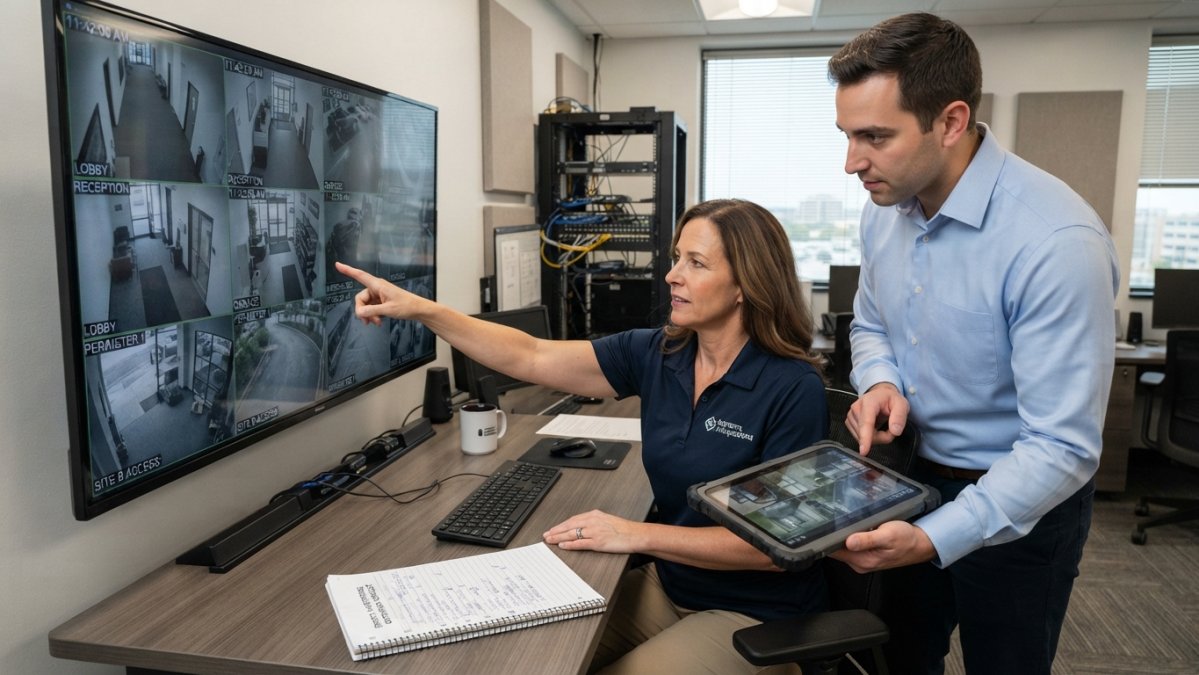
Define roles before you define tools. A multi-site program needs at least four named roles: a site contact who can verify an alarm in person or by phone, a central operator who assesses and escalates, a program owner who owns policy and vendor relationships, and an after-hours escalation tier for events that can’t be resolved remotely. Write the escalation path down, who gets called, in what order, at what time threshold, and test it. A common pattern is a two-tier escalation: central operator attempts video verification and site-contact call within a set window, then escalates to the after-hours tier if neither confirms.
Standardize policy across sites, not hardware. Sites will inevitably have different cameras, panels, and access systems. What must be uniform is the operating policy: verification procedure, escalation thresholds, retention schedule, access-permission model, and reporting cadence.
Centralize oversight, decentralize response. The control room should hold the single view across locations, but first response often belongs to the site.
Use this checklist before go-live and quarterly after:
- Every site mapped to a named monitoring contact and escalation tier
- Alarm verification procedure documented and trained at each site
- Remote access hardened and credentials rotated
- Backup power and cellular paths tested at each location
- Retention and privacy policy applied uniformly across the portfolio
- Performance metrics reviewed against service-level targets, by site and in aggregate
- Access control standardized across locations
- After-hours escalation path tested with a live drill
- Site-level false-alarm logs reviewed and sensor tuning adjusted
Review cadence. Run a monthly review of alarm volume, verification rate, and false alarms by site; a quarterly review of access permissions, retention compliance, and failover drills; and an annual review of the escalation policy and vendor service-level agreement.
For portfolios with shared entry points, centralized access control for multi-site properties is worth reading before you standardize hardware.
Watch out: a checklist that is completed once at go-live and never revisited drifts out of alignment with staffing changes and site modifications; assign a named owner to the quarterly review or it will not happen.
Schedule a Free Consultation with Systems Integrations
Getting remote monitoring right is an operating discipline, not a product purchase. Systems Integrations brings over 25 years of experience as a cybercentric, NDAA-compliant integrator, serving as a single point of contact across distributed sites. We handle system design, certified installation coordination, and centralized management of cloud-managed access control, IP video surveillance, and VMS licensing.
If you are evaluating an integrator, our seven questions to ask before hiring one will help you vet the shortlist.
The gap between a monitored site and a protected one usually comes down to planning. Systems Integrations can close it with NDAA-compliant systems, unified multi-site management, and proactive support that keeps alerts flowing when it matters. Get started with Systems Integrations and build a monitoring program that holds up under pressure.
Frequently Asked Questions
What are the best practices for remote access security?
Start with multi-factor authentication on every remote account, then segment cameras and access control onto their own VLAN so a compromised device cannot reach the wider network. Enforce role-based permissions so operators see only the sites and feeds they need. Keep firmware current, disable default passwords, and log every remote session. For remote security monitoring, also restrict cloud access to approved IP ranges and review user lists quarterly.
How often should remote security systems be tested?
Test alarm signals, camera feeds, and remote connectivity monthly, and run a full system test quarterly with your monitoring center. Check backup power and cellular failover every six months. Document each test with timestamps so you can prove due diligence to insurers, auditors, or government contracting officers. Any device that fails twice in a row should be replaced rather than patched again, because repeated failures usually signal a hardware or network problem that will surface during a real incident.
How can organizations reduce false alarms in remote monitoring?
Use video verification so operators confirm whether an alarm is real before dispatch. Pair motion detection with door and window sensors so a single trigger does not escalate on its own. Set cross-zoning rules that require two sensors to trip within a short window. Train staff on arming and disarming procedures, and review every false alarm to find its cause. A verified alarm also shortens emergency response time because dispatchers receive confirmed details instead of a bare signal.
How can organizations monitor security systems across multiple sites?
Centralize everything on one cloud-hosted platform with a single pane of glass for cameras, access control, and intrusion panels across every location. Standardize hardware so a camera model or panel behaves the same in each building. Use centralized monitoring so one control room or monitoring partner handles alerts for all sites.
What should a remote security monitoring incident response plan include?
Define escalation tiers so operators know which alerts trigger a call, a dispatch, or a lockdown. List contacts for each site, including after-hours numbers, and review them quarterly. Document the alarm assessment workflow: who reviews live video, who verifies, and who authorizes dispatch. Add a communications step for notifying leadership and, where required, law enforcement. Include a post-incident review with log collection so you can reconstruct what happened and adjust thresholds.
How do you secure remote access to cameras and access control systems?
Avoid exposing devices directly to the internet. Route remote access through a VPN or a cloud-hosted service with encryption in transit. Change default credentials, apply multi-factor authentication, and keep firmware patched. Segment security devices from business IT networks and monitor for unusual login patterns. For NDAA-compliant environments, confirm the hardware itself meets procurement rules before installation.
What security systems can be integrated for remote monitoring?
IP video surveillance and video management systems, card access control, intrusion alarms, door and window contacts, motion sensors, and environmental monitors can all feed one remote platform. Integration matters more than the device list: when a door contact trips, the system should pull up the nearest camera and send a verified alert to the monitoring center.
