
Last Updated: October 22, 2026
Quick Summary
Choosing the right door hardware for small offices starts with function, not aesthetics: label every door by use before buying anything. The room decides the function, the function decides the grade, and the grade narrows the finish and price. Specify Grade 2 as your default for office doors and reserve Grade 1 for the main entry.
- Entry doors need keyed entry or card access plus a deadbolt or traffic-rated lockset.
- Privacy function locks from inside and releases from outside with an emergency tool.
- Grade 2 is rated for roughly 400,000+ cycles and suits office entries and corridors.
- ADA compliance means lever handles, not round knobs, plus a 32-inch clear opening.
- Standard interior doors run 1-3/8 inches thick; commercial doors usually run 1-3/4 inches.
Table of Contents
- Start With the Room, Not the Finish
- Office Door Lock Functions Explained
- Commercial Door Hardware Grades: What Grade 1, 2, and 3 Actually Mean
- ADA Compliant Door Handles and Clear-Width Requirements
- Electronic Access Control for Small Business: Where It Pays Off
- Sizing, Fit, and the Supporting Hardware Nobody Budgets For
- Finishes, Materials, and Total Cost of Ownership
- Frequently Asked Questions
Start With the Room, Not the Finish
Choosing the right door hardware for small offices starts with function, not aesthetics.
Teams repeatedly pick a finish first, then discover the function doesn’t match the room.
Walk the building and label every door by use before you buy anything:
- Entry doors need keyed entry or card access, plus a deadbolt or a lockset rated for the traffic
- Private offices need a privacy function with an occupancy indicator
- Restrooms and wellness rooms need privacy locks that release from outside in an emergency
That walkthrough prevents most costly mistakes: a conference room passage knob fails when someone needs to lock a confidential call, and a builder-grade knob on a server closet is a security gap.
The room decides the function. The function decides the grade. The grade narrows the finish and price. Work in that order and the project stays on budget.
Office Door Lock Functions Explained
Door lock functions describe how a lockset behaves: whether it latches, locks, requires a key, and how it releases in an emergency. Four functions cover most small-office doors, and mixing them up is a common specification error. In a compact office the same corridor serves confidential conversations, controlled storage, and the only exit path, so choose function door by door against privacy, access control, and egress.
- Passage function: latch only, no lock. Used on corridor doors, closets, and any door that must never trap someone.
- Privacy function: locks from the inside with a thumbturn or push button, releases from outside with an emergency tool. Standard for restrooms, lactation rooms, and small focus rooms used for confidential calls.
- Keyed entry: locks from outside with a key, releases from inside with a lever. Entry doors and restricted storage.
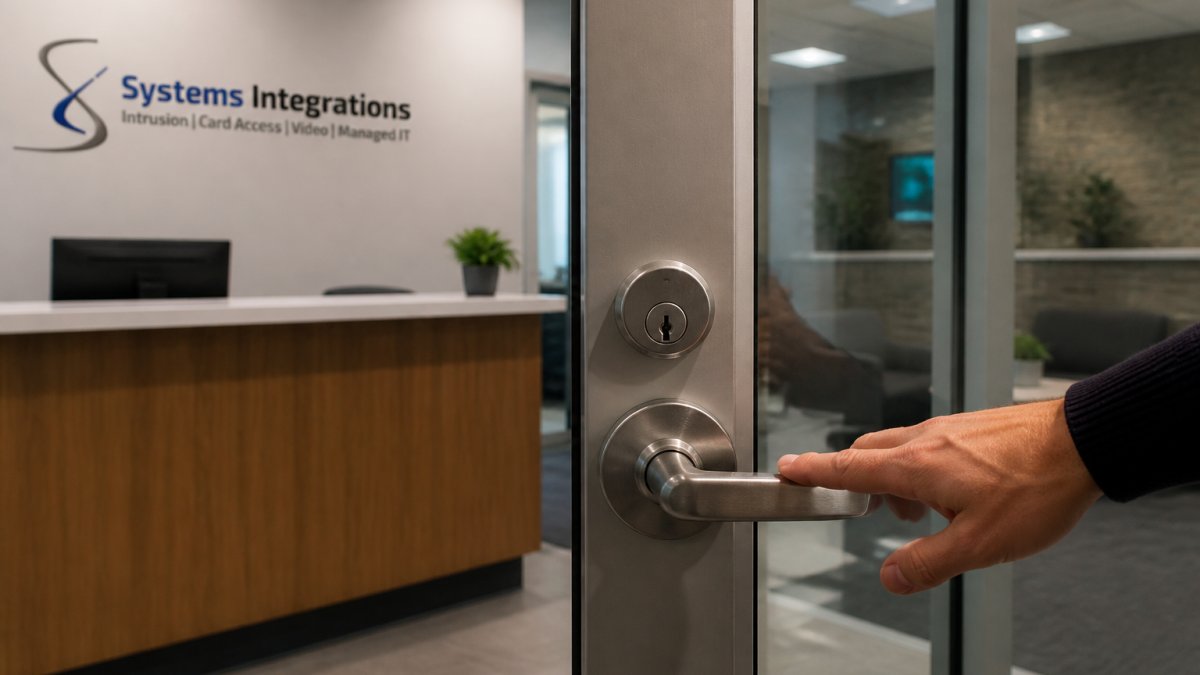
The distinction that matters most is egress: any door on a path of travel must allow exit without a key, code, or special knowledge. Hardware that violates this is a life-safety problem, not a convenience one.
A double-cylinder deadbolt on an office entry door is a classic mistake. It requires a key to exit from inside, which blocks egress during a fire or emergency. Single-cylinder deadbolts with a thumbturn inside are the standard for a reason.
Balancing privacy, access control, and egress in a small footprint
In a small office these needs collide on the same few doors, so set the priority order for each opening before picking a function:
- Client-facing conference and focus rooms. Privacy function with an occupancy indicator lets someone lock a confidential call from inside while still allowing emergency release from outside. If the room also needs scheduled access, a standalone electronic lockset with a keypad or card reader adds privacy plus an audit trail without a full access-control system.
- The main entry. Keyed entry or card access outside, free egress inside. Never specify a function that requires a credential to leave, even after hours.
- Restrooms and wellness rooms. Privacy function is the baseline; confirm the outside release works with a coin or tool so a locked door never becomes a facilities emergency.
Standardize on two or three functions across the suite, typically privacy, storeroom, and keyed entry, so staff learn one motion per door type and replacements come from one stock item. The exception is any door on the egress path, where life safety dictates the function.
Walk the egress path from the farthest desk to the outside door and confirm every door on that route opens from the inside with a single motion and no key. If any door fails that test, fix the function before you shop for finishes.
When a door needs both privacy and controlled access, the cleanest small-office solution is a mechanical privacy lockset plus a separate electronic reader on the entry door, keeping the egress path simple and the audit trail where it matters.
Commercial Door Hardware Grades: What Grade 1, 2, and 3 Actually Mean
Commercial door hardware grades classify durability and cycle-tested performance: Grade 1 is the highest-duty rating, Grade 2 is mid-grade for standard commercial use, and Grade 3 is light-duty residential and light commercial. The grading comes from the Builders Hardware Manufacturers Association, and ANSI/BHMA standards define the testing behind it.
For a small office, grade is a traffic question, not a prestige question.
| Grade | Duty Level | Typical Use | Cycle Rating (approx.) |
|---|---|---|---|
| Grade 1 | Heavy commercial | High-traffic entries, healthcare, schools | 1,000,000+ cycles |
| Grade 2 | Standard commercial | Office entries, corridors, multi-tenant suites | 400,000+ cycles |
| Grade 3 | Light duty | Closets, low-traffic interior doors | 200,000+ cycles |
Here’s what most buyers miss: the grade on the box doesn’t guarantee the door works well. A Grade 1 lockset on a hollow-core door with a sagging frame fails long before a Grade 2 on a properly hung solid-core door.
Specify Grade 2 as your default for office doors and reserve Grade 1 for the main entry and any door hit by dozens of people an hour. Grade 3 belongs on closets and back-of-house doors, not on anything a client walks through.
ADA Compliant Door Handles and Clear-Width Requirements
ADA compliant door handles are operable without tight grasping, pinching, or twisting, which in practice means levers and push/pull hardware rather than round knobs. The 2010 ADA Standards for Accessible Design set the operative requirements, and the ADA Standards for Accessible Design is the source to check rather than a vendor’s summary.
The practical rules for office doors:
- Lever handles are the default. Round knobs fail the grasp requirement.
- Operating force must stay low enough that a person with limited strength can open the door, and the door closer must be adjusted to match.
- Clear width at the doorway must accommodate a wheelchair, which generally means a 32-inch clear opening and a door slab wide enough to deliver it.
The mistake we see is treating accessibility as a restroom-only concern. Every door a visitor or delivery person touches is in scope. Lever handles throughout a suite cost marginally more than knobs and eliminate a whole category of complaints.
Electronic Access Control for Small Business: Where It Pays Off
Electronic access control for small business pays off where key management has become a real cost: entries, server rooms, restricted storage, and doors with staff turnover behind them.
Card access solves the specific problem small offices actually have: knowing who went where, and revoking that access the day someone leaves. Our card access systems integrate with video surveillance so an access event and the corresponding camera footage sit in one record, which matters when you need to answer a question about a specific door at a specific time.
Where electronic control is worth the spend:
- Main entries and after-hours access where you want audit trails instead of a logbook
- IT closets and server rooms where a lost key is a data risk
- Multi-tenant suites where tenants change and rekeying costs repeat
Where it usually isn’t: interior offices with stable occupancy, low-stakes storage, and any door a mechanical lockset already handles. Retrofitting electronics onto a bad frame or a door with no power pathway creates maintenance debt, not convenience.
The right question isn’t “which doors can we automate?” It’s “which doors cost us money every time someone joins or leaves?” Those are the doors that justify electronic control.
For facilities that also need intrusion detection tied into the same system, the integration work should happen once, not per door.
Sizing, Fit, and the Supporting Hardware Nobody Budgets For
Sizing errors and unbudgeted supporting hardware sink more small-office hardware projects than product selection does. The lockset is maybe half the cost of a finished door opening.
Measure before you order:
- Door thickness determines which lockset fits. Standard interior doors run 1-3/8 inches; commercial doors usually run 1-3/4 inches. A lockset built for one won’t fit the other.
- Backset is the distance from the door edge to the center of the bore hole, commonly 2-3/8 inches or 2-3/4 inches. Mismatch it and the latch won’t align with the strike.
- Bore hole diameter must match the lockset’s cylinder and chassis.
Then budget the parts that don’t come in the box: hinges, strike plates, door closers, coordinators for pairs of doors, thresholds, and weatherstripping on exterior doors.
A common mistake is ordering locksets, then discovering at installation that strike plates don’t align, the frame is out of square, or the door needs a closer it never had.
Finishes, Materials, and Total Cost of Ownership
Finish and material choices are where small-office hardware budgets quietly diverge and total cost of ownership gets decided.
Material trade-offs:
- Zinc alloy is inexpensive and adequate for low-traffic interior doors. It corrodes faster in humid or coastal environments.
- Brass resists corrosion and holds a finish well. It costs more and is the safer choice for exterior and high-touch doors.
- Stainless steel handles heavy use and harsh cleaning, which is why healthcare and food-service facilities specify it.
Finish matters for maintenance, not just looks. Satin finishes hide fingerprints and scratches better than polished ones. A consistent finish across a suite reads as intentional; a mix of brass, brushed nickel, and oil-rubbed bronze reads as a renovation done in phases.
Building a simple hardware schedule
The single most useful cost-control tool is a one-page hardware schedule, a door-by-door list fixing function, grade, finish, and keying for every opening before anything is ordered. An afternoon’s work prevents most reordering, mismatched finishes, and duplicate keyways that inflate small projects.
A workable schedule has one row per door and these columns:
- Door number and location (for example, Entry 101, Conference 104, IT Closet 110)
- Door type and thickness (hollow-core or solid-core; 1-3/8 inch or 1-3/4 inch)
- Function (passage, privacy, keyed entry, storeroom)
Once the schedule exists, standardization becomes mechanical: order the same lever in the same finish and grade for every matching door, keep a small stock of replacement levers, strikes, and hinges, and record the keyway so a replacement cylinder matches the master key.
Calculating total cost of ownership
Total cost of ownership for office door hardware is the purchase price plus installation, rekeying, repairs, and replacement over the door’s life. The purchase price is usually the smallest of those numbers.
A simple way to compare two options is to estimate how many times each will be replaced over a ten-year horizon and add the rekeying events:
- Upfront cost: the lockset, plus hinges, closer, and strike if they are not already in place.
- Installation: labor to fit the lockset and adjust the door, which is higher if the frame is out of square or the door needs a new bore.
- Rekeying: every staff departure or lost key is a rekey event on a mechanical system; electronic access replaces rekeying with a software change.
On lifecycle cost, the math is simple: a Grade 2 lever that lasts fifteen years beats a Grade 3 lever replaced three times. Standardize the hardware schedule so replacements come from one stock item.
The cheapest hardware is rarely the lowest total cost. Price the door over ten years, purchase, installation, rekeying, and replacement, and the Grade 2 lever in a durable finish usually wins on a small office’s busiest doors.
That standardization is the core of what we do at Systems Integrations. We specify hardware alongside access control and surveillance so one vendor owns the outcome, and when something fails you’re not calling three companies to find out who installed it. Our video surveillance and intrusion work runs on the same principle: one system, one point of contact, one maintenance path.
Frequently Asked Questions
What is the difference between residential and commercial grade door hardware?
Commercial door hardware is built and tested to higher cycle counts and abuse standards than residential hardware. The grading system (Grade 1, 2, and 3) comes from ANSI/BHMA testing, with Grade 1 rated for the heaviest traffic and Grade 3 for light duty. A small office with a handful of employees may only need Grade 2 on most doors, but entry doors and high-traffic corridors are where the upgrade pays for itself. Residential hardware often skips the grading label entirely, so check the spec sheet before assuming a product is suitable for an office.
Are there ADA compliance requirements for office door hardware?
Yes. ADA compliant door handles must be operable without tight grasping, pinching, or twisting of the wrist, which rules out round knobs on accessible routes. Lever handles and push/pull hardware satisfy this. The 2010 ADA Standards also set limits on opening force for interior doors and require adequate clear width at the doorway. Verify the specific requirements with your local authority having jurisdiction, since state and municipal codes can add to the federal baseline. Any hardware schedule for a small office should flag which doors sit on an accessible route.
How do I choose the right lock function for an office door?
Match the function to who needs to pass through and from which side. Passage sets (no lock) suit closets and internal corridors. Privacy sets with a thumbturn work for restrooms and wellness rooms. Keyed entry suits exterior doors and IT or records rooms. Classroom and office functions let staff lock a door from inside while keeping egress free. Storeroom functions stay locked from the outside at all times. Write the function next to each door on a floor plan before ordering, because swapping a function after installation usually means replacing the whole lockset.
What are the benefits of electronic access control for small offices?
Electronic access control removes the rekeying problem. When an employee leaves or a key goes missing, you revoke a credential instead of paying a locksmith to rekey every door on the schedule. It also produces an audit trail of who entered which door and when, which matters for IT and records rooms. For a small office, cloud-managed systems avoid the cost of an on-site server. Pairing card access with video surveillance and intrusion detection gives one point of contact for incidents, which is how Systems Integrations structures deployments for smaller operations.