
Table of Contents
- What Enterprise Security System Integration Services Actually Deliver
- Why NDAA-Compliant Security Systems Matter for Your Contracts
- Physical Security and Cybersecurity Convergence: Where Most Integrators Fall Short
- Legacy System Migration: How to Modernize Without Disrupting Operations
- Total Cost of Ownership: What Enterprise Security Integration Really Costs
- How to Evaluate Enterprise Security System Integration Services Providers
- Finding Reliable Security Alarms Near Me: Local Support for Multi-Site Enterprises
- Frequently Asked Questions
Last Updated: September 13, 2026
What Enterprise Security System Integration Services Actually Deliver
Enterprise security system integration services unify an organization’s access control, video surveillance, and intrusion detection onto a single management platform, replacing the fragmented vendor-by-vendor approach that leaves gaps in coverage and accountability. Backed by leadership with over 25 years of hands-on industry experience, Systems Integrations delivers enterprise-grade, NDAA-compliant physical security systems for single-site facilities and multi-location enterprises. Integration solves fragmented management by designating one experienced integrator as the single point of contact for your entire security infrastructure.
The Single Point of Contact Model
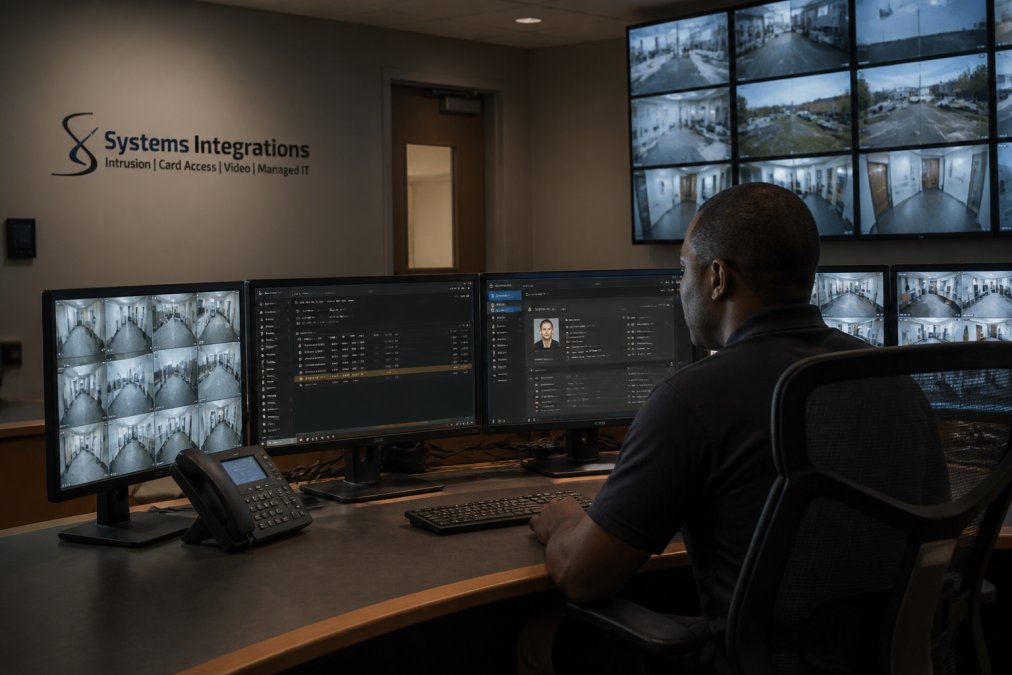
Under the single point of contact model, one integrator owns the full lifecycle of your security ecosystem: design, installation, cloud licensing, maintenance, and incident response. Instead of coordinating three or four vendors during an emergency, your team makes one call. That structure also standardizes hardware compatibility across sites, which matters enormously when you’re managing a multi-location portfolio where equipment ages at different rates.
Core Components of an Integrated Platform
A complete integrated platform typically includes:
- Access control with centralized management of credentials across every door and site
- IP video surveillance feeding a single video management system rather than separate recorders
- Intrusion detection tied to automated alerts and defined incident response workflows
- Cloud-based integration so software updates and licensing flow through one subscription
The practical payoff is operational efficiency: one dashboard, one login, one set of security protocols governing the whole estate.
Why NDAA-Compliant Security Systems Matter for Your Contracts
NDAA-compliant security systems matter because federal contracts increasingly require them, and non-compliant hardware can disqualify a bid outright. Government contractors in particular cannot afford to discover mid-award that their cameras violate procurement restrictions. Compliance standards are not a checkbox you revisit once; they govern every device you add to the network going forward.
What Section 889 Prohibits and Why It Applies to Your Cameras
Section 889 of the National Defense Authorization Act restricts federal agencies and their contractors from using covered telecommunications and video surveillance equipment from specified manufacturers. The Federal Acquisition Regulation guidance on Section 889 sets out how these prohibitions apply to contractors and subcontractors. In practice, this means the brand of camera on your wall is a contractual matter, not just a technical one.
The prohibition is structured in two parts, and buyers routinely conflate them:
- Part A bars federal agencies and their contractors from buying, obtaining, extending, or renewing a contract for covered equipment from named manufacturers, including Huawei, ZTE, Hikvision, Dahua, and Hytera, along with their subsidiaries and affiliates.
- Part B bars agencies and contractors from using that equipment as a substantial or essential component of any system, even if it was purchased before the rule took effect.
The practical consequence is that Part B reaches backward. Hardware already on your wall can put a current contract at risk, which is why an inventory audit is the first step in any compliance program, not the last.
How to Verify Compliance Device by Device
A defensible compliance process has four steps:
- Build a device inventory. Capture make, model, serial number, firmware version, and physical location for every camera, NVR, access panel, and intercom on the network.
- Trace the supply chain. Confirm the original equipment manufacturer, not just the brand on the label. White-labeled and OEM-rebranded devices are the most common source of accidental non-compliance.
- Document the determination. Record who reviewed each device, the date, and the basis for the compliance finding. Auditors ask for this, and a verbal assurance will not satisfy them.
- Re-verify on every change. New firmware, replacement parts, and warranty swaps can reintroduce covered components. Treat each change as a new compliance event.
What Compliance Costs You in Practice
Compliance is not free, and pretending otherwise sets up a bad surprise at bid time. Expect three categories of cost:
- Replacement capital for any covered device that must come off the network
- Labor for the audit, documentation, and re-installation
- Ongoing administrative overhead to keep the inventory current as devices are added, replaced, or updated
A staged replacement plan, prioritizing devices that sit on contract-critical networks, usually costs less than a panic-driven rip-and-replace triggered by a failed bid.
Where Compliance and Cybersecurity Overlap
NDAA compliance and cyber hardening are related but not identical. A device can be compliant and still be dangerously insecure if it ships with default credentials or unpatched firmware. The reverse is also true: a well-segmented, fully patched camera from a covered manufacturer is still non-compliant for federal work. Treat them as two separate checklists that both have to pass.
Comprehensive Guide to Enterprise Security Integration
Physical security and cybersecurity convergence is the practice of hardening every camera, reader, and alarm panel to the same standard as your IT network. Most traditional integrators stop at installation. They mount the cameras, confirm the picture, and leave. What they don’t do is segment the network, close default credentials, or encrypt the traffic flowing from those devices.
That gap is where enterprise security system integration services either earn their keep or expose you. Every IP camera is a network endpoint. An unpatched one is an open door into your corporate systems.
Network Segmentation and End-to-End Encryption for IP Cameras
Best practice places all physical security devices on a dedicated VLAN, separate from business-critical systems, with end-to-end encryption protecting video and credential data in transit. Remote management access should route through secured channels with multi-factor authentication. This is the cybercentric approach, and it’s the difference between a surveillance system and a liability.
Legacy System Migration: How to Modernize Without Disrupting Operations
Legacy system migration works best when you phase it, not when you rip and replace everything at once. The organizations that suffer most are the ones that shut down operations for a full cutover. A staged migration moves one site or one subsystem at a time, validates it, then expands.
A practical sequence looks like this:
- Audit every existing device and document its age, protocol, and compatibility
- Identify which hardware can be retained and which must be replaced for compliance
- Migrate access control first, since credentials are the hardest to rebuild
- Move video surveillance in phases, site by site
- Retire legacy intrusion panels last, after the new platform proves stable
System lifecycle planning matters here. Hardware compatibility across generations determines whether your migration takes months or years.
Total Cost of Ownership: What Enterprise Security Integration Really Costs
Total cost of ownership for enterprise security integration includes far more than the installation invoice. The recurring costs, cloud licensing, monitoring subscriptions, maintenance, and eventual hardware refresh, usually outweigh the upfront capital expense over a system’s life. Pricing depends on site count, device quantity, and the licensing model you choose, so we direct every client to request a quote rather than rely on ballpark figures.
Most buyers evaluate integration proposals on the capital line alone. That is the single most common financial mistake in this category, because the capital line is typically the smaller number once you extend the horizon past year three.
A Five-Year TCO Framework
Build your comparison on a five-year horizon. Five years is long enough to capture at least one hardware refresh cycle and the full term of most licensing agreements, and short enough that the discounting assumptions stay defensible.
Break every proposal into these categories:
- Capital: cameras, readers, panels, network hardware, cabling, and installation labor
- Licensing: per-device, per-site, or per-user software subscriptions, plus any tier upgrades
- Monitoring: central station or in-house SOC coverage, priced per signal or per site
- Maintenance: preventive service agreements, firmware management, and spare parts
- Service calls: per-visit charges for faults not covered by the maintenance agreement
- Compliance: audit labor, documentation, and replacement of non-compliant devices
- Refresh: the year the hardware reaches end of support and must be replaced
- Internal labor: the staff hours your team spends administering the system, which is real cost even when it never appears on an invoice
The Hidden Costs Most Buyers Miss
- Subscription sprawl: separate SaaS licenses per site instead of one consolidated agreement. Consolidation is where multi-site enterprises typically find the largest savings, because per-site pricing rarely scales down as volume rises.
- Truck rolls: per-visit service charges that multiply across a multi-site footprint. A single recurring fault class across twenty sites can generate twenty billable visits a year.
- Compliance re-validation: the labor of proving NDAA compliance device by device, repeated every time hardware changes.
- Integration debt: the cost of middleware and custom connectors needed to make older subsystems talk to a new platform. This line is frequently omitted from proposals and appears later as change orders.
- End-of-support cliffs: the year a vendor stops issuing firmware updates, which forces replacement on the vendor’s schedule rather than yours.
Comparing a Staged Migration Against a Full Cutover
A useful way to pressure-test a proposal is to model two scenarios side by side:
Full cutover: higher capital in year one, lower service-call volume afterward, one refresh cycle inside the five-year window, and a short but real operational disruption during the switchover.
Staged migration: lower capital in year one, higher cumulative service-call spend while old and new systems run in parallel, two partial refresh cycles, and minimal operational disruption.
The staged approach usually wins on cash flow and operational risk; the full cutover usually wins on total five-year spend. Which one is correct depends on whether your constraint is capital budget or operational continuity, and that is a business question, not a technical one.
How to Read an Integration Proposal
When you receive a quote, ask for it in the five-year format above. A proposal that only shows year-one capital is not a TCO proposal; it is a purchase order. The vendors who can produce a five-year model on request are usually the ones who have done this work at enterprise scale before.
How to Evaluate Enterprise Security System Integration Services Providers
Evaluate providers on four things: cybercentric capability, compliance fluency, multi-site experience, and responsive support. A provider strong in installation but weak in network security will leave you exposed. One unfamiliar with Section 889 will cost you contracts.
Questions to Ask Before Signing a Contract
- How do you segment security devices from our corporate network?
- Can you document NDAA compliance for every device you specify?
- What’s your guaranteed response time for a security incident?
- Can your platform manage access control and monitoring across all our sites from one place?
- What happens when something breaks: one call, or several vendors?
Finding Reliable Security Alarms Near Me: Local Support for Multi-Site Enterprises
Searching for “security alarms near me” usually means you need a provider who can physically reach your sites quickly, not just one with a national sales presence. For distributed enterprises, local service depth is what determines whether a failed alarm panel gets fixed in hours or days. Systems Integrations pairs regional coverage with national deployment capability, so a multi-state portfolio gets consistent standards and a single point of contact rather than a patchwork of local vendors.
That local presence extends to CISA’s guidance on physical security and cyber integration, which recommends treating physical security systems as part of your broader cyber risk framework. The NIST Cybersecurity Framework offers a structure for that work.
Enterprise security integration fails most often not at installation but at the seams: the gaps between vendors, contracts, and compliance obligations. Systems Integrations closes those seams as your dedicated single point of contact, delivering NDAA-compliant, cybercentric physical security with centralized management across every site. From cloud-managed access control and IP video surveillance to intrusion detection and ongoing lifecycle support, our team handles the full stack so your team handles the business. Get started with Systems Integrations and consolidate your security infrastructure under one accountable partner.
Frequently Asked Questions
What is enterprise systems integration in the context of physical security?
Enterprise systems integration in physical security means connecting access control, video surveillance, intrusion detection, and analytics into one unified platform. Instead of managing separate systems for each building, you get centralized management, automated alerts, and real-time monitoring across every site. This approach also bridges physical security with network infrastructure, so your cameras and card readers don’t become cybersecurity vulnerabilities. The result is faster incident response and lower operational overhead.
How do you bridge physical security infrastructure with cybersecurity?
Bridging physical security and cybersecurity convergence starts with network segmentation. Your IP cameras, access control panels, and intrusion sensors should sit on a separate VLAN from business-critical systems. From there, you apply end-to-end encryption, unique credentials for each device, and regular firmware updates. A cybercentric integrator will also monitor for unusual traffic patterns and ensure your security infrastructure meets compliance standards like NDAA Section 889. Without this layer, a compromised camera can become a gateway into your corporate network.
Why is NDAA compliance critical for enterprise security systems?
NDAA-compliant security systems meet Section 889 of the John S. McCain National Defense Authorization Act, which prohibits federal agencies and contractors from using covered telecommunications equipment from specific manufacturers. If your organization holds government contracts, non-compliant cameras or access control hardware can put those contracts at risk. Compliance also reduces supply chain risk. When you work with an integrator who verifies hardware origins, you avoid the cost of ripping out non-compliant devices later.
Can one provider manage access control and video surveillance across multiple locations?
Yes, a qualified enterprise security integrator can manage access control, video surveillance, and intrusion detection across all your sites from one security dashboard. Cloud-based integration lets you set global policies, view live feeds from any location, and receive automated alerts when something triggers. This eliminates the need for separate vendors per site and gives you a single point of contact for system maintenance, warranty issues, and emergency response. It also makes scalability easier as you add new facilities.