
Table of Contents
- What NDAA Compliance Actually Means for Security Camera Systems
- The OEM Blind Spot: Why Your Domestic Brand May Still Be Non-Compliant
- CISA Known Exploited Vulnerabilities in Legacy NVRs and IP Cameras
- Legacy vs. NDAA Compliant Security Camera Systems: Comparison Table
- Remote Access Architecture: Why Port Forwarding Is a Liability
- Commercial CCTV Network Hardening: VLANs, Zero Trust, and Firmware Integrity
- A Phased Hikvision Replacement Strategy That Saves Existing Cabling
- Supply Chain Transparency: Verifying Chipset Origin and Hardware Authentication
- Cyber Insurance, Contracts, and Legal Liability for Non-Compliant Systems
- Integration with Existing VMS, Access Control, and Network Infrastructure
- Lifecycle Costs and Long-Term Maintenance of NDAA Compliant Systems
- Conclusion: Audit First, Then Modernize in Phases
- Frequently Asked Questions
Last Updated: September 28, 2026
What NDAA Compliance Actually Means for Security Camera Systems
NDAA compliant security camera systems are video surveillance solutions built entirely from hardware and components that meet the sourcing restrictions of Section 889 of the National Defense Authorization Act. That definition matters because it covers far more than the brand printed on the front of a camera. This guide from Systems Integrations breaks down what the law requires, where OEM hardware hides non-compliance, and how to modernize without replacing every cable in your building.
Section 889 prohibits federal agencies and their contractors from using covered telecommunications equipment produced by named Chinese manufacturers, including Hikvision and Dahua. The restriction reaches chipsets, firmware, and software, not just finished devices.
For commercial IT directors, facility managers, and property executives, the practical consequence is straightforward. If your cameras, recorders, or video management software trace back to a covered entity, you may be ineligible for federal contracts, public works bids, and certain insurance underwriting. The compliance question is not “what brand is this?” It is “where did every component inside this device originate?”
Section 889 and the Covered Telecommunications Equipment List
Section 889 has two parts. Part A bans federal agencies from purchasing covered equipment. Part B extends that ban to contractors and subcontractors working on federal contracts. The FCC covered list of communications equipment formalizes which manufacturers fall under the restriction.
The covered list names specific entities: Huawei, ZTE, Hikvision, Dahua, and their subsidiaries and affiliates. The word “affiliates” is where things get complicated. A camera rebranded by a domestic company but manufactured by a covered entity still counts as covered equipment. So does an NVR running firmware derived from a covered vendor’s codebase.
Compliance is a supply chain question, not a label question.
The OEM Blind Spot: Why Your Domestic Brand May Still Be Non-Compliant
A domestic nameplate proves nothing. Many surveillance products sold under American-sounding brands are white-labeled hardware built by Hikvision or Dahua, running identical firmware and sharing the same HiSilicon chipsets. The camera says one name. The silicon says another.
This is the OEM blind spot, and it catches more organizations than any other compliance issue. A facilities team buys what looks like a domestic system, documents the brand in a procurement file, and assumes the job is done. Then a contract audit traces the firmware version back to a covered manufacturer, and the system fails.
The deeper problem is that compliance is a hardware question while risk is a software question. A device can pass a Section 889 sourcing review and still run firmware with unpatched remote code execution flaws. Conversely, a device with a clean chipset can be rendered non-compliant the moment its firmware is traced to a covered vendor’s codebase. You have to verify both layers, and most procurement processes only check one.
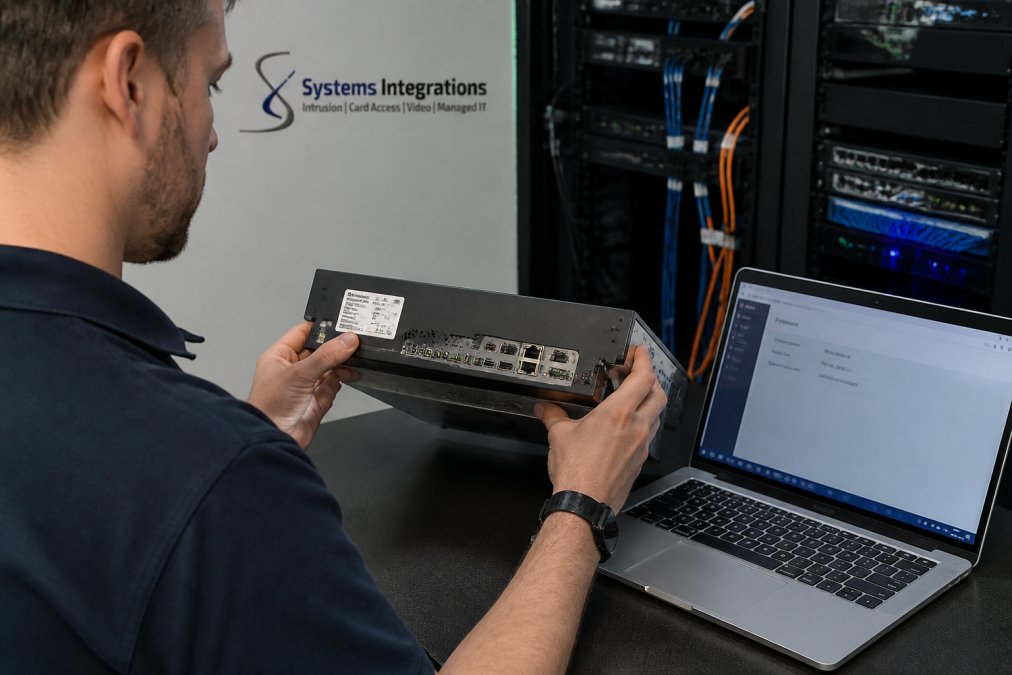
How to Check Whether Your Cameras Are White-Label Hikvision or Dahua
You can identify white-label OEM surveillance hardware without disassembling anything, but you need to check more than one signal. A single indicator is easy to fake or overlook; a pattern across several is hard to explain away.
Run these checks on every camera and recorder in the fleet:
- Firmware version string. Open the device web interface and read the full firmware build string, not just the version number. Rebranded devices frequently retain the original vendor’s build naming convention, region code, or date format.
- ONVIF device information. Query the device over ONVIF and inspect the manufacturer, model, and firmware fields. The ONVIF response often exposes the original manufacturer even when the web UI has been re-skinned.
- Default web UI layout. Rebranded devices rarely rebuild the underlying admin interface. If the login page, menu tree, and configuration screens match a known covered vendor’s layout, treat that as a strong signal.
- MAC address OUI. Look up the first three octets of the device MAC address against the IEEE OUI registry. The assigned vendor block frequently points to the original manufacturer rather than the reseller.
- Chipset identification. Where documentation is available, confirm the SoC family. HiSilicon parts are the most common flag, but the check is about origin, not just brand.
- Cloud and P2P service endpoints. Inspect outbound connections from the device. If it registers with a relay or cloud service operated by a covered entity, the device is functionally tied to that vendor regardless of the label.
LTS (LT Security) is a common example. LTS Platinum Series recorders and cameras have been widely documented as OEM hardware sharing firmware lineage with Hikvision. If your deployment includes LTS units, treat them as potentially non-compliant until you verify the chipset and firmware origin.
Firmware Security vs. Hardware Compliance
These are two separate tests, and passing one does not imply passing the other.
- Hardware compliance asks where the silicon, radios, and assembled device originated, and whether any covered entity contributed to them.
- Firmware security asks whether the software running on that hardware is maintained, patchable, and free of known exploited vulnerabilities.
A device can be hardware-compliant and firmware-risky if the vendor ships infrequent updates or has no coordinated disclosure process. A device can be firmware-current and hardware-non-compliant if the chipset traces to a covered entity. Section 889 addresses the first; CISA’s Known Exploited Vulnerabilities catalog addresses the second. A defensible surveillance program has to satisfy both.
A common mistake is trusting the brand on the box or the invoice. Procurement records that list a domestic brand name will not satisfy a Section 889 audit if the underlying firmware or chipset traces to a covered entity. The consequence is disqualification from federal contracts and, in some cases, clawback of awarded work.
Building an Evidence Trail That Survives an Audit
Verification is only useful if it is documented. A practical evidence file for each device family should include:
- A component-level bill of materials naming the SoC, radio modules, and any third-party software components.
- A signed manufacturer attestation that no covered entity contributed hardware, firmware, or software.
- The firmware version in service at the time of procurement, plus the vendor’s published update cadence.
- Screenshots or exports of the ONVIF device information and firmware build string.
- A record of the last firmware update applied and the source it came from.
Where a vendor cannot or will not document component origin, treat the product as unverified. Unverified is not the same as compliant, and an auditor will treat it the same way.
CISA Known Exploited Vulnerabilities in Legacy NVRs and IP Cameras
Legacy NVRs and IP cameras appear repeatedly on the CISA Known Exploited Vulnerabilities catalog. The catalog tracks vulnerabilities that attackers are actively exploiting in the wild, and surveillance gear is a frequent entry because these devices often sit on networks with weak segmentation and no patch path.
The recurring categories are predictable. Remote code execution flaws let an attacker run commands on the device. Authentication bypass flaws let them in without credentials. Both have appeared in NVR firmware across multiple generations of hardware.
Why does this matter beyond the camera itself? A compromised NVR is a network edge device with a foothold inside your perimeter. Attackers use it to pivot toward other systems. A camera that cannot be patched because the manufacturer no longer issues firmware is not just obsolete. It is an open door.
Non-compliant legacy recorders are not neutral assets. They carry known, actively exploited vulnerabilities and often have no vendor patch path, which makes them a standing liability rather than a depreciating one.
Legacy vs. NDAA Compliant Security Camera Systems: Comparison Table
The differences between legacy OEM systems and modern NDAA compliant security camera systems show up across four areas: chipset origin, firmware patching, remote access architecture, and compliance standing.
| Parameter | Legacy OEM (Hikvision / LTS Platinum) | Modern NDAA Compliant Systems |
|---|---|---|
| Chipset origin | HiSilicon and other covered silicon | Non-covered, verified supply chain |
| Firmware patching | Irregular or discontinued | Vendor-supported update path |
| Remote access | Port forwarding, P2P relays | Encrypted tunnel or cloud gateway |
| Compliance standing | Fails Section 889 audits | Meets federal contract requirements |
| Cyber insurance | Underwriting risk | Aligns with insurer requirements |
That last row deserves attention. Insurers increasingly ask about the provenance and patch status of network-connected devices during underwriting. A system that fails a Section 889 audit and carries unpatched known vulnerabilities is a harder risk to write.
Remote Access Architecture: Why Port Forwarding Is a Liability
Port forwarding is the single most common remote access mistake in commercial CCTV. It exposes your recorder directly to the internet, and it is how a large share of surveillance breaches begin.
The typical setup opens inbound ports like 8000, 80, and 554 so a mobile app can reach the NVR. Every one of those open ports is a scan target. Shodan and similar services index exposed recorders continuously, which means an internet-facing NVR is discoverable within hours of going live.
P2P relays, often marketed as an easy alternative, route your video through a third-party server you do not control. That solves the port problem but introduces a data path you cannot audit, which is a poor fit for organizations with data protection obligations.
The secure alternative is a VPN tunnel or a cloud gateway that brokers the connection without exposing inbound ports. Remote viewing works the same way from the user’s perspective. The attack surface shrinks to near zero.
Commercial CCTV Network Hardening: VLANs, Zero Trust, and Firmware Integrity
Commercial CCTV network hardening starts with segmentation. Put cameras and recorders on their own VLAN, separate from business systems, and control what can talk to what.
From there, apply zero trust principles to the camera network. No device trusts another by default. Access to the video management software is authenticated and logged. Outbound traffic from cameras is restricted to the destinations they actually need.
Firmware integrity is the piece most teams skip. Verify that firmware updates come from the manufacturer over a signed channel, and confirm the hash before applying. A camera that accepts unsigned firmware can be re-flashed with malicious code by anyone who reaches it.
- Cameras and NVRs isolated on a dedicated VLAN
- No inbound ports exposed to the internet
- Firmware updates verified by hash and signature
- Administrative access logged and reviewed
- Outbound traffic restricted to required destinations
When you isolate existing cameras onto a hardened VLAN, you can often keep them running short-term while you plan replacement. The VLAN buys you time and removes the immediate internet exposure, which is the highest-priority fix in most legacy environments.
A Phased Hikvision Replacement Strategy That Saves Existing Cabling
A full rip-and-replace is not the only path. Hikvision replacement can be phased, and in most commercial buildings the structured cabling stays in place.
The cabling is the expensive, disruptive part of any surveillance project. Cameras and recorders are the replaceable part. If your existing drops are Cat5e or Cat6 and terminate correctly, a modern NDAA-compliant camera can use the same cable and the same Power over Ethernet (PoE) switch infrastructure.
That said, “the cable is reusable” is a claim you have to verify, not assume. Before committing to a phased plan, confirm four things:
- Cable category and condition. Cat5e supports Gigabit Ethernet at the distances most commercial runs require; Cat6 gives more headroom. Degraded or improperly terminated runs will pass a continuity test but fail under PoE load.
- PoE budget. Modern cameras with higher resolution and onboard analytics draw more power than the units they replace. Add up the per-port draw against the switch’s total PoE budget before assuming the existing switch can carry the new fleet.
- ONVIF profile support. Cameras you intend to keep short-term need to speak a profile your new VMS or gateway accepts. Profile S covers streaming; Profile T adds advanced streaming and metadata. Confirm which profile each legacy camera actually implements.
- VLAN and switch capacity. Isolating cameras onto a dedicated VLAN requires available ports and, ideally, managed switches that support 802.1Q tagging and port-level access control lists.
The Phased Sequence
- Audit every device and document chipset and firmware origin.
- Replace the NVR head-end first, since that is the highest-risk device and the one most likely to be internet-exposed.
- Move existing ONVIF camera streams onto a hardened, isolated VLAN.
- Eliminate all open inbound ports and move remote access to a secure tunnel or cloud gateway.
- Replace cameras in waves, prioritizing the most exposed locations first.
This approach spreads cost across budget cycles and keeps the facility protected throughout the transition. A qualified integrator can run the audit and design the phased schedule around your existing infrastructure.
Total Cost of Ownership: Compliant vs. Non-Compliant
The purchase price is the smallest part of the comparison. The real difference shows up over the system’s life, and it is where the cheapest up-front option usually loses.
| Cost category | Legacy non-compliant system | Modern NDAA-compliant system |
|---|---|---|
| Up-front hardware | Lower | Higher |
| Firmware support | Irregular or discontinued | Published update cadence |
| Emergency remediation | Frequent, unplanned | Rare, scheduled |
| Insurance treatment | Underwriting risk or exclusion | Aligns with insurer requirements |
| Contract eligibility | Disqualifies covered work | Meets federal sourcing rules |
| End-of-life | Forced replacement under contract pressure | Documented lifecycle |
The pattern most practitioners find is that the compliant system costs more at purchase and less over a ten-year horizon, because it does not require emergency replacement, does not carry uninsurable risk, and does not disqualify the organization from the contracts that justify the deployment in the first place.
What to Document at Each Phase
A phased project fails an audit if the paperwork does not keep pace with the hardware. At each phase, capture the device inventory with chipset and firmware origin, the network segmentation diagram showing the camera VLAN, the remote access architecture and the ports it uses, and the firmware update log for every device in service. That record is what turns a modernization project into a defensible compliance position.
Supply Chain Transparency: Verifying Chipset Origin and Hardware Authentication
Supply chain transparency is the part of NDAA compliance that most procurement processes handle poorly. You cannot verify what a vendor will not document.
Ask for the bill of materials at the component level, not just the finished product.
Cyber Insurance, Contracts, and Legal Liability for Non-Compliant Systems
Cyber insurance underwriting has tightened around network-connected devices, and surveillance systems are part of that review. An insurer may decline coverage, raise premiums, or exclude losses tied to a device with known unpatched vulnerabilities.
Integration with Existing VMS, Access Control, and Network Infrastructure
Integration is where compliance projects either succeed or turn into a maintenance nightmare. A modern NDAA compliant system should interoperate with your video management software, your access control platform, and your existing network without requiring a parallel infrastructure.
Lifecycle Costs and Long-Term Maintenance of NDAA Compliant Systems
Lifecycle cost is where the phased approach pays off, and where the cheapest up-front option usually loses. A low-cost non-compliant system carries hidden costs: unpatched vulnerabilities that require emergency remediation, insurance complications, and eventual forced replacement under contract pressure.
Factor these into any comparison:
- Firmware support duration and update cadence
- Hardware warranty and end-of-life timeline
- Cloud licensing versus capital purchase
- Integration and reconfiguration labor over the system’s life
- Compliance documentation and audit support
Conclusion: Audit First, Then Modernize in Phases
The hardest part of NDAA compliance is not buying new hardware. It is discovering what you already own. Most organizations have at least one white-label device in their fleet, and many have no idea until an audit forces the question.
Frequently Asked Questions
Which security camera brands are NDAA approved?
NDAA compliance is determined by the components inside a device, not by brand alone. Cameras and NVRs from manufacturers that design, source, and assemble outside covered Chinese entities can qualify. The safest approach is to ask your integrator for a written component attestation covering the chipset, firmware origin, and manufacturing location for every model in your bill of materials, then verify it against the Section 889 covered list before signing a contract.
How do I identify if my current surveillance system is white-labeled Hikvision or Dahua hardware?
Check the NVR’s web interface for firmware strings, model prefixes, and update servers that point to Hikvision or Dahua domains. ONVIF device discovery tools often reveal the true manufacturer in the device info fields. Physical inspection helps too: matching port layouts, identical chipset markings, and chassis that look like a rebadged model from another brand are common signs of LTS OEM surveillance or similar white-label arrangements.
What are the cyber insurance implications of using non-NDAA compliant surveillance equipment?
Insurers increasingly ask about network edge devices during underwriting. An unpatched NVR with a CISA known exploited vulnerability can be cited as a failure to maintain reasonable security controls, which may lead to denied claims, higher premiums, or exclusions after an incident. Documenting an NDAA compliant security camera system upgrade, including firmware patching records and network segmentation, gives you evidence that you addressed the risk.
Can I maintain existing cabling while upgrading to an NDAA compliant NVR?
Yes, in most cases. Ethernet runs, PoE switches, and ONVIF-compliant cameras can often stay in place while you replace the vulnerable NVR head-end and move camera streams onto a hardened VLAN. The phased approach is to swap the recorder first, eliminate inbound port forwarding, then replace cameras on a rolling schedule as budget allows. This keeps existing drops in service and spreads cost across multiple budget cycles.
What is the difference between NDAA compliance and TAA compliance in physical security?
NDAA Section 889 bans equipment from specific covered Chinese manufacturers for federal agencies and their contractors. TAA compliance is a broader trade rule about where a product is substantially transformed, which affects government procurement eligibility. A camera can be TAA compliant and still fail NDAA if its chipset or firmware originates from a covered entity, so buyers should request documentation for both when federal contracts are involved.
What does commercial CCTV network hardening involve for a multi-site deployment?
It starts with isolating cameras and recorders on dedicated VLANs with no direct internet access, then routing remote viewing through encrypted tunnels or a cloud gateway instead of open ports. Firmware integrity checks, unique credentials per device, and centralized logging round out the baseline. For multi-site portfolios, standardizing hardware and management across locations keeps the security posture consistent and simplifies audits.