
Last Updated: November 2, 2026
Quick Summary
Remote door management lets small teams control, monitor, and change building access from anywhere through a cloud-connected system, so nobody has to drive to the building to let someone in, lock a door, or pull an access report. It suits organizations that cannot afford a dedicated security desk, though cloud systems depend on your network and internet connection.
- Create access groups like Full-time staff, Contractors, and Vendors so you move one membership instead of editing a dozen doors.
- Set door schedules to actual working hours, such as unlocking at 6:00 a.m. and locking at 8:00 p.m.
- Grant contractors temporary credentials with an expiry date to eliminate the forgot-to-take-it-back problem.
- Put door controllers on their own VLAN and add a firewall rule between that segment and the rest of the network.
- Require multifactor authentication for administrator accounts and test your backup entry procedure once a quarter.
Table of Contents
- How Remote Door Management Actually Works for a Small Team
- Remote Access Control for Small Business: The Benefits That Show Up First
- Why Cloud-Based Access Control Beats a Local Server for Lean Teams
- Managing Employee Access Permissions Without the Guesswork
- Access Control Security Risks Small Teams Underestimate
- Book a Free Consultation Before You Commit to a System
- Frequently Asked Questions
How Remote Door Management Actually Works for a Small Team
Remote door management is the practice of controlling, monitoring, and changing building access from anywhere through a cloud-connected system rather than standing at a local server. For small teams, the benefits of remote door management for small teams come down to one thing: nobody has to drive to the building to let someone in, lock a door, or pull an access report.
Remote Access Control for Small Business: The Benefits That Show Up First
The earliest wins are the least glamorous ones, and that is exactly why they matter. Remote access control for small business removes the daily friction that eats staff time.
Lower staffing and operating costs
Most small teams do not have a security officer. A receptionist or office manager ends up handling lockouts, deliveries, and contractor entries between their real job duties. Cloud-managed access control lets you grant temporary credentials remotely, so a vendor gets in without anyone waiting at the door. Scheduled unlocking for shared spaces, conference rooms, or common areas can reduce the number of manual unlocks.
Business continuity when nobody is on site
A snow day, a holiday, or a key employee out sick should not lock your building down. With remote management, you can verify door status, adjust schedules, and issue one-time access from a phone.
If you want to see how this maps to a lean operation, cloud access control for small businesses covers the time and cost side in more detail.
Why Cloud-Based Access Control Beats a Local Server for Lean Teams
A local server means someone has to maintain it, patch it, and physically reach it when it fails. That is a poor fit for a team without dedicated IT staff.
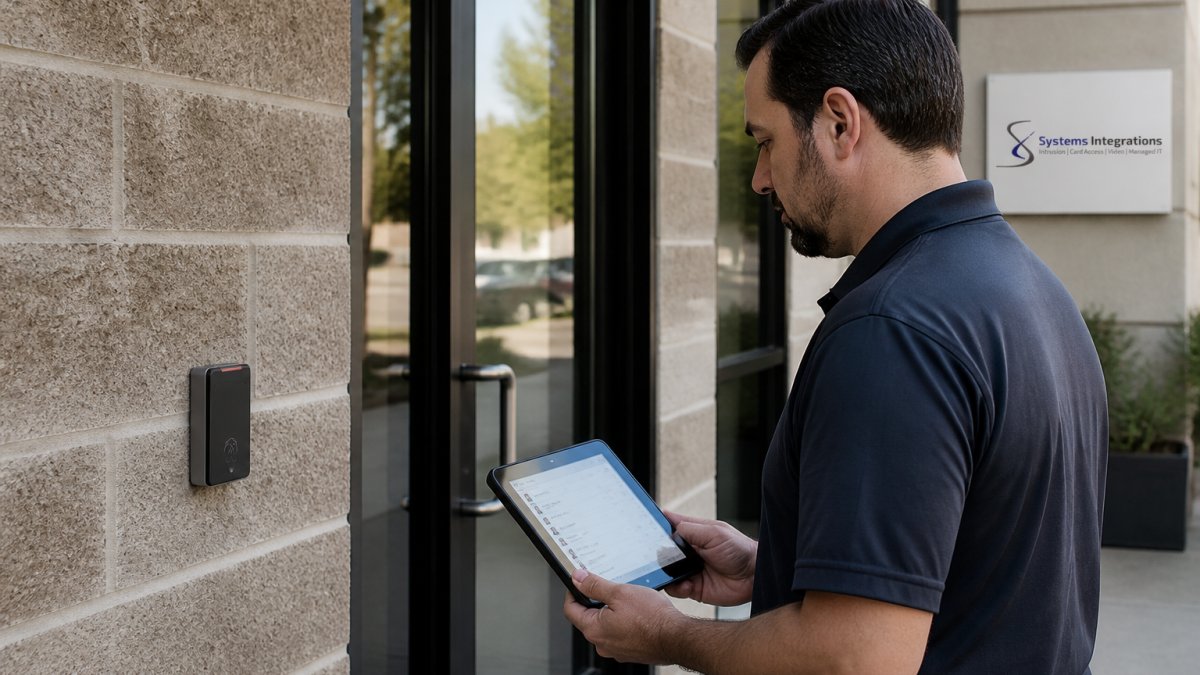
The trade-off is real: cloud systems depend on your network and internet connection. For a deeper comparison of the two architectures, cloud vs on-premise access control walks through what property managers should weigh.
Managing Employee Access Permissions Without the Guesswork
Managing employee access permissions is where small teams get sloppy, and it rarely shows up until an audit or a departed employee still has a working card. The fix is a discipline, not a spreadsheet: permissions follow the role, not the person, and every grant has an owner and an expiration.
A repeatable permission workflow for a lean team
- Define roles before people. Create access groups such as “Full-time staff,” “Opening crew,” “Contractors,” and “Vendors.” Assign doors and schedules to the group, then add people to the group. When someone changes roles, you move one membership instead of editing a dozen door permissions.
- Set schedules that match actual working hours. A door that unlocks at 6:00 a.m. and locks at 8:00 p.m. removes the daily manual unlock and shrinks the window an unattended door sits open. Shared spaces such as conference rooms or a loading dock can run on their own amenity schedule.
- Grant temporary credentials with an expiry date. A contractor who needs the server room for two days gets a credential that dies at the end of day two. This is the single highest-value habit for small teams because it eliminates the “we forgot to take it back” problem.
- Remove access the day someone leaves, not the week after. Build offboarding into the same checklist as email and payroll. A revoked card should stop working promptly once access is removed.
- Review the audit trail monthly. Pull the access log, scan for after-hours entries, repeated failed attempts, and credentials used outside their schedule, and fix what you find.
Small-team scenarios that expose weak permission design
- The unexpected visitor. A teammate working from home can unlock the front door from a phone, watch the entry in the log, and relock it, without calling someone who is on site.
- The weekend contractor. A vendor gets a time-boxed credential for Saturday morning; no key changes hands and no one drives in to open the door.
- The role change. An employee moves from the floor to the office; you change one group membership and their door access follows.
Measurable outcomes to track
Small teams do not need a security dashboard, but four numbers tell you whether the process is working: time to grant access (minutes versus a day), number of physical keys issued (lower is better), access incidents per month, and time spent coordinating entry. If those numbers are not improving, the permission design is the place to look.
Write the offboarding step into the same checklist you use for email and payroll. Access removal that depends on memory is access removal that eventually fails.
An audit trail and access logs can show who entered and when. For teams that want a repeatable process, our guide on managing employee access for small offices goes deeper.
A repeatable permission workflow keeps access tied to roles and dates rather than memory.
| Step | What to do | Why it matters |
|---|---|---|
| Define roles before people | Create access groups like Full-time staff, Contractors, Vendors | Move one membership instead of editing a dozen doors |
| Set schedules to working hours | Unlock at 6:00 a.m., lock at 8:00 p.m. | Removes daily manual unlock and shrinks open-door window |
| Grant temporary credentials with expiry | Contractor credential dies at end of day two | Eliminates the forgot-to-take-it-back problem |
| Remove access the day someone leaves | Build offboarding into email and payroll checklist | Revoked card stops working promptly |
| Review the audit trail monthly | Scan for after-hours entries and failed attempts | Fix what you find |
Access Control Security Risks Small Teams Underestimate
The biggest risk is not a break-in. It is an unprotected door controller sitting on the same network as everything else, or a failure plan that exists only in someone’s head. A common mistake is treating physical security as separate from cybersecurity, when in practice they share the same wiring, the same credentials, and the same outage.
The risks worth planning for
- Shared or default credentials on the access system itself. Change the installer’s default login on day one and give each administrator their own account.
- No network segmentation. Put door controllers on their own VLAN so a compromised device cannot reach finance or email systems. A firewall rule between that segment and the rest of the network is the cheapest control you will ever deploy.
- Unmanaged third-party access. Vendors and contractors should get time-boxed credentials tied to a named person, not a shared code that lives on a sticky note.
Multifactor authentication and role-based permissions
User authentication and data security belong in the same conversation as your locks. Require multifactor authentication for administrator accounts, and use role-based permissions so each user has only the access their job requires. The principle is least privilege: give each person the smallest set of controls their job requires.
Failure planning: what happens when the link drops
Cloud systems depend on your network and internet connection, so plan for the day it fails. A resilient connection and a local fallback can help keep doors functioning if the link drops, and a written procedure helps staff know what to do when the app will not load. Test the fallback once a quarter, not once a crisis.
A backup entry procedure that lives only in the administrator’s memory is not a procedure. Write it down, store a copy off-site, and make sure at least two people can execute it.
For the technical detail on VLANs, firewalls, and credentials, see cybersecurity for access control.
Book a Free Consultation Before You Commit to a System
The right system depends on your doors, your network, and how your team actually works, so it helps to look before recommending anything. A consultation can map your current setup and confirm what needs to change, including NDAA-compliant hardware where your contracts require it. If you want to prepare, our list of 7 questions before upgrading your access control system is a good starting point.
Frequently Asked Questions
What are the benefits of remote door management for small teams?
Remote door management lets a small team control every door from one dashboard instead of walking the building with keys or paying someone to sit at a front desk. Managers can grant or revoke access in seconds, see who entered and when through access logs, and respond to a lost badge or after-hours alarm from a phone. It also lowers staffing costs, keeps sites running when nobody is on location, and gives you an audit trail that supports compliance reviews. For teams without a dedicated security administrator, that consolidation is often the biggest win.
Can a small business manage door access without an on-site administrator?
Yes. With cloud-based access control, the system lives on a managed platform rather than a server closet, so an office manager or IT generalist can handle day-to-day tasks like adding a new hire, setting schedules, or pulling an access log remotely. The key is planning the setup correctly: map who needs which doors, set role-based permissions up front, and confirm your integrator provides ongoing support. A small team should not be the only line of defense when a controller fails or a firmware update needs testing.
How can managers grant or revoke door access remotely?
Most cloud-managed systems let an authorized manager log in from a browser or mobile app, select the person or group, and assign credentials to specific doors and time windows. Revoking access works the same way and takes effect at the door within moments. For vendors and contractors, use temporary credentials with an expiration date so third-party access closes itself. Build a short written process for terminations specifically: revoke the badge, disable the mobile credential, and check the audit trail the same day.
Is cloud-based door access control secure enough for a small team?
It can be, provided the system is deployed with cybersecurity in mind. Look for encrypted communication between doors and the cloud, multi-factor authentication for administrator accounts, role-based permissions, and a complete audit trail. The access control security risks that matter most are shared admin logins, unpatched controllers, and unmonitored vendor accounts, not the cloud itself. Ask your integrator how firmware updates are handled, who can change permissions, and what happens to door operation if the network drops.
The challenge is not picking a system. It is knowing whether your network, doors, and compliance requirements can support it. Systems Integrations brings a cybercentric approach to physical security, with NDAA-compliant systems, unified management across multiple sites, and a single point of contact instead of a chain of vendors. Get started with Systems Integrations and manage every door from one place.
