
Last Updated: November 12, 2026
Quick Summary
The best practices for video surveillance integration start with a coverage plan that maps every entry and exit point before any camera is purchased, then connect cameras, badge readers, and door controllers on one unified platform. Lock down cybersecurity, write a followable privacy policy, standardize multi-site deployments, and test failover and retrieval before go-live.
- Design coverage before installation; retrofitting afterward is generally more costly.
- Axis research shows 41% of end customers rank unifying security systems as a top priority.
- Change every default password at commissioning and give each device a unique credential.
- Standardize camera models, access platform, and naming conventions across every site.
- Re-run failover and retrieval tests at least annually and after major upgrades.
Table of Contents
- Start With a Coverage Plan, Not a Camera List
- Eliminate Blind Spots at Every Entry and Exit Point
- Build Video Surveillance and Access Control Integration Into One Platform
- Lock Down Security Camera Cybersecurity Before Go-Live
- Write a Video Surveillance Privacy Policy Your Staff Can Follow
- Plan Multi-Site Security System Integration Around One Console
- Test, Maintain, and Prove the System Works
- Schedule a Free Consultation Before You Buy Another Camera
- Frequently Asked Questions
Start With a Coverage Plan, Not a Camera List
The most expensive mistake in video surveillance integration happens before a single camera is mounted: buying hardware first and designing coverage second.
A coverage plan maps every entry and exit point, defines the field of view each camera must capture, and sets image clarity targets for identification versus observation.
Designing coverage before installation is generally less costly than retrofitting it afterward. The U.S. video surveillance market is estimated at USD 15.53 billion in 2026, per Mordor Intelligence’s market analysis, which means buyers have no shortage of hardware options and every reason to choose deliberately.
Eliminate Blind Spots at Every Entry and Exit Point
Blind spots hide in predictable places: stairwell landings, loading docks, rear service doors, and the gap between a camera’s field of view and the door frame. Walk each entry and exit point at different times of day and note where glare, shadows, or obstructions degrade image clarity.
Then adjust. Lower a camera angle to capture faces rather than the tops of heads. Reposition fixtures that cause glare. Add coverage where a single camera cannot span a wide opening.
Watch out: mounting cameras high for a broad view often produces footage too distant for identity verification. Test the angle against a real person at the door before finalizing the mount.
Build Video Surveillance and Access Control Integration Into One Platform
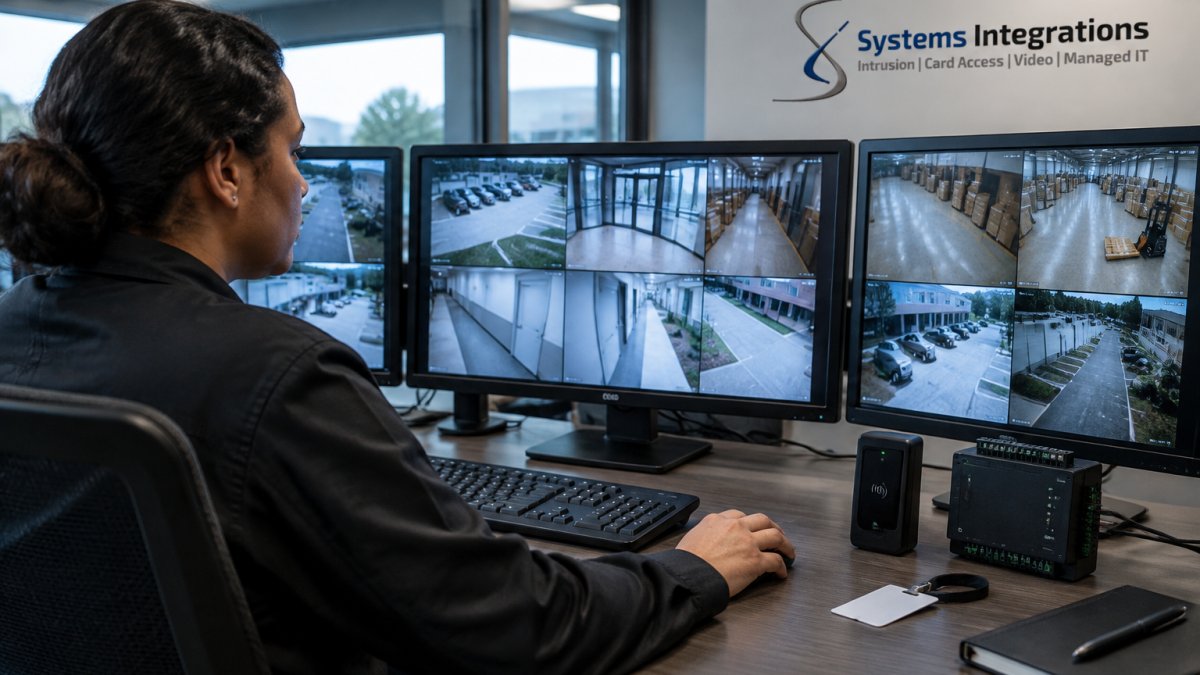
Video surveillance and access control integration is the practice of connecting cameras, badge readers, and door controllers so one event triggers a coordinated response across all three.
That connection is where most systems underdeliver. Axis reports that 41% of end customers want exactly this unification, yet many sites still run cameras and card access on separate consoles with separate logins. A unified platform collapses that into centralized management, one user directory, and one audit trail.
Assess compatibility before you buy
Integration depth is decided during procurement, not during commissioning. Build a compatibility checklist and score every candidate against it:
- Open APIs and documented SDKs. Confirm the video management system (VMS) and access control platform each publish a supported API with versioning and a published deprecation policy. A vendor that will not share API documentation before purchase is a red flag.
- Protocol support. Check for ONVIF Profile S or T on cameras, OSDP on reader-to-controller links, and native support for the identity protocols your organization already runs, such as SAML or SCIM for single sign-on and user provisioning.
- Event model. Ask how the platforms exchange events. The strongest integrations map access events (granted, denied, held, forced, door ajar) to camera bookmarks and alarms with a shared timestamp source.
- Legacy equipment. Inventory existing cameras and controllers by model, firmware, and protocol. Legacy analog cameras can often be brought in through encoders, but confirm the VMS still supports the encoder firmware you own.
- Vendor interoperability commitments. Ask for a reference deployment that combines the exact VMS and access control versions you plan to buy, not a generic logo slide.
Sequence the implementation
A workable order is: identity directory first, then access control, then video, then the event rules that bind them. Provision users once in the directory and let role-based access flow to both systems. Map each door to its cameras and define the event-to-camera rules in writing before configuration begins.
Watch out: integrating by screen-scraping or shared local accounts creates hidden dependencies that break at the next firmware update; insist on supported APIs and per-user credentials.
Our team designs these deployments around a single console, and we’ve documented how that consolidation improves operational efficiency in our guide to unified security platforms. Role-based access matters here too: operators see the feeds and doors their job requires, and nothing more.
Lock Down Security Camera Cybersecurity Before Go-Live
A camera on your network is a network device, and unsecured cameras are a documented path into corporate systems.
Network segmentation is the second layer. Place cameras and access controllers on a dedicated VLAN with firewall rules that permit only required traffic. Encrypt video in transit and at rest so intercepted streams and stored footage stay unreadable. Disable unused services and schedule firmware updates like any other patch cycle.
For organizations with government contracts, NDAA-compliant hardware is a separate but equally firm requirement. Systems Integrations bridges physical security infrastructure with cybersecurity best practices, as described in our cybercentric security integration overview.
Write a Video Surveillance Privacy Policy Your Staff Can Follow
Privacy risks in video surveillance are rarely about the technology. They are about unclear rules.
Legal requirements vary by state and by setting. Rather than guessing, base your policy on the rules that actually apply to your sites; our overview of recording laws and what security pros need to know covers the compliance questions we hear most.
Pair the policy with a retention schedule that matches storage capacity, and audit access logs quarterly. A policy nobody can follow is worse than none, because it creates liability without reducing risk.
| Practice | What It Prevents | Owner |
|---|---|---|
| Coverage plan before purchase | Wasted hardware, blind spots | Facility manager |
| Unique passwords per device | Credential theft, lateral movement | IT security |
| Retention schedule | Excess storage, legal exposure | Compliance lead |
| Quarterly access audit | Privilege creep | Security director |
| Documented export approval | Unauthorized footage release | Operations |
Plan Multi-Site Security System Integration Around One Console
Multi-site security system integration succeeds or fails on standardization. A distributed portfolio needs the same camera models, the same access control platform, and the same naming conventions at every location, or centralized management becomes a spreadsheet of exceptions.
Design around one console with remote access for authorized staff, automated health monitoring that flags offline cameras before users notice, and bandwidth management sized to each site’s network infrastructure. Cabling and network capacity at a smaller site often constrain what works at headquarters, so survey each location individually.
Cloud-native solutions and AI-powered video analytics are frequently cited as industry trends, and cloud-managed platforms can make multi-site consistency easier to maintain. Systems Integrations serves as a single point of contact across distributed portfolios, and our article on centralized access control for multi-site properties details how that model works in practice.
Test, Maintain, and Prove the System Works
Acceptance testing is a step that is easy to overlook. Before sign-off, verify camera uptime, record image clarity at each critical door, confirm that a denied badge produces the correct camera feed, and test failover by disconnecting a device. Write measurable criteria into the contract: percentage of cameras online, maximum alert latency, retention days verified.
Write pass/fail criteria into the contract
Vague acceptance language is how integrations drift. Convert each requirement into a test case with a threshold and a witness:
- Camera-to-access event matching. Trigger a granted, a denied, a held, and a forced-door event at every controlled door. Pass if the correct camera feed appears within the agreed latency and the event is bookmarked in the VMS with a matching timestamp.
- Alert delivery. Send a test alarm through every notification path (console, email, mobile push). Pass if each path delivers within the stated window and the alert includes the site, door, camera, and time.
- Timestamp accuracy. Compare camera, controller, and server clocks against a single time source. Pass if drift stays inside the tolerance you specified, because mismatched timestamps undermine every investigation.
- Video retrieval and export. Request footage for a specific event and time window. Pass if the export completes within the target time, plays on a standard player, and carries the required audit record.
- Failover. Disconnect a camera, a controller, and the network link in turn. Pass if local door decisions continue, edge recording captures video, and the console flags the outage.
Plan resilience and recovery explicitly
Resilience deserves its own test. Confirm that video storage survives a power interruption, that access controllers retain local decision-making if the network drops, and that backups restore within a defined window. Set recovery objectives in writing: a recovery time objective for how long monitoring may be degraded and a recovery point objective for how much footage or event data you can afford to lose. Edge recording on cameras or door controllers buys continuity when the network or server is down; verify that recorded video reconciles back to central storage after reconnection.
Watch out: a backup that has never been restored is an assumption, not a control; schedule a restore test and record the result.
Keep it honest after go-live
Ongoing maintenance keeps the system honest. Automated health monitoring, scheduled firmware updates, and quarterly reviews of access permissions prevent slow decay. Re-run the failover and retrieval tests at least annually and after any major firmware or platform upgrade. Cybersecurity audits of security infrastructure are worth the cost when cameras sit on a corporate network; our team explains why in this analysis of security infrastructure audits.
Schedule a Free Consultation Before You Buy Another Camera
The pattern is familiar: a camera fails, someone buys a replacement, and the portfolio drifts further from any coherent design. Break the cycle by planning the whole system before adding another device.
Get started with Systems Integrations and unify your video surveillance, card access, and intrusion systems under one accountable team.
Your next camera purchase should answer to a plan, not a panic. Bring us your floor plans and compliance requirements, and we will map coverage, cybersecurity, and access control into a single design before anything ships.
Frequently Asked Questions
How should video surveillance integrate with access control?
Link the two systems so a badge event triggers the nearest cameras and attaches the clip to that access record. When someone badges into a server room, the video management system should pull up the corresponding feed and log it against that user. This is the core of video surveillance and access control integration: one identity, one timeline. The practical test is whether an investigator can search a badge number and see every door event and its matching footage without opening two separate applications.
How can organizations secure network-connected security cameras?
Treat every camera as a network device with a known owner. Change default credentials, give each camera a unique password, put cameras on a segmented VLAN, and disable unused services and remote ports. Apply firmware updates on a scheduled cadence instead of waiting for a failure. Security camera cybersecurity also means role-based access: only the people who need live views or exports should have accounts, and privileged users should be reviewed quarterly. Encryption for video in transit and at rest closes the remaining gap.
What should an enterprise video surveillance integration plan include?
A workable plan covers four things: a coverage map with field of view and camera angles for each entry and exit point, a compatibility checklist for VMS, access control, and network gear, an acceptance test with measurable criteria such as camera uptime and export time, and a retention schedule tied to your video surveillance privacy policy. Add bandwidth and storage projections for the next three years so capacity planning does not become an emergency. Many end customers rank unifying separate security systems into one platform as a top priority, which is why the plan should start with the platform, not the hardware.
How often should video surveillance systems be tested and maintained?
Run automated health monitoring continuously and a hands-on test quarterly. The quarterly check should confirm recorded video quality, verify that retention matches policy, test failover if a recorder or switch drops, and confirm that access control events still map to the right cameras. Once a year, do a full audit of user accounts, firmware versions, and export logs. Skipping this is how integrations quietly break: the cameras stay online, but the link between a badge event and its clip stops working and nobody notices until an incident.
