
Table of Contents
- What Unified Physical Security Means for Multi-Site Operations
- Siloed Legacy Systems vs. a Unified Platform: A Direct Comparison
- Access Control and Video Surveillance Integration: How It Works in Practice
- Why NDAA-Compliant Security Cameras Matter for Regulated Industries
- Cybersecurity Hardening: OSDP, VLAN Segmentation, and Network Risk
- Multi-Site Security Management Software: Centralizing Control Across Locations
- Operational ROI: Where Unified Systems Cut Real Costs
- The Security System Infrastructure Assessment: Your Starting Point
- Frequently Asked Questions
Last Updated: September 23, 2026
What Unified Physical Security Means for Multi-Site Operations
Unified physical security consolidates access control, video surveillance, and intrusion detection into a single platform built on one shared data model, so every door event, camera feed, and alarm lives in one interface rather than three disconnected systems.
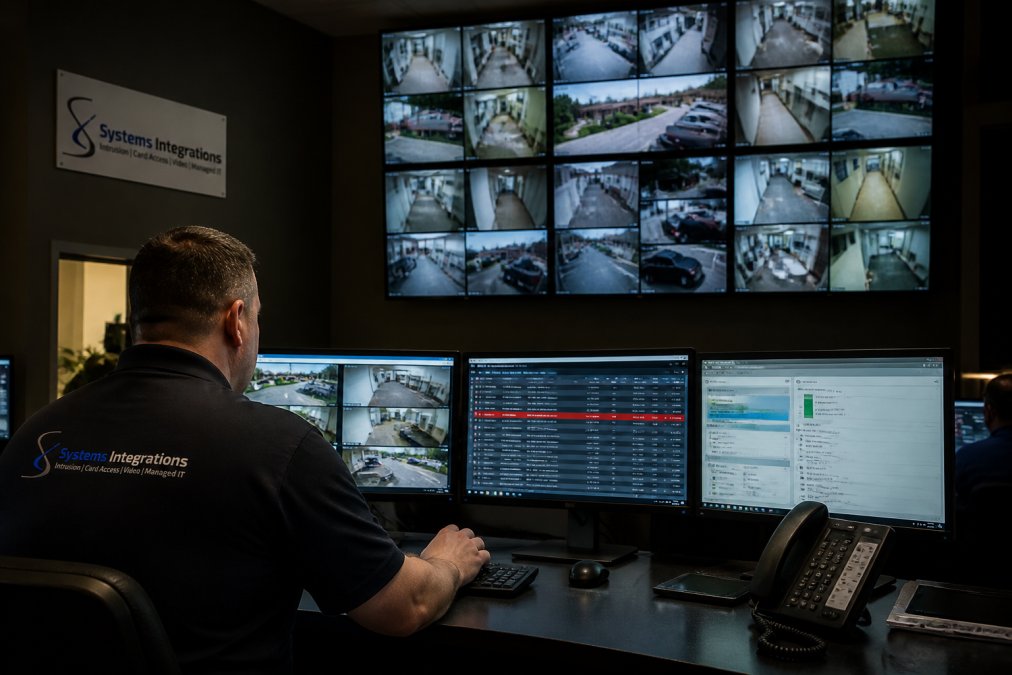
Unified vs. Integrated: The Distinction That Changes Everything
Most guides use “unified” and “integrated” interchangeably. They are not the same, and the difference determines what you can do during an incident.
- Integrated systems connect separate products through APIs or middleware. Access control, video, and intrusion each keep their own database, their own user list, and their own event log. The integration passes messages between them, but no single system owns the full picture.
- Unified systems run all three functions on one platform with one database and one event timeline. A door event and its linked video are the same record, not two records joined by a connector.
Why Multi-Site Operations Feel the Difference First
Single-site facilities can tolerate a loose integration because one operator can walk the property. Distributed organizations cannot. When your sites sit along the I-295 and Turnpike industrial corridors, an operator in one location is responsible for doors and cameras in several others.
Unification changes the math in three ways:
- One identity store. A new tenant’s credentials get provisioned once and apply across every site they touch.
- One event timeline. A forced door in one building and a badge read in another appear in the same sequence, which is what makes cross-site correlation possible.
- One reporting source. Access logs, alarm history, and video exports pull from a single system, which simplifies audits and insurance reviews.
The core components are consistent across deployments:
- Access control governing doors, gates, and restricted zones
- IP video surveillance feeding a central video management system
- Intrusion detection monitoring after-hours entry points
- A centralized dashboard tying all three to one event timeline
Siloed Legacy Systems vs. a Unified Platform: A Direct Comparison
Siloed systems force operators to reconcile three separate interfaces during the exact moment speed matters most. A unified platform collapses that work into one screen.
| Capability | Siloed Legacy Setup | Unified Modern Platform |
|---|---|---|
| Alarm verification | Phone calls between systems | Video auto-linked to event |
| Incident review | Manual DVR/NVR searches | Single timestamped timeline |
| Multi-site oversight | Separate logins per site | One dashboard, all locations |
| Software licensing | Duplicated per system | Consolidated platform license |
| Cyber posture | Mixed legacy protocols | OSDP, VLAN-segmented network |
| Maintenance | Multiple vendor contracts | Single point of contact |
The Hidden Costs of Siloed Security Infrastructure
The line items that hurt most rarely appear on a security budget. A common mistake is treating each system’s renewal, service call, and false alarm dispatch as an isolated expense. Add them across five or ten sites and the overhead becomes structural.
Access Control and Video Surveillance Integration: How It Works in Practice
Integration means an access event automatically pulls the matching camera footage. When a door is forced or a badge is used outside its schedule, the platform tags the video at that exact timestamp. No operator hunts through hours of footage.
The practical workflow looks like this:
- A door contact reports a forced-open event at 2:14 a.m.
- The platform links the nearest camera and flags the clip automatically.
- An alert reaches the on-call operator’s phone with the video attached.
- The operator verifies or dismisses the event from a mobile device.
Set tailgating alerts to trigger only on out-of-hours badge reads at perimeter doors. Tuning this at setup prevents alert fatigue, which is the fastest way a new unified platform gets ignored.
Real-World Scenario: From Alert to Evidence in Under Five Minutes
A warehouse door forces open at 2:14 a.m. The unified platform pushes an alert with linked video to the on-call operator’s phone. The operator confirms a person on camera, locks down adjacent doors remotely, and forwards the clip to management. A process that once meant a site visit and hours of footage review closes in minutes, with exportable evidence ready for police.
Why NDAA-Compliant Security Cameras Matter for Regulated Industries
NDAA-compliant security cameras are manufactured by vendors that meet federal restrictions on covered equipment, which matters for any organization holding government contracts or working in regulated sectors. Compliance is a procurement requirement, not a preference.
Cybersecurity Hardening: OSDP, VLAN Segmentation, and Network Risk
Modern physical security runs on your network, which makes every camera and reader an IT endpoint. An unpatched camera is a network device with a default password, not just a lens on a pole.
Three controls do most of the work:
- OSDP over Wiegand: OSDP encrypts communication between reader and controller. Legacy Wiegand transmits credentials in the clear, where a spliced reader can capture them.
- VLAN segmentation: Isolating security devices on a dedicated VLAN limits lateral movement if one device is compromised.
- Role-based access: Cloud and hybrid platforms let you assign permissions by role, so a site supervisor sees their building and nothing else.
Multi-Site Security Management Software: Centralizing Control Across Locations
Multi-site security management software lets one team administer access, video, and alarms across every location from a single interface, turning five separate systems into one operation.
Centralized management is the benefit most teams underestimate. The day-to-day time savings from one dashboard across ten sites typically outweigh the headline security improvements.
Operational ROI: Where Unified Systems Cut Real Costs
Cost savings from unification come from four places: consolidated licensing, fewer false alarm dispatches, reduced site-to-site travel, and faster incident response. Each is measurable, and together they offset migration cost over a predictable horizon.
- Licensing: One platform subscription replaces per-system renewals that quietly duplicate.
- Dispatch fines: Video-verified alarms reduce the false dispatches municipalities fine.
- Travel: Remote verification eliminates routine site visits for door and alarm checks.
- Response time: Faster verification limits loss exposure during an actual incident.
Calculating Your Own ROI Framework
Build the case with your numbers, not a vendor’s. Total cost of ownership is the right lens because it captures recurring costs, not just hardware.
- Baseline current spend: Add annual software renewals, service contracts, and false alarm fines across all sites.
- Estimate travel overhead: Multiply routine site visits per month by staff hours and mileage.
- Quantify response time: Assign a cost to downtime per incident, even if it’s an estimate.
- Subtract unified platform cost: Include hardware, licensing, and integration labor.
- Compare over three years: One-time migration against recurring savings.
Skipping the baseline step is the most common ROI mistake. Without accurate current spend, savings claims are guesses, and finance teams will reject them.
The Security System Infrastructure Assessment: Your Starting Point
A security system infrastructure assessment is a structured audit of your existing cameras, access control, network, and alarm systems that identifies gaps, compliance risks, and consolidation opportunities. It is the first step before any migration.
A thorough assessment covers:
- Inventory of every camera, reader, panel, and controller by site
- Firmware and patch status across all connected devices
- NDAA compliance verification on camera hardware
- Network segmentation review for security VLANs
- Licensing and contract audit for overlapping costs
- False alarm and dispatch history review
The Migration Roadmap Competitors Skip
Most guides explain what unification is and why it helps, but almost none explain how to get there without ripping out working hardware. The roadmap below determines whether a migration succeeds or stalls halfway.
What to Preserve and What to Replace
Not every legacy component needs to go. The decision usually comes down to three questions:
- Does the device support secure protocols? A camera that speaks modern, encrypted streams can often stay. A reader that only speaks Wiegand should be scheduled for replacement.
- Is the device NDAA-compliant? Non-compliant hardware is a procurement liability and should be replaced regardless of age.
- Is the device still supported by its manufacturer? Unsupported firmware is an unpatched network endpoint, which is a risk that outweighs the savings from keeping it.
A Realistic Timeline
A single-site migration of a modest system often completes in a few weeks once hardware is on site. Multi-site rollouts typically run across several months, paced by site count, network readiness, and how much legacy hardware can be preserved. The assessment produces a defensible schedule rather than an optimistic one.
The migration roadmap is the part most organizations underestimate. Sequencing network hardening before hardware replacement is what prevents a second migration six months later.
Frequently Asked Questions
What is the difference between integrated and unified physical security systems?
Integrated systems connect separate platforms through middleware or APIs, but each component still runs on its own software. Unified systems operate on a single platform where access control, video surveillance, and intrusion detection share one database and one interface. With unified physical security, a door-forced alert automatically tags the corresponding video clip, so operators do not switch between systems during an incident. Integration reduces some friction; unification eliminates it entirely.
Why is OSDP preferred over Wiegand for access control security?
Wiegand is an unencrypted protocol, meaning card credentials travel in plain text and can be intercepted with basic equipment. OSDP (Open Supervised Device Protocol) encrypts communication between the card reader and controller, supports bidirectional monitoring, and alerts you when a reader is tampered with or disconnected. For facilities pursuing unified physical security, OSDP is the baseline requirement because it closes a vulnerability that legacy wiring leaves open.
How does a unified platform improve incident response times?
When access control and video surveillance integration is in place, an alarm event instantly pulls up the relevant camera feed with the exact timestamp. Operators see who entered, when, and what happened without manually searching through separate DVRs or NVRs. This cuts forensic review from hours to minutes. Automated workflows can also lock doors, notify managers, and trigger compliance reporting the moment an event fires, which matters when every minute of exposure carries risk.
How can unified security systems reduce false alarm dispatch fees?
Siloed intrusion panels often trigger dispatch on motion alone, leading to costly false alarm fines from local municipalities. A unified platform cross-references intrusion alerts with video analytics and access events before escalating. If a motion sensor trips but no door opened and no person appears on camera, the system can suppress the dispatch or route it to a monitoring queue for verification. Fewer false dispatches mean fewer fines and less strain on local first responders.