
Last Updated: November 7, 2026
Quick Summary
Cloud-based video surveillance is secure enough for your business when encryption, tight access controls, and disciplined device management all hold up together. Remove any one of those, and the cloud becomes a liability rather than a safeguard. The technology is not the weak point; configuration usually is.
- Off-site storage removes the recorder from your building, so break-ins or floods cannot destroy footage.
- Cloud platforms push security patches automatically, while manual patching is where teams fall behind.
- Cloud surveillance depends on a reliable internet connection; lose the link and you lose visibility.
- Put cameras on a separate network segment and change every default password on day one.
- Track patch compliance, update success rate, and time to remediate critical advisories monthly.
Table of Contents
- What Makes Cloud-Based Video Surveillance Secure (or Not)
- Cloud vs. On-Premises Video Surveillance: Security Trade-Offs
- Commercial Security System Firmware Management: The Overlooked Attack Surface
- Step 1: Build and Maintain a Device Inventory
- Step 2: Monitor Vendor Bulletins and Support Lifecycles
- Step 3: Confirm Compatibility and Dependencies
- Step 4: Test on a Single Device
- Step 5: Get Sign-Off and Schedule a Maintenance Window
- Step 6: Roll Out in Stages and Verify
- Step 7: Keep a Rollback and Recovery Plan
- Step 8: Govern Across Mixed Vendors and Sites
- Step 9: Measure the Outcome
- Business Security Systems with Cameras: Hardening the Network Edge
- Small Business Security Systems: What Changes at Smaller Scale
- Device Health, Real-Time Alerts, and Measuring Update Compliance
- Planning a Secure Cloud Surveillance Deployment
- Frequently Asked Questions
What Makes Cloud-Based Video Surveillance Secure (or Not)
Is cloud-based video surveillance secure enough for your business? The honest answer is that cloud-based video surveillance is secure when encryption, tight access controls, and disciplined device management all hold up together. Remove any one of those, and the cloud becomes a liability rather than a safeguard.
The technology is not the weak point. The weak point is almost always configuration.
Encryption, Access Controls, and the Real Threat Model
Start with what actually protects footage. Three layers do most of the work:
- Encryption in transit and at rest. Footage should be scrambled while it travels and while it sits in storage.
- Strong authentication. Every user needs a unique login, not a shared admin password.
- Least-privilege access. Staff see only the cameras and clips their role requires.
Breaches of this kind often trace back to a default password, an open port, or an old account nobody disabled. The cloud itself is rarely the failure point; the setup usually is.
Where Cloud Systems Actually Reduce Risk
Off-site storage removes a camera recorder from your building, so a break-in or flood cannot destroy the evidence. Cloud platforms also push security patches automatically.
But cloud is not automatically safer. Wasabi’s analysis of cloud-based surveillance notes that off-site storage brings its own technical and security concerns.
For teams that want that risk handled end to end, our cloud video surveillance solutions in NJ, PA & DE cover design, install, and ongoing management.
Cloud vs. On-Premises Video Surveillance: Security Trade-Offs
Neither model wins outright. The right pick depends on your sites, your staff, and your tolerance for maintenance.
| Factor | Cloud-Based | On-Premises |
|---|---|---|
| Patching | Automatic | Manual, easily missed |
| Remote access | Built in | Needs setup and hardening |
| Upfront hardware | Minimal | Servers and storage on site |
| Internet dependency | High | Low |
| Multi-site management | Centralized | Per-site effort |
| Physical risk to footage | Off-site | Stored on site |
On-premises systems give you control and keep working when the internet drops.
Cloud shifts that upkeep to a provider. In practice, most mid-size businesses we work with do better with cloud management, because patching stops depending on someone remembering.
Commercial Security System Firmware Management: The Overlooked Attack Surface
Commercial security system firmware management is the discipline of tracking, testing, approving, and installing device software updates across cameras, controllers, recorders, and network-connected panels. Skip it, and every connected device becomes a standing invitation.
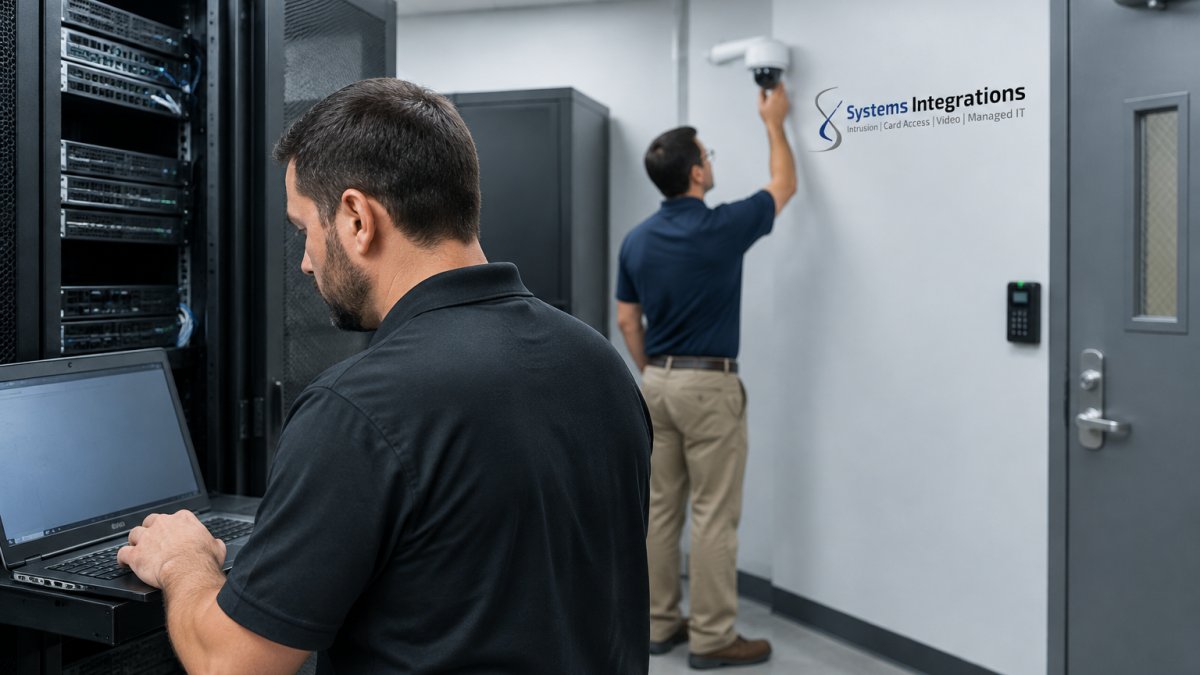
Firmware is the software baked into each camera, door controller, and recorder. Old firmware carries known flaws. Attackers scan for exactly that.
Step 1: Build and Maintain a Device Inventory
You cannot patch what you cannot see. Record model, serial number, physical location, network segment, current firmware version, and vendor support status for every device. Include cameras, door controllers, alarm panels, recorders, and any network switch or gateway that touches the security VLAN.
Watch out: an inventory that lives only in one person’s head is not an inventory. When that person leaves, so does your patch visibility.
Step 2: Monitor Vendor Bulletins and Support Lifecycles
Subscribe to each vendor’s security advisory feed and release notes. For every bulletin, note the release version, the vulnerability it addresses, the severity, and whether the vendor has announced an end-of-support date for the hardware. A camera that stops receiving firmware is a future risk, not an asset, plan replacement before support ends, not after.
Step 3: Confirm Compatibility and Dependencies
Firmware does not exist in isolation. A camera update may require a minimum recorder firmware version, a management-platform update, or a specific driver. Before approving anything, verify the device-to-platform compatibility matrix and check whether the update changes APIs, ONVIF profiles, or integration behavior with access control and alarm systems. Document the dependency chain so a later update does not strand a device.
Step 4: Test on a Single Device
Update one camera or panel first, ideally one that is not critical to life safety or after-hours access. Confirm video streams, recording, access control, alerts, and remote viewing still work. If the device is on a segmented network, confirm it still reaches the management platform and any integrations.
Step 5: Get Sign-Off and Schedule a Maintenance Window
Treat firmware like any other change to a critical system. Name who approves each change, and schedule the rollout during low-traffic hours, never mid-shift and never during an event the site depends on. For multi-site operations, stagger windows by site so a failed update never takes down every location at once. Communicate the window to staff and to anyone who relies on the system.
Step 6: Roll Out in Stages and Verify
Deploy to a pilot group, then expand site by site or floor by floor. After each stage, verify recording, access control, alerts, and remote connectivity. Log the date, version, device, approver, and result. If a stage fails, stop and diagnose before continuing.
Step 7: Keep a Rollback and Recovery Plan
Save the prior firmware file and a configuration backup before you start. Know exactly how to revert, who can do it, and how long it takes. If an update fails and you cannot revert, you are stuck waiting on vendor support while your doors stay down or your cameras stay dark.
Watch out: skipping the rollback plan is the mistake that turns a routine patch into an outage.
Step 8: Govern Across Mixed Vendors and Sites
A single policy should cover cameras, access controllers, alarms, and network devices, even when they come from different vendors. Define one approval path, one testing standard, one documentation format, and one escalation contact per site. Centralize the inventory and the change log so a multi-site operator can see patch status across every location without calling each site manager.
Step 9: Measure the Outcome
Track a small set of measures monthly: patch compliance (share of devices on current, supported firmware), update success rate, time to remediate a critical advisory, count of unsupported devices, and security-system downtime during updates.
For a deeper look at whether this effort pays off, read whether commercial security firmware management is worth the effort.
Business Security Systems with Cameras: Hardening the Network Edge
Business security systems with cameras can fail at the network edge. Cameras are network-connected devices, and every one is a potential entry point.
The fix is unglamorous but effective:
- Put cameras on a separate network segment.
- Change every default password on day one.
- Rotate admin credentials on a set schedule.
- Disable remote access you do not use.
- Close open ports that expose devices to the internet.
A common mistake is treating cameras as appliances rather than computers. Our guide on whether your security cameras are exposed on Shodan shows how to check and what to do next.
Small Business Security Systems: What Changes at Smaller Scale
Small business security systems face the same threats with fewer hands to manage them. That is the real difference at smaller scale.
A five-person office rarely has a dedicated IT team. So updates get skipped, passwords stay shared, and nobody owns the device inventory.
The practical answer is to simplify:
- Choose one platform instead of three.
- Use cloud management so patching happens for you.
- Set alerts so someone hears about a failure.
- Assign one person clear ownership.
Smaller teams also benefit from a single point of contact. Our overview of SMB video surveillance backdoor risks covers the specific exposures small businesses face.
Device Health, Real-Time Alerts, and Measuring Update Compliance
Device health monitoring tells you when a camera goes offline, a drive fills up, or a device falls behind on updates. But monitoring is only useful if it feeds a measurement loop. The sections above describe the firmware workflow; this section describes how you prove it is working.
Set Alerts for the Events That Matter
Configure real-time alerts for the conditions that precede failure or exposure:
- Camera offline or signal lost
- Storage nearing capacity or a drive failure
- Firmware out of date relative to the approved baseline
- Failed login attempts above a threshold
- Certificate expiring soon
Route alerts to a named owner, not a shared inbox. An alert nobody owns is noise.
Define the Measures
A small scorecard keeps the work visible and stops it from sliding. Track these monthly:
- Patch compliance: share of devices on current, supported firmware.
- Update success rate: share of scheduled updates that completed without rollback.
- Time to remediate: days from a critical vendor advisory to a patched device.
- Unsupported-device count: devices past end-of-support, with a replacement plan.
- Security-system downtime: minutes of lost recording or access control during updates.
These measures connect uptime and patch compliance into one conversation. An unpatched device is a device waiting to cause downtime, and a device that goes offline without an alert is a gap in coverage you did not know you had.
Review on a Cadence
Review the scorecard monthly with the person who owns the system and quarterly with whoever approves budget. Use the review to decide which devices to replace, which sites need a maintenance window, and whether the firmware baseline needs to change.
Watch out: a scorecard that is never reviewed is worse than none, it creates the appearance of control without the substance.
Planning a Secure Cloud Surveillance Deployment
A secure deployment starts before the first camera goes up. Plan the security, not just the coverage.
Work through this checklist:
- Confirm devices meet NDAA compliance requirements
- Map every camera and controller to a network segment
- Define user roles and access permissions
- Set a password rotation schedule
- Document the firmware baseline
- Configure alerts and escalation paths
Compatibility and vendor support lifecycle deserve early attention. Ask how long each vendor will support the hardware.
For small businesses replacing aging recorders, our cloud video surveillance for South Jersey small businesses lays out the migration path.
Cloud surveillance is secure enough when someone owns the details: patching, access, alerts, and recovery.
Frequently Asked Questions
Is cloud-based video surveillance secure enough for a business?
It can be, provided the system is configured correctly. Security depends on encryption in transit and at rest, role-based administrative access, password rotation, certificate management, and disciplined firmware updates. Cloud storage moves footage off site, but off-site storage alone does not make a system secure. Businesses should verify vendor practices, require multi-factor authentication for administrative accounts, and confirm that device health and update compliance are monitored. For regulated or government-adjacent work, confirm the hardware is NDAA-compliant before deployment.
Can cloud security camera footage be hacked?
Any network-connected device can be attacked if it is misconfigured or left unpatched. Common entry points include weak or reused passwords, exposed administrative interfaces, and outdated firmware with known vulnerabilities. Reduce the risk by enforcing strong unique credentials, rotating passwords on a schedule, disabling unused services, segmenting cameras onto a separate network, and applying firmware updates through a tested workflow. Real-time alerts on device health help catch unusual behavior before it becomes an incident.
What happens to surveillance footage if the internet goes down?
Behavior depends on the architecture. Many cloud-managed cameras and recorders keep recording locally to onboard storage or an edge recorder, then sync to the cloud when connectivity returns. Others stream only to the cloud and lose coverage during an outage. Ask the provider directly where footage is stored during an outage, how long local retention lasts, and whether recording resumes automatically. For sites with unreliable connections, a hybrid design with local recording and cloud management is usually the safer choice.
How does commercial security system firmware management affect cloud camera security?
Firmware is the software running on cameras, controllers, and recorders, and unpatched firmware is one of the most common ways attackers reach network-connected devices. A workable process includes maintaining a device inventory with firmware versions, subscribing to vendor advisories, testing updates on a small group before wider deployment, scheduling maintenance windows, and keeping a rollback plan. Across multi-site or mixed-vendor environments, assign ownership for update compliance so patches do not stall between IT and facilities teams.
