
Table of Contents
- How Physical Security and Cybersecurity Now Overlap
- Why Security Convergence Matters for Critical Infrastructure
- Top Threats to Connected Physical Security Systems
- Video Surveillance Cybersecurity: Camera Vulnerabilities
- Access Control System Cybersecurity: Identity Verification Gaps
- Physical Security Risk Assessment: A Step-by-Step Approach
- Physical Security Cybersecurity Best Practices for Device Hardening
- Incident Response and Recovery Playbooks for Physical Security
- Frequently Asked Questions
Last Updated: October 5, 2026
How Physical Security and Cybersecurity Now Overlap
A building’s badge reader and its network switch now sit on the same wire, and that single fact reshaped how organizations must think about cybersecurity risks in physical security infrastructure. Cameras, door controllers, and intrusion panels are networked computers.
Physical security is the set of controls that protect people, property, and facilities: cameras, card access, locks, and alarm systems. Cybersecurity protects the data and networks those controls depend on. Where the two meet, security convergence happens, and most breaches of physical systems begin there.
The Convergence of IT and Physical Security Teams
Convergence means IT and physical security teams share responsibility for the same devices instead of working in separate silos. A camera that once ran on closed coax now streams video over IP, authenticates users, and receives cloud firmware updates, so someone must own patching, passwords, and network segmentation. When no one does, gaps appear.
Why Security Convergence Matters for Critical Infrastructure
Critical infrastructure depends on physical systems that are increasingly networked, raising the cost of every unpatched device. Convergence turns physical security into part of the infrastructure security posture rather than a separate facility concern.
The core risk is fragmented ownership: when facilities manage cameras and IT manages the network, neither sees the full picture, and attackers exploit that blind spot.
The most common failure is a camera or door controller left on default credentials and reachable from the internet. It takes minutes for automated scanners to find it, and the device becomes an open door into the network behind it.
Top Threats to Connected Physical Security Systems
Connected physical security devices face a distinct threat set, most of it targeting the network layer rather than the lock itself. Understanding the categories helps you prioritize controls.
- Data interception – unencrypted video or credential traffic captured in transit
- Data corruption or alteration – tampered footage or access logs that hide an incident
- Transmission obstruction – jamming or flooding that blinds monitoring
- Credential misuse – stolen or shared logins used for unauthorized access
- Sabotage – deliberate disruption of building systems during an incident
Data Interception, Corruption, and Alteration
Traffic that moves unencrypted across a network can be captured and read. For video surveillance, that means footage and credentials are exposed. For access control, it means identity verification data can be replayed. Encryption in transit and at rest closes most of this gap, and it should be a baseline requirement, not an upgrade.
Credential Misuse and Unauthorized Access
Shared logins, default passwords, and orphaned accounts are the quiet entry points. A former employee’s badge still active in the system is credential misuse waiting to happen. Strong identity verification, unique credentials per user, and prompt deprovisioning reduce this exposure more than any single product feature.
Video Surveillance Cybersecurity: Camera Vulnerabilities
Cameras are the most numerous connected devices on most sites, making them the largest attack surface. Each IP camera runs firmware, listens on network ports, and often ships with weak defaults. Video surveillance cybersecurity starts with treating every camera as a networked endpoint that needs patching, unique credentials, and network isolation.
Legacy and Unsupported Equipment Risks
Legacy equipment is the hardest problem because it still works: an analog-to-IP bridge or end-of-life camera that no longer receives firmware updates cannot be patched against new vulnerabilities. Isolate these devices on a separate network segment and plan replacement rather than leaving them exposed on the main network. Many organizations discover these devices only during a formal assessment.
Access Control System Cybersecurity: Identity Verification Gaps
Access control system cybersecurity hinges on how confidently the system verifies who is at the door. Weak identity verification, a shared PIN or a cloneable proximity card, undermines the entire access layer. Multi-factor authentication at sensitive doors, encrypted card formats, and regular access reviews close the gap. A card system authenticating against a cloud service also needs that connection secured, since the credential check travels over the network.
Physical Security Risk Assessment: A Step-by-Step Approach
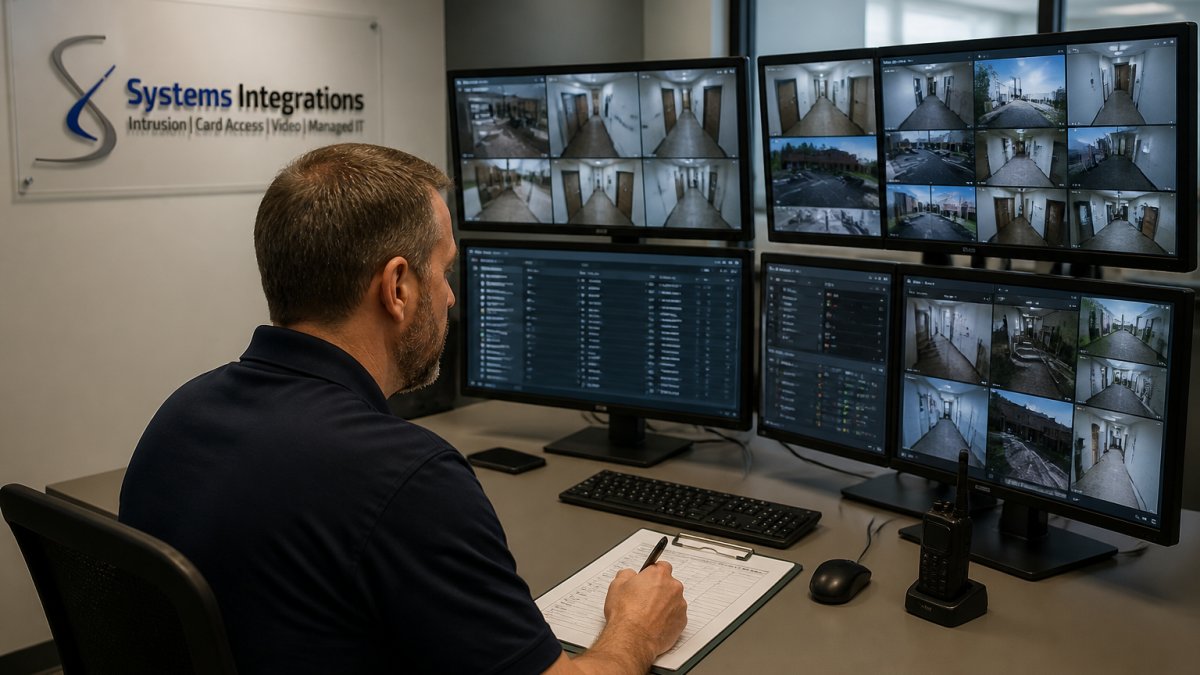
A physical security risk assessment is a structured review of every connected device, how it is configured, and how it connects to the network.
- Inventory every device – cameras, door controllers, intrusion panels, and their firmware versions
- Map network connections – which devices touch the corporate network and which sit isolated
- Check configurations – default passwords, open ports, and disabled encryption
- Identify legacy equipment – unsupported devices that no longer receive updates
- Score exposure – rank each device by what an attacker could reach through it
- Document and prioritize – fix the highest-exposure items first
| Risk Found | Typical Fix | Impact |
|---|---|---|
| Default credentials | Unique passwords, MFA on admin accounts | Blocks automated takeover |
| Flat network | VLAN segmentation for security devices | Limits lateral movement |
| Unpatched firmware | Update or isolate legacy devices | Removes known exploits |
| Unencrypted traffic | Enable TLS on streams and APIs | Protects data in transit |
Physical Security Cybersecurity Best Practices for Device Hardening
Device hardening means configuring each device to do only what it needs and nothing more. Most organizations treat “hardening” as a single checklist, but controls differ by device class: a camera, badge reader, door controller, and building management system each expose different services and paths into the network. Treat hardening as four device-specific workstreams, then apply the shared baseline underneath them.
Shared baseline for every connected device
- Replace default and shared credentials with unique per-device accounts; put administrative access behind multi-factor authentication.
- Disable unused services and close unused ports. A camera that only streams video does not need Telnet, FTP, or a web configuration page exposed to the network.
- Enable encryption in transit (TLS for streams and APIs) and at rest where the device supports it.
Cameras
Disable the manufacturer’s peer-to-peer or cloud relay unless you specifically need it, because those features often punch outbound tunnels that bypass segmentation. Replace ONVIF discovery with a static device list on the video management system so a rogue camera cannot announce itself and be auto-adopted. Set the camera’s admin account to a unique password, and confirm the VMS uses its own service account rather than the camera’s admin login.
Badge readers and access controllers
Move away from 125 kHz proximity cards, which can be cloned with inexpensive hardware, toward encrypted formats such as MIFARE DESFire or Seos. Configure the controller so a reader losing its head-end connection fails in a defined state, most sites choose fail-secure for exterior doors and fail-safe for egress paths, and that decision should be documented, not left to the installer’s default.
Intrusion panels and building systems
Intrusion panels and building management systems often run on older embedded operating systems and are the hardest to patch. Where the vendor no longer issues firmware, isolate the panel on its own segment and restrict it to talking only to its monitoring receiver. For building systems, disable the vendor’s remote-diagnostics backdoor if unused, and require a jump host or VPN for any vendor access.
Network architecture and segmentation examples
Segmentation keeps a compromised camera from reaching your business systems. Put cameras and access controllers on their own VLAN, allow only the traffic they need to the video management system, and route all remote access through a VPN rather than exposing devices directly. A simple design separates three zones, security devices, the management server, and the corporate network, with controlled traffic between them.
Give each security device its own credentials and log them in a managed inventory. When one device is compromised, unique credentials stop the attacker from reusing that access across the rest of the fleet.
Validating that hardening held
Hardening decays: firmware gets rolled back during a service call, a technician re-enables a convenience feature, a new camera ships with defaults. Build a recurring validation step, pull the device inventory, compare each device’s firmware and open ports against the approved baseline, and flag drift. A quarterly review catches most configuration drift before it becomes an exposure.
Incident Response and Recovery Playbooks for Physical Security
An incident response playbook defines what happens when a device is compromised, before it happens. For physical security, it must coordinate three teams that normally do not share a runbook: IT security, facilities, and the security integrator who maintains the cameras and access control. The gap most organizations leave open is not detection, it is the handoff.
Assign roles before the incident
Name a single incident commander for physical security incidents, plus a backup. Define who can authorize taking a camera or door controller offline, because that decision has physical consequences, disabling a door controller can trap or release people. Document the integrator’s after-hours contact and contractual response time, and confirm they can reach the device without waiting on a support ticket.
Detection sources to wire into the playbook
The playbook should name the signals that trigger it, not just the response. Common triggers include:
- A device reaching out to an unexpected external address, caught by network monitoring.
- A camera or controller appearing with a new open port or a changed firmware version.
- Failed login spikes against the access control head-end.
Isolation without taking down the system
A practical playbook answers four things fast:
- Who detects the incident and how.
- How to isolate the affected device without taking down the whole system. The usual mechanism is to move the device’s switch port to a quarantine VLAN rather than powering it off, which preserves volatile evidence and keeps the rest of the fleet online.
- How to rotate credentials and restore firmware. Rotate the device’s own credentials, any shared service account it used, and any API keys the VMS or head-end holds for it.
Recovery and verification
That last step is where many recoveries fail: reconnecting a device before confirming it is clean invites the same compromise back in. Verification should include reflashing firmware from a known-good source, confirming the configuration matches the approved baseline, and watching the device’s traffic for a defined period before returning it to the production VLAN.
Recovery time objectives
Set a target recovery time for each device class and test it. A camera outage is usually tolerable for hours; an access control outage at a main entrance is not. Tier devices so life-safety and primary-entrance systems get the fastest response, and write the tier into the playbook so the incident commander does not improvise it under pressure.
Test the playbook
A playbook that has never been exercised will fail on the handoffs. Run an annual tabletop exercise with IT, facilities, and the integrator in the same room, walking through a compromised camera and a compromised door controller as separate scenarios. Then run a live test on a single non-critical device to confirm the isolation and recovery steps work with your switch configuration and your integrator’s process, and update the playbook with what the test reveals.
Frequently Asked Questions
What are the top cybersecurity risks for physical security systems?
The most common risks include unauthorized access through default credentials, data interception during transmission, system misconfiguration that leaves devices exposed, and vulnerabilities in legacy equipment that no longer receives security patches. Connected cameras and access control systems can also be hijacked to disable monitoring or unlock doors. A physical security risk assessment helps identify these gaps before attackers exploit them.
How can a cyberattack affect cameras or access control systems?
A cyberattack can disable video feeds, corrupt recorded footage, or lock out legitimate users from access control systems. Attackers might intercept data to track employee movements or manipulate access logs to hide unauthorized entry. In some cases, they could unlock doors remotely. This is why video surveillance cybersecurity and access control system cybersecurity must be part of your overall risk management strategy, not treated as separate IT issues.
What are the best practices for securing connected security devices?
Start by changing default passwords and enabling multi-factor authentication where possible. Segment your security network from other business systems, apply firmware updates promptly, and disable unused ports and services. Conduct regular vulnerability scans and remove legacy devices that no longer receive patches. Physical security cybersecurity best practices also include monitoring for unusual device behavior and maintaining an incident response plan.
How should organizations manage cybersecurity risks from third-party security vendors?
Require vendors to provide evidence of security controls, such as SOC 2 reports or NDAA compliance documentation. Establish clear contractual requirements for breach notification and software updates. Assess their supply chain risk and avoid vendors that use prohibited components. For government contractors, NDAA compliance is mandatory. Regularly review vendor security posture and have a contingency plan if a vendor fails to meet obligations.
Physical security infrastructure now carries the same network risk as any IT system, and fragmented ownership leaves the gaps attackers look for. Systems Integrations closes that gap with a cybercentric approach: NDAA-compliant video surveillance, card access, and intrusion systems, backed by proactive network management and a single point of contact across every site. Get started with Systems Integrations and secure your physical infrastructure without adding another vendor to manage.