
Last Updated: November 2, 2026
Quick Summary
Legacy hardware integration is the process of connecting older physical security devices to current software platforms using middleware, protocol translation, and network controls. It preserves existing equipment while adding centralized management, monitoring, and modern authentication. Start with a written compatibility inventory, then integrate access control, cameras, and middleware in stages.
- Score each device green, yellow, or red: green connects directly, yellow needs middleware, red gets replaced.
- Sync access control credentials in one direction first, then run both systems in parallel for two weeks.
- Segment legacy cameras onto their own VLAN so camera traffic never shares a path with business systems.
- Put legacy devices on isolated network zones and route all traffic through a gateway that enforces an allowlist.
- Pilot one site or floor and set a rollback trigger such as camera uptime below 99% for 24 hours.
Table of Contents
- Why Legacy Hardware Still Runs Physical Security Operations
- Step 1: Assess Compatibility Before Legacy Hardware Integration Begins
- Step 2: Integrating Legacy Access Control Systems With Modern Platforms
- Step 3: Legacy Camera Integration With Modern VMS
- Step 4: Building Physical Security System Interoperability Through Middleware
- Legacy Hardware Cybersecurity Risks and Compensating Controls
- Step 5: Deploy, Validate, and Know Your Rollback Plan
- Planning Your Legacy Hardware Integration With a Security Integrator
- Frequently Asked Questions
Why Legacy Hardware Still Runs Physical Security Operations
Legacy hardware integration remains a live problem because the equipment works.
That gap defines the job. You are not ripping out working hardware.
At Systems Integrations, we handle this exact work for manufacturers, property managers, and government contractors.
Legacy hardware integration is the process of connecting older physical security devices to current software platforms using middleware, protocol translation, and network controls.
Step 1: Assess Compatibility Before Legacy Hardware Integration Begins
Start with a written inventory, not a sales call. Compatibility problems surface fast once you list what you actually own.
Document every device: model, firmware version, communication protocol, and age. Then check four things:
- Protocol support. Does the panel speak open standards, or a vendor-proprietary format?
- Firmware ceiling. Is the latest firmware still available from the manufacturer?
- Encryption and authentication. Can the device handle current standards, or only outdated ones?
That last point matters more than most teams expect. Older platforms often use authentication and encryption standards that modern security frameworks do not support, which blocks integration outright, per CSG’s analysis of legacy system limits.
Score each device green, yellow, or red. Green devices connect directly. Yellow devices need middleware. Red devices get replaced.
Step 2: Integrating Legacy Access Control Systems With Modern Platforms
Access control is usually the easiest win. Most legacy panels support a documented interface, and cardholder data can often be migrated rather than rebuilt.
The practical path looks like this:
- Export the cardholder database and map fields to the new platform’s schema.
- Stand up the modern platform alongside the legacy panel.
- Sync credentials in one direction first, then both.
- Run both systems in parallel for two weeks before cutover.
Watch out: syncing in both directions on day one is the most common cause of duplicate credentials and locked-out staff. Go one way first.
Step 3: Legacy Camera Integration With Modern VMS
Camera integration fails for a boring reason: the stream works, but nobody secured the path. Get the network right before you touch the recorder.
Most legacy cameras support ONVIF or RTSP, which lets a modern video management system pull the stream directly.
Hardening the recorder matters just as much. Our guide to video surveillance cybersecurity: VLANs, NVR hardening & remote access covers the specifics.
Step 4: Building Physical Security System Interoperability Through Middleware
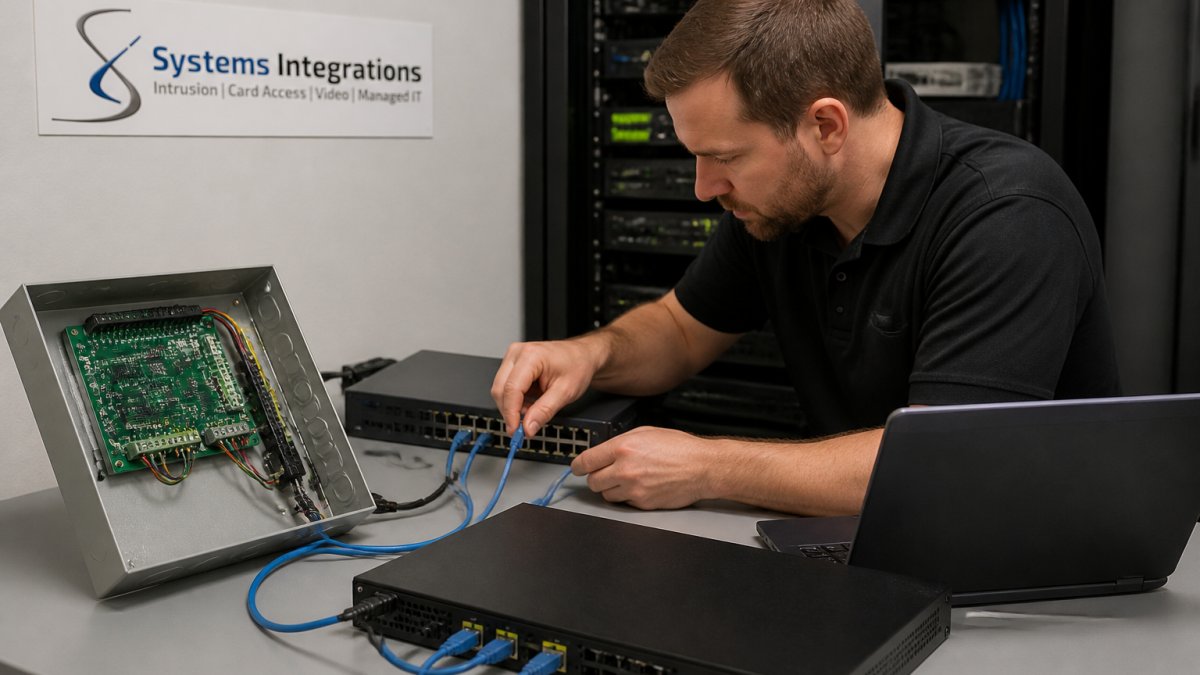
Middleware is the layer that makes physical security system interoperability possible when direct connections fail. It translates protocols, normalizes data, and gives you one integration layer to manage instead of a dozen point-to-point links.
Hardware-specific integration patterns
Legacy hardware falls into a few families, and each has a preferred integration path:
- Serial and RS-485 devices. Access control panels, older intercoms, and many field controllers use serial connections. The common pattern is a serial-to-IP gateway that presents the device as a network endpoint, paired with a protocol driver in the middleware that speaks the panel’s native language. Confirm the gateway supports the panel’s baud rate, framing, and flow control before you buy.
- Fieldbus and building-automation protocols. Devices using Modbus, BACnet, or similar fieldbus protocols often need a protocol converter that maps points and registers to a modern data model. Map only the points the security platform needs; exposing every register increases attack surface and integration noise.
- Proprietary and vendor-locked devices. Some panels and cameras only speak a vendor SDK. The middleware pattern here is an API gateway or vendor connector that wraps the SDK in a stable interface. This is the most fragile pattern because vendor SDKs change without notice, so pin versions and test upgrades in a lab.
Connector and protocol considerations
Choosing a connector is a trade-off between effort, stability, and vendor dependence:
| Pattern | How it works | Best for | Main trade-off |
|---|---|---|---|
| Protocol translation | Converts serial or proprietary signals to IP | Panels with no native API | Driver maintenance as firmware changes |
| API gateway | Exposes legacy data through a modern interface | Mixed-vendor environments | Vendor SDK churn and version pinning |
| Data synchronization | Keeps records aligned across systems | Multi-site cardholder databases | Conflict resolution when both sides write |
| Event streaming | Publishes device events to a message bus | Security information and event management (SIEM) and analytics platforms | Ordering and delivery guarantees |
Pick the lightest pattern that solves the problem. Adding a full gateway to a two-device site is wasted money, and adding a synchronization layer where one-way event streaming would do creates conflict-resolution work you do not need.
Feeding modern security platforms
The point of middleware is to make legacy devices useful to the platforms that now run security operations. Common integration targets include:
- Identity and access-control platforms that need cardholder and event data from legacy panels.
- Video management systems that need streams and health status from older cameras and encoders.
- Intrusion-detection platforms that need zone and alarm events from legacy panels.
For each target, confirm the connector supports the event types and latency the platform expects. A connector that delivers door events in batches every five minutes is fine for reporting but useless for real-time access decisions.
Build a connector inventory before deployment: device family, protocol, middleware pattern, target platform, and the person responsible for driver updates. That inventory becomes your integration runbook and your first troubleshooting reference.
Legacy Hardware Cybersecurity Risks and Compensating Controls
Every legacy device you connect adds attack surface, and the devices that matter most are the ones you cannot fix. For a deeper look at cybersecurity risks in physical security infrastructure, see our dedicated article. A card reader running firmware from 2014, a serial controller with a hard-coded maintenance password, or an analog encoder that only speaks proprietary UDP will not support modern encryption no matter how many patches the vendor ships.
Threat-model the devices you cannot patch
Before you choose controls, write down what each legacy device can actually do if compromised. A practical threat model for physical security hardware covers four questions:
- What does the device control? A door controller that can unlock a restricted area carries more risk than a camera that only records.
- What network reach does it have? A serial-only panel behind a gateway is far less exposed than an IP camera with a default admin login on the corporate VLAN.
- What credentials does it hold? Devices that store cardholder data, video archives, or integration API keys are higher-value targets than devices that only stream.
Score each device on those four dimensions and you get a defensible priority order for compensating controls. Devices that score high on control and reach get the tightest isolation; low-impact devices can tolerate lighter controls.
Apply zero-trust controls to hardware that predates zero trust
Zero trust is usually described in terms of users and applications, but the same principles apply to legacy hardware. The goal is to make every device prove itself on every connection, even when the device itself cannot participate in modern authentication.
- Isolated network zones. Put legacy devices on their own VLAN or, better, a dedicated physical segment with no direct route to business systems or the internet. Route all traffic through a gateway that enforces an allowlist.
- Gateway-mediated access. Terminate legacy protocols at a gateway that speaks the old protocol on one side and a modern, authenticated protocol on the other. The gateway becomes the policy enforcement point the device cannot provide itself.
- Least privilege at the device and network layer. Give each device only the ports, destinations, and user accounts it needs. Disable unused services, change default credentials, and remove shared accounts.
Compensating controls and residual-risk decisions
When a device cannot be patched or cannot support modern encryption, compensating controls carry the load. Common patterns include:
- Protocol break with a gateway. The legacy device never speaks directly to the modern platform; the gateway translates and enforces policy.
- One-way data flows. Where the platform only needs to receive events, configure the integration so data flows one direction and the legacy device cannot initiate connections inward.
- Microsegmentation. Restrict traffic to the specific source and destination pairs the integration requires, rather than trusting an entire subnet.
Every compensating control leaves residual risk. Document it explicitly: which devices remain unpatchable, which controls are in place, who accepted the risk, and when the device will be replaced. That record is what auditors and insurers will ask for, and it turns an open-ended vulnerability into a managed decision.
A legacy device that cannot be patched is not automatically a device that must be replaced. It is a device that must be isolated, monitored, and documented. The failure mode to avoid is connecting it directly to the modern platform and assuming the platform’s security covers it.
Step 5: Deploy, Validate, and Know Your Rollback Plan
Deployment without a rollback plan is a gamble. Phase it, test it, and keep the old path live until the new one proves itself.
Run the rollout in stages:
- Pilot one site or one floor. Prove the integration before scaling.
- Validate with measurable checks. Door open times, camera uptime, alert latency, and failed-login counts.
- Set a rollback trigger. Define the failure threshold in advance, such as camera uptime below 99% for 24 hours.
- Keep legacy credentials active until the pilot clears its validation window.
Operational resilience comes from testing, not from hoping. Document the rollback steps before you need them.
Planning Your Legacy Hardware Integration With a Security Integrator
The technology is manageable. The vendor relationship is where most projects quietly fail.
Before you sign, ask what happens when something breaks. One point of contact, one number to call, and one team accountable for both the network and the devices. See our security integrator vs alarm company explained comparison.
Three questions separate a real integrator from a reseller:
- Do they handle cybersecurity as part of the design, not as an add-on?
- Can they manage access control and monitoring across multiple sites from one platform?
- Do they support NDAA-compliant hardware for contract work?
Systems Integrations has over 25 years of experience in this field and is a certified Disability-Owned Business Enterprise and Certified Small Business Enterprise.
Frequently Asked Questions
Can legacy access control systems work with modern security software?
Often yes, but it depends on the panel’s firmware and whether it supports open protocols or a documented API. Integrating legacy access control systems usually means adding an integration layer or middleware that translates older protocols into something the modern platform reads. Check firmware version, supported credential formats, and encryption standards first. If the panel uses proprietary authentication that modern frameworks reject, a hardware refresh of the controller may be the only path. A compatibility assessment before purchase prevents surprises.
How can you connect older cameras to a modern video management system?
Legacy camera integration with modern VMS typically runs through ONVIF support, RTSP streaming, or a hardware encoder that converts analog feeds to IP. Confirm the camera’s firmware supports a standard streaming protocol and that the VMS accepts that codec. For analog cameras, an encoder sits between the camera and the network. Test a small batch first, measure latency and image quality, then scale. Cameras that fail the test become candidates for phased replacement rather than forced integration.
What are the risks of keeping legacy security hardware?
Legacy hardware cybersecurity risks include unpatched firmware, outdated encryption, default credentials, and unsupported authentication that modern frameworks cannot enforce. These devices widen the attack surface and can serve as entry points into the broader network. Network segmentation, least privilege access control, and monitoring reduce exposure, but compensating controls only go so far. A risk assessment should weigh those controls against replacement cost.
Should you replace legacy security hardware or integrate it with a new platform?
Integrate when the device still functions, supports a standard protocol, and can be isolated on a segmented network with compensating controls. Replace when firmware is unsupported, encryption standards are incompatible with modern frameworks, or the device cannot be patched. A phased approach works well: integrate what passes assessment, replace what fails, and set a retirement date for everything in between. This spreads cost while closing the highest-risk gaps first.
Legacy hardware does not have to become a liability. The right integration plan, the right controls, and the right partner turn aging equipment into a working part of a modern security platform.
Systems Integrations designs and manages NDAA-compliant physical security systems with cybersecurity built in, backed by centralized management across every site you operate. Get started with Systems Integrations and connect your legacy hardware to a platform you can actually trust.
