
Table of Contents
- Why Multi-Location Security Breaks Down Without a Central Operating Model
- Run a Physical Security Risk Assessment Before You Standardize Anything
- Centralized Access Control: One Identity, Many Doors
- Network Segmentation and Secure Zones for Every Site
- Multi-Site Video Surveillance That Scales Without Adding Headcount
- Multi-Site Security Best Practices: Governance, Metrics, and Resilience
- Your 90-Day Rollout Plan for Managing Security Infrastructure Across Multiple Locations
- Frequently Asked Questions
Last Updated: October 20, 2026
Why Multi-Location Security Breaks Down Without a Central Operating Model
Managing security infrastructure across multiple locations fails most often because each site gets built as its own island. One location runs a standalone recorder, another uses a different card system, and a third has cameras nobody remembers installing. At Systems Integrations, we see this pattern constantly: the technology works fine site by site, but the organization loses the ability to see, control, or prove anything at scale. That fragmentation is the real problem, not the hardware.
Managing security infrastructure across multiple locations is the practice of standardizing and centrally controlling access, video, intrusion detection, and the underlying network across every site from a single operating model. A common approach is to define one set of policies, one identity structure, and one monitoring layer, then apply them everywhere.
The operational complexity compounds quietly. Each site adds its own credentials, vendors, firmware versions, and reporting formats, so a small inconsistency in one building becomes a blind spot across the portfolio. Government contractors and healthcare facilities feel this most sharply, since compliance obligations do not stop at the property line.
The most expensive mistake we see is buying site-by-site without a central design. Every independent purchase adds another management console, another subscription, and another vendor relationship you will eventually have to untangle.
Run a Physical Security Risk Assessment Before You Standardize Anything
A physical security risk assessment is a structured review of each site’s assets, entry points, threats, and current controls, scored so you can compare locations on the same scale. Standardizing before you assess produces a tidy system that protects the wrong things.
The assessment should produce a per-site profile: building layout, critical areas, existing access points, camera coverage gaps, network readiness, and who currently holds keys or credentials. Score each site on risk and readiness, then group them into waves. High-risk, low-readiness sites go first.
- Inventory every door, camera, and alarm panel by site
- Map network drops and available bandwidth per building
- Identify regulated areas and compliance obligations
- Document current credential holders and access rights
- Score each site on risk (high/medium/low) and readiness
This is the step most teams skip, and it is the one that determines whether your rollout takes months or years. A practical, end-to-end roadmap starts here, not with a purchase order.
Centralized Access Control: One Identity, Many Doors
Centralized access control means issuing one credential and one permission set per person, then enforcing those rights across every site from a single management platform. When an employee leaves, you deactivate one identity and every door in the portfolio responds.
The alternative, per-site user databases, creates exactly the drift that auditors and attackers both exploit. Centralized identity management lets you define role-based permissions, apply them consistently, and review them on a schedule. Divisions and brands under one parent can still be separated logically without separate systems.
Cloud-managed card access makes this practical for distributed organizations. Credential changes propagate remotely, temporary access expires automatically, and you get an audit trail that spans the whole portfolio rather than one building.
Build your permission model around roles, not people. When someone changes jobs, you move them between roles instead of editing dozens of individual door permissions, which is where stale access quietly accumulates.
Network Segmentation and Secure Zones for Every Site
Network segmentation is the practice of dividing a site’s network into isolated zones so that security devices, business systems, and guest traffic cannot freely reach one another. Segmented networks limit how far an intruder or a compromised camera can travel.
Every site should have a dedicated security VLAN for cameras, access panels, and alarm systems, separated from corporate IT by a firewall with explicit rules. Secure zones, sometimes called virtual access networks, keep regulated data and critical infrastructure apart from general traffic.
| Zone | What Lives There | Access Rule |
|---|---|---|
| Security VLAN | Cameras, access panels, alarms | Outbound to VMS only |
| Corporate | Workstations, servers | No direct path to security VLAN |
| Guest | Visitor Wi-Fi | Internet only, fully isolated |
| Regulated | Compliance-scoped systems | Restricted, logged access |
This is where a cybercentric approach pays off. Network protection designed once and replicated per site is far cheaper to maintain than retrofitting segmentation after an incident. For intrusion detection specifically, keeping alarm panels on their own segment prevents a compromised business laptop from reaching life-safety systems.
Multi-Site Video Surveillance That Scales Without Adding Headcount
Multi-site video surveillance scales when cameras feed a centralized video management system rather than local recorders that each require separate attention. The goal is one view, one retention policy, and one alerting model across every building.
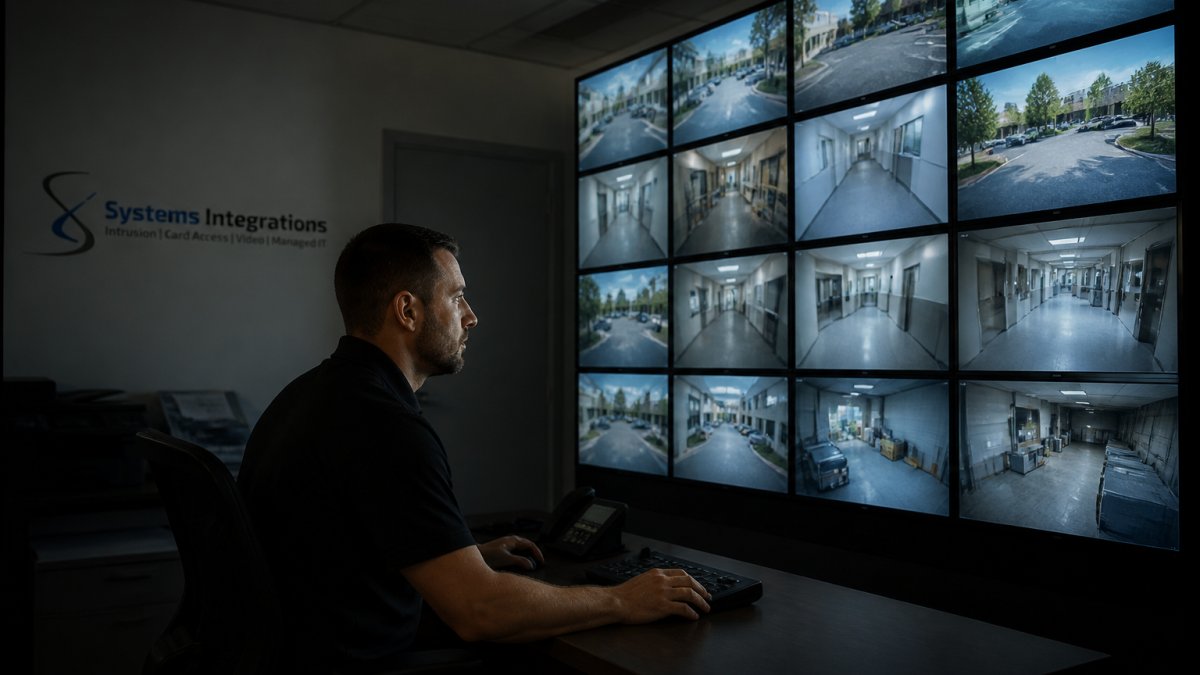
Camera monitoring at scale depends on three things: consistent hardware standards, centralized VMS with role-based viewing, and automated reporting that surfaces exceptions instead of requiring someone to watch screens. Continuous monitoring works when the system tells you what changed, not when a person stares at forty feeds.
Perimeter defenses and video analytics handle the first filter, flagging motion in restricted zones or after-hours activity. Your team reviews exceptions, not everything. That is how a distributed portfolio gets coverage without proportional staffing.
Multi-Site Security Best Practices: Governance, Metrics, and Resilience
Multi-site security best practices rest on four pillars: clear ownership, measurable service levels, resilience when a site loses connectivity, and interoperability between the tools you already own. Governance answers who decides; metrics answer whether it is working; resilience answers what happens when the network drops; integration answers whether your systems can act on the same event.
Governance and accountability. Name a program owner at the corporate level and a site security contact for each location. Write down the decision rights in a simple RACI-style matrix: who approves new devices, who grants and revokes credentials, who owns the local exception process, and who makes the call during an incident at 2 a.m.
Resilience during outages. Local controllers should keep enforcing access rules and recording video even when the connection to headquarters fails, then sync when it returns. Decide in advance which doors fail safe and which fail secure, and test failover deliberately on a schedule rather than during a real incident.
Integration and interoperability. Favor systems with open APIs and standard protocols so access control, video, and intrusion detection share events. A door-forced alarm should trigger a camera clip and a notification in the same platform, not three separate consoles.
Run a quarterly tabletop exercise with one site contact, one regional manager, and the corporate owner. Walk through a network outage, a lost badge, and a camera failure. The gaps you find in an hour are cheaper than the ones you find during an incident.
Your 90-Day Rollout Plan for Managing Security Infrastructure Across Multiple Locations
A 90-day rollout works when you sequence assessment, standardization, and centralization instead of doing everything at once. The plan below also builds in the cost and staffing decisions that determine whether the rollout survives its first budget cycle.
Days 1-30: Assess and design.
- Complete the per-site risk assessment and score every location
- Document the current network, devices, credential holders, and vendor contracts
- Define your target architecture: identity model, segmentation standard, VMS, and integration points
- Group sites into rollout waves by risk and readiness
- Build a total cost of ownership model: hardware refresh, licensing, installation labor, and ongoing management
Days 31-60: Standardize the foundation.
6. Stand up the centralized management platform and identity structure
7. Segment the network at your first wave of sites
8. Standardize camera and access hardware specifications, including compliance requirements
9. Configure automated reporting and alert routing
10. Decide the staffing model: centralized monitoring versus local response, and who covers each shift
Days 61-90: Deploy and verify.
11. Migrate wave-one sites onto the central model
12. Test failover and offline operation at each site
13. Run an access-rights review across the portfolio
14. Establish the monthly metrics review and incident response cadence
Cost and staffing trade-offs. Centralizing management usually lowers per-site labor but raises upfront platform and licensing costs. Model both sides: a single cloud VMS subscription may replace several local recorder maintenance contracts, while centralized monitoring can reduce the need for after-hours site staff but requires reliable network failover. Hardware refreshes should be batched by wave so you negotiate once instead of site by site. A common pattern is to consolidate vendors during the first wave and use the savings to fund the second.
Interoperability during rollout. Do not assume legacy panels and cameras will integrate cleanly. Inventory protocols and firmware versions during the assessment, and budget for gateways or replacement where they will not. Vendor-neutral architecture pays off here: open APIs let you add or swap tools without rebuilding the whole stack.
The sequence matters more than the speed. Assessment before standardization, standardization before centralization, and a cost model before the first purchase order. Teams that invert this order rebuild twice.
This is where a single point of contact changes the economics. Coordinating installation, cloud licensing, and ongoing management across many sites through one integrator removes the multi-vendor maze that makes distributed security so hard to maintain. At Systems Integrations, we design the architecture, coordinate certified installation, and manage the cloud subscriptions and lifecycle support so you are not left calling five vendors when something breaks. Our guide to NDAA-compliant security requirements considerations matter here too: standardizing hardware with compliance in mind up front avoids costly swaps later.
Frequently Asked Questions
How do you manage security across multiple locations?
Start with a single operating model: one access control platform, one video management system, and one set of policies applied at every site. Run a risk assessment per location, segment each site’s security network into its own VLAN, and give a central team the authority to approve configuration changes. Multi-location security then runs on documented standards, scheduled reviews, and one point of contact for incidents, rather than each facility manager buying and maintaining separate systems.
What is a centralized physical security system?
It is a single management layer that controls access, video, and intrusion systems across every building in a portfolio. Administrators add or remove a user once and the change applies everywhere, and alerts from all sites land in one queue. A centralized physical security system also standardizes hardware models and firmware versions, which shrinks the attack surface and makes maintenance predictable. For distributed organizations, it replaces a patchwork of site-level logins with one auditable record of who has access and when.
How can businesses unify access control across multiple sites?
Audit existing readers and panels first, then choose a platform that supports cloud-managed administration and open protocols so legacy hardware can be phased out rather than ripped out. Map job roles to access groups instead of individuals, so permissions follow the person across every location. Tie the system to your identity provider for onboarding and offboarding, and require badge changes to be logged centrally. Review access rights quarterly and remove stale credentials, which are one of the most common findings in multi-site security audits.
What should a multi-location security plan include?
A workable plan covers five elements: a site-by-site risk assessment, a standard hardware and software baseline, network segmentation rules for each facility, named owners for every location, and response procedures for outages and incidents. Add a review cycle, typically annual for policies and quarterly for access rights, plus service levels for response time. Cost and staffing trade-offs belong in the plan too, because consolidation decisions usually hinge on how much on-site support each site actually needs.
How can organizations integrate physical security with cybersecurity?
Treat cameras, door controllers, and alarm panels as network devices subject to the same rules as laptops. Put them on segmented VLANs, change default credentials, disable unused services, and patch firmware on a schedule. Require NDAA-compliant hardware where government contracts apply, since covered equipment restrictions affect procurement decisions. Centralized logging and automated reporting turn thousands of device events into something an IT team can actually monitor, and incident response plans should cover both a breached camera and a failed door controller.
How often should multi-site security systems be reviewed?
Review access rights and user permissions quarterly, firmware and patch status monthly, and the full risk assessment annually or whenever a site changes use, adds a tenant, or takes on a new contract with compliance requirements. After any incident, run a targeted review of the affected site and the shared policies behind it. Scheduled reviews catch the slow drift that causes most multi-location security failures: orphaned accounts, outdated camera coverage, and devices that quietly fell off the patch cycle.