
Table of Contents
- What Total Cost of Ownership Means for Security Systems
- Why Purchase Price Alone Misses the Full Picture
- Breaking Down Security System TCO Components
- Using a Security System Cost Calculator and TCO Template
- Cloud vs On-Premises Security System Costs
- Physical Security System Lifecycle Costs and Planning
- Hidden Costs and Risk Factors to Account For
- Putting It Together: A Worked TCO Example
- Frequently Asked Questions
Last Updated: October 11, 2026
What Total Cost of Ownership Means for Security Systems
Total cost of ownership for security systems encompasses all expenses from installation through decommissioning: licensing, maintenance, support, upgrades, and downtime costs, far beyond the initial purchase price.
When evaluating security systems, budget for at least 3-5 years of ownership. Most organizations find that ongoing costs exceed the initial purchase price by 200-400%, depending on the system type and complexity.
Why Purchase Price Alone Misses the Full Picture
A $50,000 camera system might cost $200,000 to operate over five years, including annual licensing, maintenance, training, integration, compliance updates, and component replacement.
Breaking Down Security System TCO Components
A complete TCO calculation requires itemizing every cost category across the ownership period. Let’s walk through each one.
Initial acquisition and installation costs
Initial costs include hardware, network infrastructure, professional installation, configuration, and site survey. Budget 30-50% of equipment cost for installation labor.
Licensing, subscriptions, and recurring fees
Most modern security systems operate on cloud subscriptions covering platform access, storage, retention, analytics, and updates. A 50-camera system costs $500-2,000/month depending on retention and analytics.
Many organizations underestimate subscription costs because they focus on per-camera pricing. A $10/camera/month fee sounds reasonable until you multiply it by 100 cameras across 5 years. That’s $600,000 in recurring costs before maintenance begins.
Maintenance, support, and repairs
Support contracts typically cost 10-15% of annual subscription fees and cover 24/7 access, diagnostics, repair, and emergency prioritization.
Infrastructure and integration costs
Integration requires network upgrades, server capacity, cybersecurity hardening, and API development. Budget 15-25% of equipment cost.
Using a Security System Cost Calculator and TCO Template
The best way to calculate accurate TCO is to build a structured template that captures every cost category and projects it across your ownership period.
Setting up your calculation framework
Define your ownership period (5-7 years), number of sites and devices, maintenance frequency, support tier, and growth projections in a spreadsheet with cost categories by year.
Populating the security system TCO template
| Cost Category | Year 1 | Year 2 | Year 3 | Year 4 | Year 5 | Total |
|---|---|---|---|---|---|---|
| Equipment & Installation | $X | $0 | $0 | $0 | $X | $X |
| Monthly Subscriptions | $X | $X | $X | $X | $X | $X |
| Maintenance & Support | $X | $X | $X | $X | $X | $X |
| Infrastructure & Integration | $X | $X | $0 | $0 | $0 | $X |
| Training & Configuration | $X | $0 | $0 | $0 | $X | $X |
| Compliance & Updates | $0 | $X | $X | $X | $X | $X |
| Annual Total | $X | $X | $X | $X | $X | $X |
Fill in realistic numbers based on vendor quotes and requirements.
Cloud vs On-Premises Security System Costs
Cloud and on-premises systems have different cost structures. Normalize costs across the same ownership period and account for hidden infrastructure and labor expenses.
Capital expenditure and operational expense trade-offs
Cloud-based systems:
- Lower upfront capital cost (no servers to purchase)
- Predictable monthly expenses
- Vendor manages updates, patches, and maintenance
- Scalability without infrastructure investment
- Bandwidth and storage costs scale with usage
- Vendor responsible for data center redundancy and disaster recovery
On-premises systems:
- Higher initial capital investment (servers, storage, networking)
- Lower recurring operational costs after year 3-5
- Your IT team manages all maintenance, patching, and security updates
- Less scalable (requires infrastructure expansion at each site)
- Cybersecurity and compliance responsibility falls on your organization
- Requires dedicated IT staff or managed-service contracts
Cloud systems typically have higher 5-year TCO but lower initial cost. On-premises systems cost less over time but require larger upfront investment and ongoing IT resources.
Security-system-specific cost comparison framework
Build a side-by-side TCO model using identical assumptions for Year 1: equipment, professional installation, configuration, testing, training, and network upgrades.
Years 2-5 recurring costs (cloud model): Monthly subscriptions, video storage, mobile access, API integrations, bandwidth, and annual support fees.
Years 2-5 recurring costs (on-premises model): IT staff labor (0.5-1.0 FTE per 500 cameras), hardware maintenance, support contracts (8-12% of equipment cost), power, cooling, backup/DR infrastructure, cybersecurity audits, and software licensing.
Worked comparison: 100-camera system over 5 years
Cloud deployment:
- Equipment and installation: $120,000 (Year 1)
- Monthly subscriptions: $2,500 (100 cameras × $15/month + platform fee + 30-day retention)
- Annual support: $3,000
- Network upgrades: $10,000 (Year 1)
- Year 1 total: $135,500
- Years 2-5 annual: $33,000 (subscriptions + support)
- 5-year TCO: $267,500
On-premises deployment:
- Equipment and installation: $140,000 (Year 1; includes servers, storage, cabling)
- IT staff labor: $80,000/year (0.5 FTE @ $160,000 salary)
- Hardware maintenance and replacement: $8,000/year
- Support contract: $5,000/year
- Power and cooling: $3,000/year
- Backup and DR infrastructure: $15,000 (Year 1)
- Cybersecurity audits and compliance: $4,000/year
- Year 1 total: $235,000
- Years 2-5 annual: $100,000 (labor + maintenance + support + power + compliance)
- 5-year TCO: $635,000
In this example, cloud costs $267,500 over 5 years while on-premises costs $635,000. However, if you already employ a systems administrator managing other infrastructure, the labor cost differential shrinks.
Scalability and multi-site considerations
Cloud systems scale linearly; adding a location costs only the subscription fee ($750-1,500/month). On-premises systems require infrastructure investment at each site.
For a 10-location organization with 100 cameras per location:
- Cloud model: Subscriptions scale to $30,000/month across all sites. No redundant infrastructure.
- On-premises model: Each location requires $100,000-150,000 in server and storage infrastructure, plus 0.25-0.5 FTE of IT labor per location. Total infrastructure cost: $1,000,000-1,500,000 plus $400,000-800,000 in annual labor.
Multi-site organizations should calculate TCO per location, then sum across all sites. Cloud typically becomes more cost-effective as you scale beyond 5-10 locations because you avoid redundant infrastructure and labor costs at each site. On-premises wins only if you have centralized IT resources and can manage all locations from a single data center.
Normalizing costs for fair comparison
When comparing deployment models, use these assumptions consistently for both:
- Ownership period: 5 or 7 years (pick one; do not mix)
- Discount rate: Apply a 5-10% annual discount rate if comparing present-value costs (optional but recommended for finance teams)
- Inflation: Assume 2-3% annual inflation on labor and support costs
- Growth: If you plan to add cameras or locations, apply the same growth rate to both models
- Downtime cost: Assign a dollar value to system unavailability (e.g., $500/hour of downtime) and apply it equally to both models based on expected uptime SLAs
Physical Security System Lifecycle Costs and Planning
Security systems have finite lifespans. Planning for replacement, data migration, and decommissioning is part of realistic TCO. End-of-life costs can represent 5-15% of total lifecycle expense.
Ownership period and technology refresh cycles
Most security systems remain useful for 5-7 years. After year 7, support costs and security risks escalate. Budget $1,200-1,800/year for hardware replacement (10-15% annually after year 3).
Data migration and transition costs
Data migration costs vary: cloud-to-cloud ($6,000-12,000), on-premises-to-cloud ($15,000-30,000), cloud-to-on-premises ($200-1,000 plus labor). Budget 50-100 hours of professional services ($7,500-15,000).
Compliance-driven data retention and destruction costs
Compliance regulations mandate retention and secure destruction of video and access logs. Budget $2,000-5,000 annually for extended retention; certified destruction services charge $500-2,000 for on-premises storage.
Residual value and equipment resale
Realistic residual value expectations:
- IP cameras: 5-15% of original purchase price after 5 years. A $2,000 camera might resell for $100-300.
- Network video recorders (NVRs) and servers: 10-20% of original cost. Depends on brand, age, and remaining warranty.
- Access control readers and keypads: 5-10% of original cost.
- Cabling and passive infrastructure: Minimal resale value (1-5%). Often not worth the effort to remove and resell.
Expect to recover $6,000-18,000 (5-15% of original cost) through resale. Budget conservatively and treat recovery as a cost reduction.
End-of-life decommissioning and compliance costs
- Data destruction and compliance: Secure deletion of video, access logs, and configuration data. Certified destruction services: $500-2,000. Cloud provider data deletion: $500-2,500 for large archives.
- Physical equipment disposal or recycling: Responsible e-waste recycling costs $0.10-0.50 per pound. A 100-camera system with servers and cabling weighs 500-1,000 pounds; disposal costs $50-500.
- System deactivation and network cleanup: Removing systems from your network, deactivating user accounts, and documenting the decommissioning process. Budget 20-40 hours of IT labor: $3,000-6,000.
- Potential resale value of hardware: Used equipment resale: $6,000-18,000 (as noted above).
- Transition support and overlap: Running old and new systems in parallel during migration. Budget 1-3 months of overlap costs (subscriptions, support, staff time): $5,000-15,000.
Building end-of-life costs into your TCO model
When you calculate 5-year or 7-year TCO, include a line item for decommissioning in your final year:
| Cost Category | Year 1 | Year 2 | Year 3 | Year 4 | Year 5 | Total |
|---|---|---|---|---|---|---|
| Equipment & Installation | $120,000 | $0 | $0 | $0 | $0 | $120,000 |
| Subscriptions & Support | $33,000 | $33,000 | $33,000 | $33,000 | $33,000 | $165,000 |
| Hardware Replacement | $0 | $0 | $1,500 | $1,500 | $1,500 | $4,500 |
| Data Migration & Transition | $0 | $0 | $0 | $0 | $12,000 | $12,000 |
| Decommissioning & Disposal | $0 | $0 | $0 | $0 | $8,000 | $8,000 |
| Resale Recovery (offset) | $0 | $0 | $0 | $0 | ($12,000) | ($12,000) |
| 5-Year Total | $153,000 | $33,000 | $34,500 | $34,500 | $42,500 | $297,500 |
Many organizations calculate TCO for years 1-4 and assume the system is “free” in year 5. In reality, year 5 often includes the highest single-year costs due to decommissioning, data migration, and overlap with new systems. Plan accordingly.
Hidden Costs and Risk Factors to Account For
Several cost categories catch organizations by surprise. Build them into your TCO model.
Compliance, cybersecurity, and downtime costs
Compliance requirements (NDAA validation, HIPAA, cybersecurity hardening, audits) add cost. Budget for rapid response capabilities that minimize downtime.
Training, configuration, and customization
Training and configuration costs include initial and advanced staff training, custom workflows, and integration. Budget 20-30% of equipment cost.
Putting It Together: A Worked TCO Example
Let’s calculate real TCO for a mid-size organization deploying a cloud-based access control and video surveillance system.
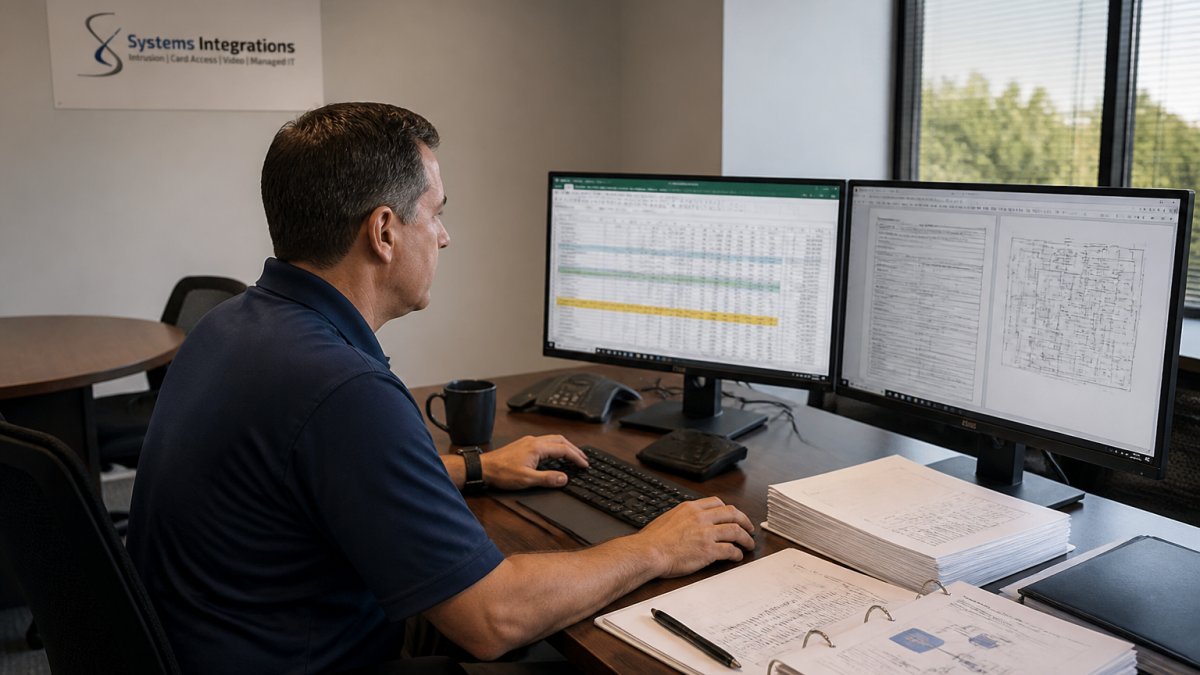
Organization Profile:
- Single facility with 3 buildings
- 50 access control doors
- 75 video cameras
- 500 employees
- 5-year ownership period
- Cloud-based system with 30-day video retention
Year 1 Costs:
- Equipment (cameras, readers, sensors): $85,000
- Professional installation (200 hours @ $150/hour): $30,000
- Initial configuration and integration: $15,000
- Year 1 subscriptions (50 doors × $25/month + 75 cameras × $15/month): $13,500
- Training and documentation: $5,000
- Year 1 Total: $148,500
Years 2-5 Costs (annual):
- Subscriptions: $13,500
- Maintenance and support contract: $4,000
- Hardware replacement (estimated 5% annually): $4,250
- Compliance and updates: $2,000
- Annual Total: $23,750
5-Year TCO:
- Year 1: $148,500
- Years 2-5: $95,000 ($23,750 × 4)
- Total 5-Year TCO: $243,500
Cost per door per year: $243,500 ÷ 50 doors ÷ 5 years = $974/door/year
Cost per camera per year: $243,500 ÷ 75 cameras ÷ 5 years = $649/camera/year
This calculation reveals the true cost structure. The initial $115,000 equipment investment is only 47% of total 5-year cost.
Organizations often compare only equipment cost.
Understanding the total cost of ownership security systems transforms how you evaluate and budget for physical security.
Frequently Asked Questions
How do you calculate the total cost of ownership for a security system?
Start by identifying all cost categories: initial hardware and installation, recurring licensing and subscription fees, maintenance and support, and infrastructure needs. Sum upfront costs, then multiply annual operating costs by your planned ownership period (typically 5-7 years for security systems). Add any end-of-life or replacement costs. This formula gives you the true total cost of ownership for security systems across the full lifecycle, not just the purchase price.
What costs should be included in a security system TCO template?
A comprehensive security system TCO template must include capital expenditure (hardware, installation, configuration), recurring costs (cloud subscriptions, licensing, technical support), maintenance and repairs, training and staff time, infrastructure upgrades (network, power, storage), compliance and cybersecurity measures, and contingency for downtime or failures. Don’t overlook integration costs if you’re connecting access control, video surveillance, or intrusion detection systems across multiple locations.
How do cloud vs on-premises security system costs differ over time?
Cloud-based systems typically have lower upfront capital costs but higher recurring subscription fees spread over the ownership period. On-premises systems require significant initial investment in hardware and infrastructure but may have lower long-term operational costs if you manage updates internally. Cloud scales more easily across multiple locations, reducing per-site costs. On-premises offers more control but requires dedicated IT resources. Calculate both scenarios using your TCO template to see which model delivers better value for your facility count and budget constraints.
Why do maintenance and support affect security system costs so much?
Maintenance and support costs directly impact uptime and compliance. Reactive repairs after failures cost far more than proactive maintenance, and downtime creates productivity loss and security gaps. Many organizations underestimate these costs because they’re spread across years. Managed support agreements lock in predictable costs and ensure faster response times, which reduces risk and unplanned expenses. When calculating physical security system lifecycle costs, budget 10-15% of the total system value annually for maintenance, repairs, and technical support services.