
Last Updated: November 14, 2026
Quick Summary
Multi-site alarm management means running alarms, access control, and video across every location from one platform, one set of procedures, and one point of contact. A repeatable five-step process covers risk assessment, a centralized platform, standardized response, an alert-to-resolution workflow, and performance measurement.
- Map every legacy panel and migrate in phases rather than ripping out and replacing everything at once.
- Verify each alarm through video, a second sensor, or a site call before dispatching police.
- Define a named escalation ladder in the platform’s routing rules, not in a binder.
- Close incidents the same shift and code the cause to expose repeat patterns.
- Test backup cellular paths and failover on a schedule, with quarterly being common.
Table of Contents
- Why Multi-Site Alarm Management Breaks Down Without a Central System
- Step 1: Assess Site-Specific Risks and Define Security Objectives
- Step 2: Build a Centralized Platform for Alarms, Access Control, and Video
- Step 3: Standardize Alarm Response Procedures Across Every Location
- Step 4: Run a Practical Alert-to-Resolution Workflow
- Multi-Site Security System Best Practices for Permissions, Audits, and Resilience
- Step 5: Measure Multi-Site Alarm Performance and Scale the Infrastructure
- Book a Free Consultation to Unify Your Alarm Portfolio
- Frequently Asked Questions
Why Multi-Site Alarm Management Breaks Down Without a Central System
The U.S. security system services industry reached $41.2 billion in 2026, according to IBISWorld’s industry market-size estimate, and a growing share of that spending sits in distributed sites: branch offices, clinics, warehouses, retail pads. Yet most portfolios still run each building on its own island. A panel here, a different app there, a monitoring contract nobody can find.
That fragmentation is the core problem. Multi-site alarm management is the practice of running alarms, access control, and video monitoring across every location from one platform, one set of procedures, and one point of contact. For a closer look at these operational breakdowns, see managing security infrastructure across multiple locations.
The fix is not a bigger budget. It is a repeatable five-step process, covered below.
Step 1: Assess Site-Specific Risks and Define Security Objectives
Start with a security assessment of each location, not a product list. Every site carries different risks: a warehouse has perimeter and dock exposure, a clinic has protected health data and after-hours access, an office has badge traffic and theft risk.
Define security objectives per site type. Write them down:
- What must be protected (people, assets, data, inventory)
- Which events require an immediate response versus a logged record
- Who is authorized to enter, and when
- What response time each site realistically needs
This step sets the standard everything else is measured against. Skip it and you will standardize the wrong things.
Step 2: Build a Centralized Platform for Alarms, Access Control, and Video
A centralized platform puts intrusion detection, access control, and video surveillance on one security dashboard. That means one login, one alert queue, and one system status view across the portfolio.
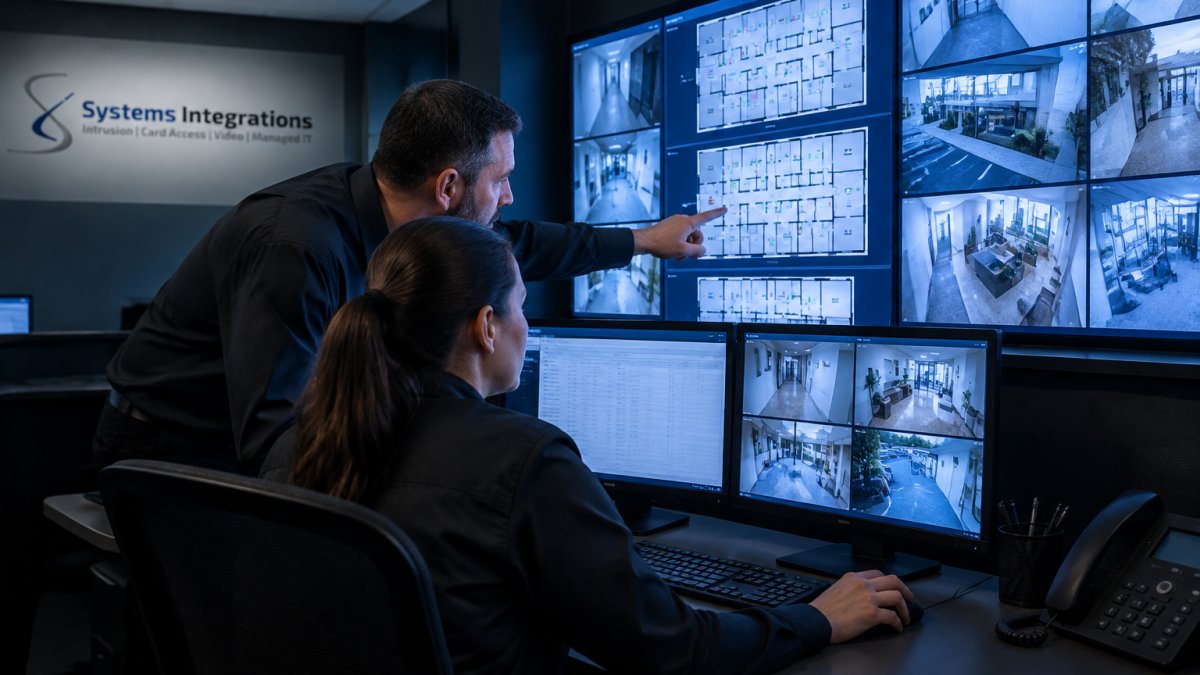
Our team can walk you through centralized access control for multi-site properties and how unified security platforms improve operational efficiency before you commit to a platform.
Bringing Legacy and Disparate Alarm Panels Into One Dashboard
Most portfolios are not starting from zero. They inherit a mix of panels, brands, and vintages. Integration and migration planning matters more than the platform you pick. Map every panel, confirm what can be connected natively, and replace only what blocks the standard. Phased migration beats a rip-and-replace every time.
Step 3: Standardize Alarm Response Procedures Across Every Location
Standardized procedures mean the same alarm produces the same response, whether it fires in site one or site forty. Write the procedure once, then apply it everywhere:
- Who gets the alert first, second, and third
- What verification is required before dispatch
- When police or emergency services get called
- How the incident is logged and closed
Hardware standardization comes first. If panels and sensors differ wildly, response steps cannot be consistent. Our guide on how to standardize security hardware across multiple sites covers that groundwork in detail.
Step 4: Run a Practical Alert-to-Resolution Workflow
An alarm is not a notification. It is a workflow with owners, timers, and a paper trail. Most multi-site portfolios fail here not because the technology is wrong but because nobody defined what happens in the ninety seconds after a sensor trips. Here is the sequence we recommend for every site, with the operational detail that makes it repeatable.
| Stage | Action | Owner | Target Time |
|---|---|---|---|
| 1. Detect | Sensor, door contact, or video analytic triggers alert | System | Instant |
| 2. Verify | Operator checks video, second sensor, or calls site contact | Central monitoring team | Under 60 seconds |
| 3. Escalate | Route to on-call manager per escalation rules | Central platform | Under 2 minutes |
| 4. Respond | Dispatch guard, police, or site staff per site protocol | Regional lead | Per site SLA |
| 5. Resolve | Log outcome, close incident, flag repeat causes | Security operations | Same shift |
| 6. Review | Weekly trend review across all sites | Program owner | Weekly |
Who Receives the Alert First, Second, and Third
Define a named escalation ladder for every site, not a generic “call the manager” instruction. A workable pattern is: the central monitoring operator receives the alert first, the site’s on-call supervisor receives it second if verification fails or the operator cannot reach the site, and the regional security lead receives it third if the first two do not acknowledge within a set window. Write the names and phone numbers into the platform’s routing rules, not into a binder nobody opens. When a person leaves, the ladder updates the same day.
Alarm Verification Before Dispatch
Verification is the step that separates a professional program from a nuisance-dispatch machine. The monitoring operator should confirm the event through at least one independent source before calling police: a camera feed showing a person or vehicle, a second sensor tripping in the same zone within a short window, or a live call to a site contact who can confirm or deny. Video verification is the strongest filter because it gives the operator eyes on the event. Audio verification works in some environments but raises privacy considerations in clinics and offices.
Escalation Paths and Response Ownership
Every site needs a documented response owner, the person accountable for what happens after dispatch. For a warehouse, that may be a contract guard service; for a clinic, it may be the facilities manager; for a retail pad, it may be a regional loss-prevention lead. The response owner confirms arrival, documents what was found, and decides whether the incident escalates to law enforcement, corporate security, or a maintenance ticket. Without a named owner, alarms get acknowledged and then dropped.
Closing Incidents and Capturing Lessons
An incident is not closed when the guard leaves. It is closed when the outcome is logged, the cause is coded (false alarm, attempted intrusion, equipment fault, environmental trigger), and any repeat pattern is flagged for the weekly review. A common pattern is that the same door contact trips three times in a month before anyone notices, the log is what makes that visible.
Watch out: if the escalation ladder lives only in a PDF and not in the platform’s routing rules, it will be stale within a quarter and the third contact will be someone who left the company.
Alarm Verification and False-Alarm Reduction
False alarms drain response resources, erode police relationships, and train staff to ignore alerts. Video verification is the single most effective filter, but it works best alongside three other practices: sensor sensitivity tuned to the environment (not left at factory defaults), proper sealing and mounting to prevent environmental triggers from HVAC, rodents, or door movement, and a maintenance schedule that tests every sensor at least annually. Track the false-alarm rate per site, most practitioners find that a handful of sites generate the majority of nuisance dispatches, and those sites usually have a physical or configuration problem rather than a user problem.
Multi-Site Security System Best Practices for Permissions, Audits, and Resilience
Multi-site security system best practices rest on three pillars: controlled access to the system itself, a complete record of who did what, and a plan for when the network drops. Each pillar needs concrete rules, not general intentions.
User Permissions, Audit Trails, and Separation of Duties
Not everyone needs every site.
Separation of duties matters most in regulated environments. The person who approves access should not be the person who grants it, and the person who exports video should not be the person who can delete audit logs.
Offboarding is where multi-site programs quietly break. When an employee leaves, their badge, platform login, mobile app access, and any temporary vendor credentials must be revoked the same day.
Connectivity Outages and System Resilience
Networks fail. Panels should keep recording locally and buffer events until the connection returns, so no alarm is lost during an outage. Backup cellular paths, battery backup sized to the panel’s actual load, and regular failover tests keep system uptime predictable.
Ask any integrator what happens to alarms during an outage. If the answer is vague, keep looking. A credible answer covers local buffering, cellular failover, battery runtime, and how the central station is notified when a site goes offline.
Measuring Governance and Resilience
Track a small set of governance metrics alongside alarm performance: number of active accounts per site, number of temporary accounts past their expiration, average time from HR termination to access revocation, audit-log review completion, and outage incidents per quarter with mean time to restore. Review these monthly with site managers. When one site consistently outperforms, copy its configuration; when one lags, investigate before adding locations.
Step 5: Measure Multi-Site Alarm Performance and Scale the Infrastructure
Measure before you expand. Track a small set of numbers per site and across the portfolio:
- Alarm volume and false-alarm rate
- Average response time from alert to resolution
- System uptime and connectivity incidents
- Open incidents older than seven days
Review these monthly with site managers. When one site consistently outperforms, copy its configuration. When one lags, investigate before adding locations. A scalable system is one you can extend to a new building without rewriting procedures.
Book a Free Consultation to Unify Your Alarm Portfolio
Managing alarms across dozens of locations is a governance problem before it is a technology problem. If your sites still run on separate panels, separate apps, and separate vendors, consolidation is the highest-use move available.
Get started with Systems Integrations and bring every location onto one platform, one procedure, and one accountable team. Book a free consultation to see what consolidation looks like for your portfolio.
Most multi-site portfolios do not have a technology gap. They have an ownership gap. Someone has to own the standard, the workflow, and the numbers.
Frequently Asked Questions
How do you monitor security alarms across multiple locations from one place?
The practical route is a centralized platform that pulls intrusion, access control, and video feeds from every site into a single security dashboard. Each panel reports over the network to one system, so your team sees system status and security alerts for all buildings without logging into separate vendor portals. Standardize panel types and naming conventions first, because mixed hardware is the most common reason consolidation stalls.
Can different alarm systems be managed from one platform?
Often yes, but it depends on the panels. Many legacy intrusion panels support network reporting or can be brought in through a gateway, while older or proprietary systems may need replacement. Before committing, inventory every panel by make, model, and firmware, then confirm which ones the centralized platform supports natively. Budget for replacing the outliers rather than assuming a universal adapter exists.
How should a business prioritize alarm alerts across multiple sites?
Rank alerts by consequence, not by volume. A door forced open at a pharmaceutical storage site outranks a motion trigger in an empty lobby. Build an alert escalation matrix that assigns severity tiers, names the first responder for each site, and sets a response time target per tier. Send life-safety and confirmed-intrusion alerts to on-call staff immediately, and route lower-tier events to a queue reviewed during business hours. Review the matrix quarterly, since site-specific risks shift as tenants and operations change.
What are the most important multi-site security system best practices?
Four practices carry most of the weight. Standardize hardware and naming across sites so a single dashboard reads consistently. Enforce role-based user permissions with audit trails so every disarm, override, and credential change is attributable. Verify alarms with video before dispatch to cut false alarms and wasted guard time. Test failover for connectivity outages, since a site that loses its network link should still record and report locally. Add a quarterly performance review covering response time, alarm volume, and open incidents.
