
Last Updated: October 27, 2026
Quick Summary
A phased security system migration plan replaces devices in smaller, verifiable stages rather than one cutover, so a problem at one site or panel does not leave the whole facility unprotected. Start by defining goals and scope, mapping device dependencies, then sequence phases with readiness gates and tested rollback.
- Start by writing measurable goals, explicit scope, and success criteria that stakeholders sign off on.
- Map device dependencies, including network, power, and VLAN links, before setting the phase order.
- Sequence phases by dependency and consequence, starting with a low-consequence pilot.
- Set readiness gates with entry and exit criteria, and name the owner who signs off each one.
- Define rollback triggers as measurable thresholds and rehearse the rollback runbook before each cutover.
Table of Contents
- Why a Phased Security System Migration Plan Beats a Single Cutover
- Step 1: Define Migration Goals, Scope, and Success Criteria
- Step 2: Assess the Current System and Map Dependencies
- Step 3: Build the Security System Migration Checklist
- Step 4: Sequence Phases and Set the Security System Migration Timeline
- Step 5: Plan Testing, Readiness Gates, and Rollback Before Each Cutover
- Security System Migration Best Practices to Protect Coverage
- Scheduling Your Migration Assessment with Systems Integrations
- Frequently Asked Questions
Why a Phased Security System Migration Plan Beats a Single Cutover
Replacing an entire security system in one weekend puts every camera, access controller, and alarm sensor at risk at once. A phased security system migration plan spreads that risk across smaller, verifiable stages, so a problem at one site or panel doesn’t leave the whole facility unprotected.
The core advantage is coverage continuity: each phase moves a defined group of devices while the legacy system keeps running for everything else. If a new controller misbehaves, you roll back one segment instead of the whole building.
Step 1: Define Migration Goals, Scope, and Success Criteria
Start by writing down what the migration must achieve: closing security gaps, consolidating vendors, moving to cloud-managed access control, or meeting compliance requirements.
Define scope explicitly: sites, device types (cameras, readers, panels, sensors), and integrations such as visitor management or building automation.
Set testable success criteria before work begins: every door reports status to the monitoring platform, every camera records at the required resolution, and alarm events reach the monitoring station.
Step 2: Assess the Current System and Map Dependencies
Inventory the existing environment: each device’s make, model, firmware version, network address, power source, and location. Note which devices are end-of-life or unsupported, since these often drive the migration timeline.
Map dependencies next. A card reader may depend on a specific panel, which depends on a network switch powered from a particular circuit; alarm zones may be tied to lighting or elevator controls.
Watch network dependencies in particular. Security devices often share VLANs, DHCP scopes, or firewall rules, and changes in one area can silently break another.
Step 3: Build the Security System Migration Checklist
A migration checklist turns the plan into repeatable actions. Organize it by phase with items for pre-checks, device configuration, testing, sign-off, and rollback readiness, specific enough that a technician can work from it without interpretation. Standardize security hardware across multiple sites so the checklist applies to every location.
A practical checklist includes items such as:
- Confirm firmware and licensing for each new device
- Back up current configurations for all legacy devices in the phase
- Verify network addressing and firewall rules for the new platform
Store the checklist where the whole team can see current status, and version it so changes are traceable.
Step 4: Sequence Phases and Set the Security System Migration Timeline
Group devices into phases based on the dependency map from Step 2, but sequence them around security consequence rather than convenience. Consolidate overlapping multi-site security vendor contracts before you finalize the phase order.
Sequence by dependency, not device count. A reader cannot move before its panel, and a panel cannot move before its network path, power circuit, and firewall rules are in place.
Keep security controls intact across every phase
Each phase must preserve the controls that keep the facility protected while components move. For every phase, define how you will carry forward:
- Identity and access, user records, credential formats (card, mobile, PIN, biometric), access groups, schedules, and visitor and contractor permissions. Confirm that a credential that works on a legacy reader also works on its replacement, or plan a re-badging step and tell affected users in advance.
- Encryption and certificates, TLS certificates on controllers and cameras, encrypted video streams, and any at-rest encryption on recorders. New devices often ship with default certificates; replace them before the device goes live.
- Logging and audit trail, access events, alarm events, operator actions, and configuration changes must continue to land in the same logging or SIEM destination. If the new platform writes to a different log source, update the correlation rules before cutover, not after.
Run old and new systems in parallel, deliberately
During each transition, legacy and new systems coexist for a defined period. Treat that coexistence as a designed state, not an accident. Practical rules:
- Set an explicit decommission date for each legacy segment and hold to it. Two unmanaged systems running indefinitely create their own vulnerabilities, including orphaned accounts and unpatched firmware.
- Keep legacy devices powered and monitored until the replacement phase is verified and signed off.
- Where both systems can see the same door or zone, decide which one is authoritative for alarms and access decisions, and document it. Duplicate events from two systems confuse responders.
Build the timeline around phases and gates, not a single end date
Allow observation time between phases. Confirm stability over real use, at least one full business cycle such as a shift change, tenant move-in, or peak visitor period, not just a successful installation-day test. Schedule phases around business operations so cutovers don’t land on the same day as a major event.
Attach a measurable readiness gate to the end of each phase: a short list of conditions that must be true before the next phase starts, each with an owner who signs off. A common gate looks like:
- Every device in the phase is enrolled and reporting healthy in the new platform
- A sample of access attempts (employees, visitors, contractors) succeeds on the new readers
- Alarm events from the phase reach the monitoring station within the agreed response window
Define the gate criteria before the phase starts, not after. Criteria written after cutover tend to describe whatever happened rather than what was required.
Prevent coverage blind spots during transition
The most common failure in a phased security migration is not a broken device but a coverage gap: a camera installed but not yet on the recording schedule, an alarm zone moved without its monitoring route updated, or a door on the new system whose forced-open alarm still points at the old panel. Walk each phase against the coverage map from Step 2 and confirm every point monitored before the phase is still monitored after it.
Migration-specific threats to plan for
Temporary conditions during a migration create their own exposure. Plan for them explicitly:
- Temporary network openings, firewall rules and VLAN changes opened for cutover should be closed when the phase completes, with a named owner and a close date.
- Shared or elevated credentials, integrator and technician accounts used during installation should be time-boxed and disabled at phase close.
- Data handling during transition, video exports, access logs, and user lists copied between systems should be handled under the same retention and access rules as production data.
A timeline showing phases, gates, and decommission dates is more useful than a single go-live date: it tells the team what must be true before each step, not just when the project ends.
The article sequences phases by dependency and consequence, with readiness gates before each step:
| Phase | Typical contents | Gate before next phase |
|---|---|---|
| Pilot | One non-critical entrance or building | Devices enrolled and reporting healthy |
| Interior access control | Readers and panels | Sample access attempts succeed |
| Video | Cameras and recorders | Recording at required resolution and retention |
| Alarm and intrusion | Alarm zones and monitoring routes | Events reach the monitoring station on time |
| Highest-consequence assets | Server rooms, perimeter gates, cash areas | Rollback rehearsed and owner named |
Step 5: Plan Testing, Readiness Gates, and Rollback Before Each Cutover
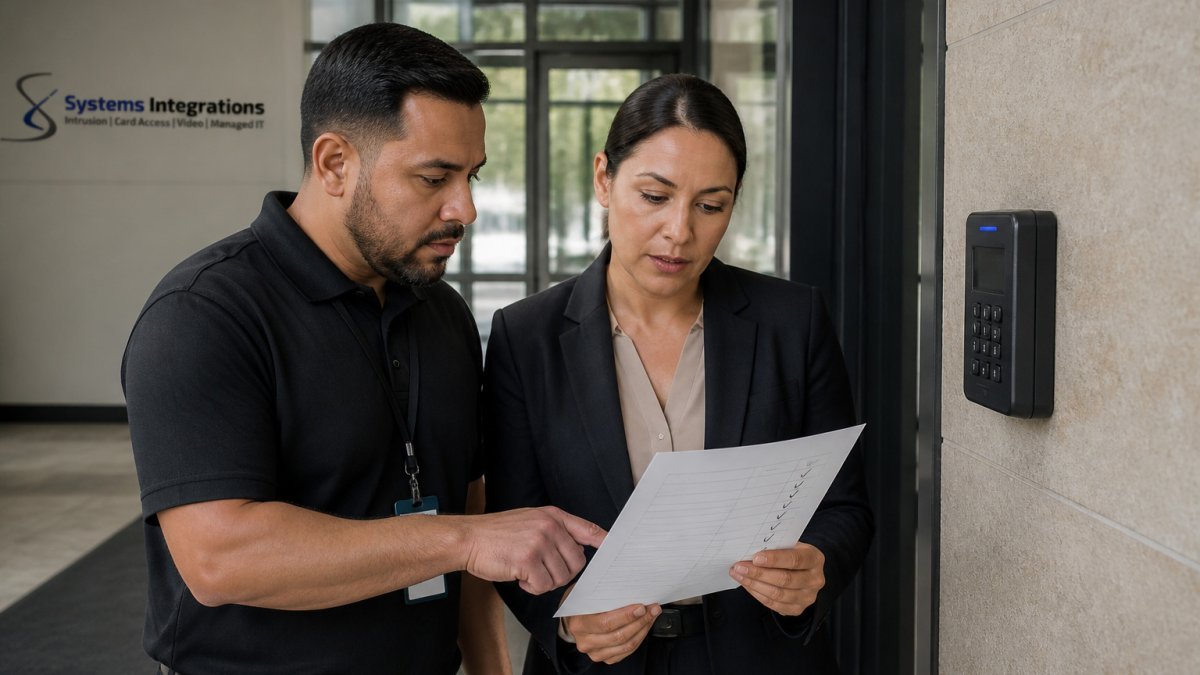
Before each cutover, define a readiness gate: conditions that must be met before the phase proceeds, each with a named approval owner. A gate has entry criteria (what must be true to start the cutover) and exit criteria (what must be true to declare the phase complete and decommission the legacy segment). Write both before the phase begins.
Entry criteria: what must be true before you start
- Backups of every legacy device configuration in the phase are taken and confirmed restorable, not just taken.
- New devices are enrolled, licensed, and on the correct firmware, with default certificates replaced.
- Network addressing, firewall rules, and power circuits for the new devices are verified in place.
Exit criteria: what must be true before you decommission
- Every device in the phase reports healthy in the new platform.
- Access attempts succeed for each credential type in use (employee card, mobile credential, visitor pass, contractor badge).
- Alarm events reach the monitoring station within the agreed response window, and the responder can act on them.
Test normal operation and failure conditions
Functional testing on installation day is not enough. Test the failure modes that matter:
- Door forced-open and held-open alarms, confirm they fire on the new controller and route to the right responder.
- Camera recording continuity, pull the network link on a camera and confirm recording resumes and the gap is logged when the link returns.
- Network link loss, confirm controllers fail to a safe state as designed (for example, local decision-making at the panel rather than a default-open door).
Define rollback triggers with thresholds, not adjectives
A rollback plan is only usable if the trigger is measurable and the decision-maker is named in advance. Define triggers as thresholds:
- A failed access test on more than a defined number of doors in the phase.
- Loss of camera feed or recording on more than a defined number of cameras for more than a defined duration.
- Alarm events not reaching the monitoring station within the agreed response window on a test.
Name the person authorized to call a rollback, plus a backup. A rehearsed rollback takes minutes; one improvised under pressure often takes hours and can leave doors in an unknown state.
Write the rollback plan as a runbook
The rollback plan should be a step-by-step runbook a technician can follow without interpretation:
- Confirm the trigger and notify the authorizing owner.
- Restore the legacy device configurations from the phase backup.
- Re-point alarm routing and monitoring to the legacy system.
- Confirm access, video, and alarm coverage on the legacy system before standing down.
- Record what failed, the time of rollback, and the evidence, this becomes input to the next attempt.
- Schedule the retry only after the root cause is fixed and the gate criteria are re-verified.
Do not leave a partially migrated phase running while you investigate. Either complete the phase or roll it back to a known-good state. A half-migrated segment is the hardest state to monitor and the easiest to exploit.
Preserve audit evidence through the cutover
Keep the gate sign-offs, test results, rollback records, and the list of temporary network openings and accounts opened for the phase, with their close dates. In a regulated environment this is the evidence that controls were maintained during transition, far easier to collect at the time than to reconstruct later.
Security System Migration Best Practices to Protect Coverage
Keep legacy devices powered and monitored until the phase that replaces them is verified.
Treat migration as a security event in its own right. Learn how NDAA compliant camera systems fit into a phased upgrade to protect coverage throughout the transition.
Finally, document the final state: the new configuration, device inventory, and decommissioned equipment. It will make future maintenance and audits far easier.
Scheduling Your Migration Assessment with Systems Integrations
A phased migration is easier to plan well with an experienced integrator reviewing the current environment. Systems Integrations, a cybercentric electronic security integrator headquartered in the Delaware Valley, serves as a single point of contact for multi-site organizations.
If you are weighing whether to bring in a partner, our guide to the seven critical questions to ask before hiring a security integration company is a useful starting point. Review the seven questions to ask before hiring a security integrator before you commit. To request a free consultation, use the option on our site. See why Systems Integrations is qualified to run enterprise security and IT migrations before you book.
Frequently Asked Questions
What should a security system migration plan include?
A security system migration plan should document the migration goals, the in-scope sites and devices, the current-system inventory, the data to be moved, the phase sequence, cutover criteria, testing steps, a rollback procedure, and named owners for each task. It should also record the success criteria that define a completed phase, such as all cameras recording, all access credentials validated, and all alarm zones reporting to the monitoring station. Keeping these elements in one document gives IT, facilities, and security staff a shared reference before any hardware is changed.
How do you migrate a physical security system without disrupting operations?
Migrate in phases rather than in one cutover, and run the old and new systems in parallel for each site or zone until the new one passes its readiness gate. Schedule cutovers during low-traffic windows, pre-stage hardware and configuration, and confirm that coverage gaps are covered by the legacy system until the new zone is verified. Keep a documented rollback path so that a failed phase can be reversed within a defined time limit without leaving doors, cameras, or alarms unprotected.
How long does a physical security system migration take?
Duration depends on the number of sites, device count, data volume to be migrated, and how many phases the plan uses. Timelines are not fixed by a single industry standard, so build your estimate from the discovery inventory and the number of cutover windows your operations allow. Pricing and scheduling details depend on quantity, dates, and delivery, so request a current quote from Systems Integrations.
How do you test a new security system before going live?
Test each subsystem separately before cutover: confirm camera feeds and recording, validate badge reads and door-lock responses, trigger test alarms and verify monitoring-station receipt, and check that integrations between access control, video, and intrusion systems behave as designed. Document each test result against the acceptance criteria set in the plan, and do not approve a phase until every critical test passes or has an approved workaround.
