
Table of Contents
- Why “Security Alarms Near Me” Returns the Wrong Results for Businesses
- Commercial Security Alarm Systems vs. Residential Box-Store Kits
- Business Access Control Systems: Controlling Who Goes Where
- How Integrated Security Systems Unify Alarms, Cameras, and Access
- Protecting Server Rooms, IP, and Sensitive Client Data
- NDAA-Compliant Security Cameras and Hardened Network Devices
- What to Look For When Searching “Security Alarms Near Me”
- Conclusion: Choosing the Right Security Partner
- Frequently Asked Questions
Last Updated: October 8, 2026
Why “Security Alarms Near Me” Returns the Wrong Results for Businesses
Search for security alarms near me and you will get a page of local installers selling the same residential kits they fit in houses. That is the wrong starting point for a commercial facility.
A business does not need a louder siren. It needs an engineered system that controls who enters which door, records what happened, and holds up under audit. This guide from Systems Integrations explains how commercial security alarm systems differ from box-store hardware, what integration actually delivers, and how to evaluate providers without getting burned.
The stakes are higher than most buyers assume. A single unsecured server room door is a direct path to client data, proprietary files, and compliance trouble. Consumer hardware was never designed for that job.
Below, we break down what separates a professional integrator from a local alarm company, and the questions that expose the difference before you sign anything.
Commercial Security Alarm Systems vs. Residential Box-Store Kits
Commercial security alarm systems are engineered platforms built around your facility’s layout, occupancy patterns, and risk profile. Residential kits are pre-packaged devices designed for a single-family home. The two are not interchangeable.
Where consumer-grade hardware fails in a business environment:
- Scale. A home system handles a handful of sensors. A commercial site may run hundreds across multiple floors and buildings.
- Zoning and logic. Businesses need rules: badge access during shift hours, alarm escalation after hours, lockdown sequences during an incident.
- Supervision. Consumer panels report to a call center. Commercial systems report to your team, your monitoring provider, and your audit trail.
- Network exposure. Cheap devices often ship with weak default credentials and unencrypted traffic, which is a direct cybersecurity risk on your corporate network.
A common mistake is buying on device count instead of system design. You end up with cameras that cannot talk to the access control system, and nobody can produce a unified incident report when it matters.
Business Access Control Systems: Controlling Who Goes Where
Business access control systems decide who can enter which door, at what time, under what conditions. That is the core function a burglar alarm cannot perform.
For multi-tenant properties and facilities with contractors, vendors, and rotating staff, access control replaces keys and paper logs with credential-based entry. Every door event is timestamped and tied to a person. When something goes missing, you have a record instead of a guess.
The practical benefits show up in operations, not just security:
- Automated amenity access reduces the need for staff to physically unlock shared spaces.
- Temporary credentials let you grant a contractor access for one day and revoke it automatically.
- Integration with HR systems means terminated employees lose access the moment their status changes.
What most guides miss is the maintenance side. Access hardware fails, credentials drift, and firmware ages. Without a defined support relationship, you are calling three vendors to fix one door.
How Integrated Security Systems Unify Alarms, Cameras, and Access
Integrated security systems connect intrusion detection, access control, and video surveillance into one management interface. Instead of three separate logins and three disconnected event logs, you get a single view of what happened, when, and who was involved.
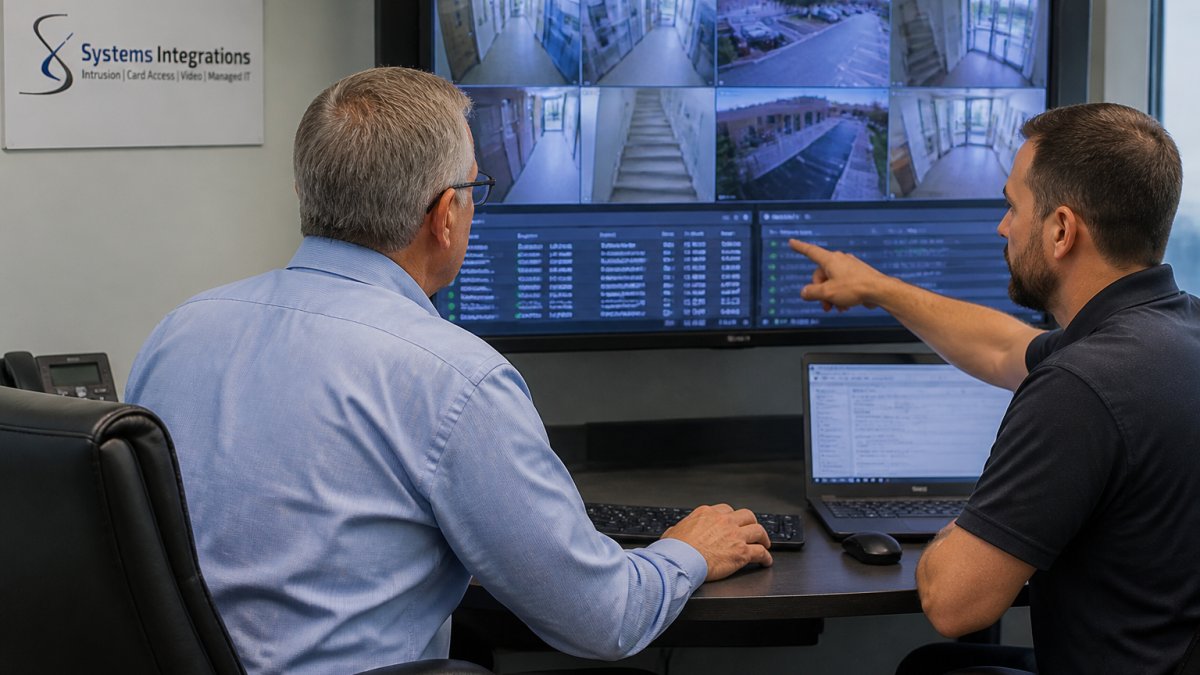
The value of integration is correlation. When a door alarm triggers, the system should pull the matching camera feed and the credential record automatically. That is what turns an alert into an actionable incident.
The CISA guidance on securing internet-connected devices applies directly here. Every networked camera, reader, and panel is an endpoint on your network, and it needs the same hardening discipline as a laptop.
Monitoring, Dispatch, and Outage Resilience
Professional monitoring means a trained team watches your system around the clock and follows a defined response protocol. Self-monitoring means alerts go to your phone and your team decides what to do.
For most commercial sites, professional monitoring is the right default. Staff cannot watch dashboards during a shift, and after-hours incidents need an immediate, documented response.
Outage resilience is where cheap systems quietly fail. Ask any provider three questions:
- What happens to access control if the network drops?
- Do cameras buffer locally when the connection to the cloud is interrupted?
- How does the system alert you when a device goes offline?
If the answer is “it stops working,” that is not a security system. It is a liability.
Protecting Server Rooms, IP, and Sensitive Client Data
Physical access is the fastest route to digital compromise. Server rooms, network closets, executive suites, and file archives hold the assets attackers want most.
An intruder with five minutes alone at an unsecured switch closet can install a device, copy credentials, or simply walk out with a drive. No firewall stops that.
This is why we treat physical security and cybersecurity as one problem. Restricting unauthorized access to sensitive areas directly reduces insider threat exposure and supports the controls your compliance framework expects. Access logs become evidence. Camera footage becomes verification. Together they answer the question every auditor asks: who could have reached this data, and when?
A frequent and costly mistake is installing IP cameras on the same flat network as business systems. A single compromised camera can become a pivot point into your corporate environment. Segment the camera network.
NDAA-Compliant Security Cameras and Hardened Network Devices
NDAA-compliant security cameras are devices manufactured by vendors that meet the sourcing restrictions set under the National Defense Authorization Act. For government contractors and any organization with federal obligations, this is not optional.
The NDAA Section 889 prohibited vendor guidance defines which manufacturers are restricted. Buying non-compliant hardware creates a compliance failure that can jeopardize contracts.
Compliance is only half the requirement. Hardened network devices matter just as much:
| Requirement | Why It Matters | What to Ask |
|---|---|---|
| NDAA compliance | Contract eligibility | Which manufacturer, and can you document it? |
| Encrypted communication | Prevents interception | Is traffic encrypted in transit and at rest? |
| Network segmentation | Limits lateral movement | Will cameras sit on a separate VLAN? |
| Firmware management | Closes known vulnerabilities | Who patches devices, and how often? |
| Credential policy | Blocks default-password attacks | Are default logins disabled at install? |
Consumer cameras rarely satisfy more than one row. That is the difference between a system you can defend and one you cannot.
What to Look For When Searching “Security Alarms Near Me”
The right provider for a commercial facility is an integrator, not a retailer. You are buying engineering, installation coordination, and ongoing support, not a box.
Evaluate on these criteria:
- Design capability. Do they survey your site and produce a system design, or quote a package?
- Hardware standards. Enterprise-grade, NDAA-compliant devices with documented sourcing.
- Cybersecurity depth. Network architecture and device hardening treated as part of the installation.
- Installation and service. Certified installation, defined maintenance, and a real local response.
- Single point of contact. One team accountable for alarms, cameras, and access control.
Ask for the escalation path in writing before you sign. A provider that cannot name who responds to a 2 a.m. alarm, and how fast, has not thought about your operations.
Local vs. National Providers: Questions to Ask
Local installers often know the area and respond quickly, but may lack enterprise design experience. National providers offer scale and standardization, but local response can be slow and impersonal.
The workable middle ground is a regional integrator with national deployment capability. You get local presence plus the ability to standardize across multiple sites.
Ask every candidate:
- How do you handle a multi-site rollout with consistent hardware and credentials?
- Who owns the system documentation after installation?
- What is your process when a device fails out of warranty?
- Can you show a service area map and typical response times?
If a provider cannot answer these without a sales call, keep looking.
Conclusion: Choosing the Right Security Partner
The search that brought you here is a symptom, not a solution. What your facility actually needs is an engineered, integrated system with documented compliance and someone accountable when it breaks.
Systems Integrations designs and supports exactly that: cybercentric physical security with NDAA-compliant hardware, unified management across access control, video surveillance, and intrusion detection, and a single point of contact across every location. Our team brings more than 25 years of experience and holds Certified Disability-Owned Business Enterprise and Certified Small Business Enterprise certifications.
Get started with Systems Integrations and secure your facilities with one system, one partner, and one clear line of accountability.
Frequently Asked Questions
What is the difference between a home alarm and a commercial security system?
Home alarms focus on a single perimeter with basic door and window sensors. Commercial security alarm systems address multiple entry points, interior zones, server rooms, and after-hours access. They also integrate with access control and video monitoring, which consumer kits do not support. A business needs audit trails, user-level permissions, and monitoring that can distinguish an employee badge-in from a forced entry.
Can access control and video surveillance work with a commercial alarm system?
Yes, when the system is designed as an integrated platform. Door readers, intrusion sensors, and IP cameras feed into one interface, so an alarm event can trigger camera recording and lock specific doors automatically. This unified approach is the core of integrated security systems and reduces the number of vendors a facility manager has to coordinate during an incident.
What should a business look for in a security systems integrator?
Look for engineering and system design capabilities rather than pre-packaged kits. The integrator should specify enterprise-grade, NDAA-compliant hardware, encrypted communication protocols, and provide professional installation plus ongoing maintenance. Cybersecurity and network architecture expertise matter because network-connected cameras and alarm panels are IoT devices that need hardening against unauthorized access.
How can physical security help protect server rooms and sensitive client information?
Restricting physical access to server rooms, executive suites, and file archives directly reduces insider threat risk and supports compliance requirements. Card access with audit logs shows who entered and when. Combined with video monitoring and intrusion detection, this creates a verifiable record that satisfies auditors and protects intellectual property from unauthorized physical contact.
NIST Cybersecurity Framework