
Last Updated: November 9, 2026
Quick Summary
Cloud access control can be secure for healthcare facilities, but only when the system is configured correctly. The security comes from how you set it up, not from the cloud itself, and a poorly configured cloud system offers little protection. HIPAA compliance stays shared, with your organization owning most of the work.
- 74% of healthcare organizations now run cloud environments, while 44% still run on-premises systems.
- No cloud provider is HIPAA certified, and the HIPAA Security Rule does not exempt hosted systems.
- Ask for a signed Business Associate Agreement before the demo, not after the contract.
- Encryption, multi-factor authentication, and role-based access cover most real-world exposure in clinical settings.
- Put a 24-to-72-hour vendor breach notification requirement in the BAA and master services agreement.
Table of Contents
- Why Cloud Access Control Security in Healthcare Comes Down to Configuration
- Building HIPAA-Compliant Cloud Security for Healthcare Systems
- Healthcare Access Control Best Practices That Close the Gaps
- Physical Security and Cybersecurity Integration in Healthcare Facilities
- Cloud Access Control Outage Protection and Incident Response
- Evaluating a Cloud Access Control Provider: A Vendor-Neutral Checklist
- Planning Your Cloud Access Control Rollout With Systems Integrations
- Frequently Asked Questions
Why Cloud Access Control Security in Healthcare Comes Down to Configuration
Is cloud access control secure for healthcare facilities? It can be, but only when the system is configured correctly. Cloud access control is the practice of managing who enters which doors, and when, through software hosted off-site rather than on a local server. The security comes from how you set it up, not from the cloud itself.
That distinction matters. A poorly configured cloud system offers little protection.
What the 2026 Adoption and Threat Data Shows
Adoption is already mainstream. According to BlueBrix’s 2026 access control analysis, 74% of healthcare organizations now run cloud environments, while 44% still run on-premises systems.
Building HIPAA-Compliant Cloud Security for Healthcare Systems
HIPAA-compliant cloud security for healthcare means the covered entity stays responsible for protecting electronic protected health information, or ePHI, even when a vendor hosts the software. No cloud provider is “HIPAA certified.” The HHS Office for Civil Rights enforces the HIPAA Security Rule, and that rule does not exempt hosted systems. Compliance is shared, and the healthcare organization owns most of the work.
The Security Rule breaks safeguards into three categories, and each one has a cloud access control equivalent:
- Administrative safeguards, a documented risk analysis, assigned security responsibility, workforce training, and sanction policy. For access control, this means a written policy on who approves credentials, how roles are assigned, and how access is reviewed.
- Physical safeguards, facility access controls, workstation use, and device and media controls. Cloud software does not remove the need to secure the controller closet, the wiring, and the readers themselves.
- Technical safeguards, access control, audit controls, integrity, person or entity authentication, and transmission security. This is where encryption, multi-factor authentication, role-based access, and audit logging live.
A peer-reviewed review of cloud security challenges in healthcare found that information confidentiality was the most frequent concern across 19 studies, with data security close behind.
The Business Associate Agreement Is Not Optional
Any vendor that creates, receives, maintains, or transmits ePHI on your behalf is a business associate, and a signed Business Associate Agreement, or BAA, is required under HIPAA. A cloud access control provider that stores badge holder names, photos, schedules, or door event logs tied to staff identities is handling ePHI-adjacent data and should sign a BAA.
Two related obligations sit alongside the BAA. First, the HIPAA Breach Notification Rule requires notification of affected individuals without unreasonable delay and no later than 60 days from discovery of a breach. Second, the HIPAA Security Rule requires a risk analysis, and a cloud access system belongs in it, including the readers, controllers, and the cloud tenant itself.
The Shared Responsibility Model in Practice
Under the shared responsibility model, the vendor secures the platform and you secure the users, roles, and data inside it.
Practically, that means:
- You own user provisioning and deprovisioning
- You own role assignments and least-privilege rules
- You own audit log review
- You own encryption key management where offered
- You own vendor access reviews
- You own the BAA and the risk analysis that covers the system
If nobody on your team can name who does each of those, that is your first gap.
For a deeper set of healthcare-specific controls, see our guide to cybersecurity best practices for healthcare facilities.
Healthcare Access Control Best Practices That Close the Gaps
Healthcare access control best practices start with three controls: encryption, multi-factor authentication, and role-based access. Together they cover the majority of real-world exposure in a clinical setting.
The 2026 Healthcare IT Landscape Report from Omega Systems lists cybersecurity, compliance, and vendor risk as the top concerns for healthcare IT teams this year. Each maps back to these controls.
Encryption, Multi-Factor Authentication, and Role-Based Access
Encryption at rest and in transit is the baseline. Without it, a stolen backup or an unencrypted reader-to-controller link exposes credentials.
Multi-factor authentication should apply to every administrative login, not just remote access. Biometric authentication at the door adds a second layer for high-risk zones.
Role-based access control needs regular review. A common mistake is leaving temporary access in place after a contractor leaves. Set expiration dates by default.
Reader-to-controller wiring matters here, since the communication protocol affects how credentials are transmitted. Our breakdown of Wiegand vs. OSDP wiring explains what to check.
Physical Security and Cybersecurity Integration in Healthcare Facilities
Physical security and cybersecurity integration in healthcare facilities means treating badge readers, cameras, and controllers as network devices with the same risk profile as any other endpoint. A badge reader is a small computer on your network.
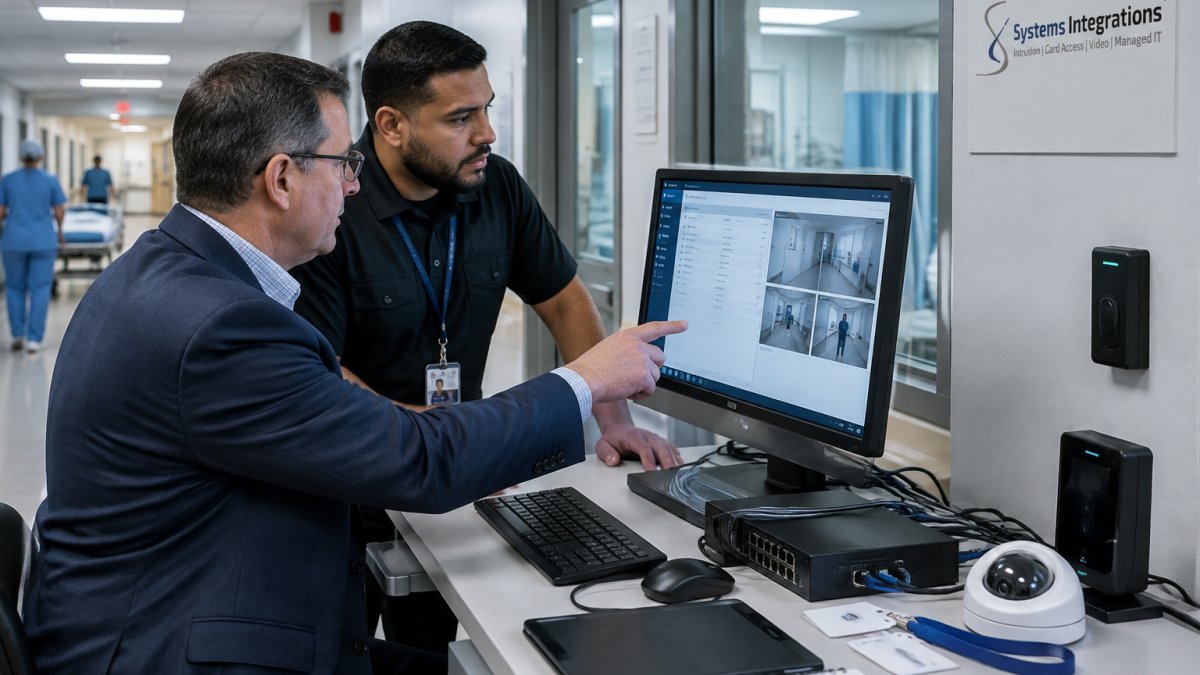
The cyber risks inside physical security infrastructure deserve their own review. Our article on cybersecurity risks in physical security infrastructure covers the device-level threats in detail.
Cloud Access Control Outage Protection and Incident Response
Cloud access control outage protection keeps doors working when the network or the cloud service goes down. The answer is edge decision-making: controllers that store credentials locally and grant access without a live cloud connection. Every deployment should include this.
Incident response is the part most healthcare access control plans skip. A cloud access breach is not the same as a data breach, and it is not the same as a door failure.
What a Cloud Access Breach Actually Looks Like
A common pattern is an administrative account takeover. An attacker phishes a facilities or IT administrator, logs into the cloud tenant, and either adds a credential, changes a door schedule, or exports the badge holder list. The doors keep working. Nothing looks broken.
A second pattern is a compromised integration. If the cloud access platform shares identity data with an HR system or a single sign-on provider, a breach on either side can propagate. A third is a vulnerable controller or reader on a flat network, which is why segmentation belongs in the prevention plan, not just the response plan.
The First Hour: Containment Steps
Write these down before you need them, and name a person for each:
- Name an incident commander. One person runs the response, and it should not be the same person answering the vendor’s phone. In a clinical setting, that commander coordinates with nursing leadership so patient care is not disrupted by a lockdown.
- Revoke and rotate. Disable the compromised administrator account, rotate API keys and integration secrets, and force re-authentication for every privileged user. If credentials may have been exported, invalidate affected badges and issue replacements.
- Preserve the audit log. Export the cloud audit log for the affected window before anyone changes settings. The log is evidence, and it is also the basis for the HIPAA breach risk assessment that follows.
- Check the physical side. Confirm no unauthorized door schedule changes, no new credentials, and no disabled alarms. Compare the current configuration against your last known-good baseline.
- Decide on failover. If the cloud tenant must be taken offline, switch controllers to local access mode so clinical staff can still move through the building. Test that failover before you need it, not during an incident.
Watch out: revoking credentials without a replacement plan can lock out on-call physicians and night-shift nurses at the worst possible moment. Stage replacement badges before you deactivate the old ones.
The HIPAA Clock Starts at Discovery
Once you confirm a breach involving ePHI, the HIPAA Breach Notification Rule requires notification of affected individuals without unreasonable delay and no later than 60 days from discovery. Your vendor’s contractual notice requirement needs to be shorter than that, because you cannot start your own clock until you know what happened.
Document the risk assessment you use to decide whether notification is required. The four-factor analysis, nature and extent of the data, who received it, whether it was actually acquired or viewed, and the extent of mitigation, is the standard approach, and it should be written down, not decided in a meeting.
After the Incident
Run a post-incident review within two weeks. Confirm the root cause, update the risk analysis, retrain the affected staff, and revise the access policy if the incident exposed a gap. System redundancy and data integrity checks belong in that review, not just in the original design.
For the device-level threats that feed these incidents, see our article on cybersecurity risks in physical security infrastructure.
Evaluating a Cloud Access Control Provider: A Vendor-Neutral Checklist
A vendor-neutral checklist is how you compare providers without getting sold on a demo. Score each provider on the same criteria, and ask for evidence rather than promises.
| Criterion | What to Ask | Why It Matters |
|---|---|---|
| Encryption | Is data encrypted at rest and in transit? | Protects ePHI and credentials |
| MFA support | Does admin login require MFA? | Blocks credential theft |
| Audit logs | Can we export logs for compliance? | Supports HIPAA reporting |
| Failover | Do doors work offline? | Prevents outage lockouts |
| Integration | Does it work with legacy hardware? | Avoids costly rip-and-replace |
| Support | What is the response time? | Limits downtime risk |
For a practical set of questions to ask before signing, see our key questions before installing access control and cameras.
Planning Your Cloud Access Control Rollout With Systems Integrations
A rollout succeeds when configuration, integration, and support are handled by one accountable team. That is the model we use at Systems Integrations.
Our cybercentric approach bridges physical security with cybersecurity practices. We manage cloud subscriptions and support the technology lifecycle. We are also NDAA-compliant, a Certified Disability-Owned Business Enterprise (DOBE), and a Certified Small Business Enterprise.
For the broader picture of how access control fits your security stack, read why security integrations matter for healthcare.
Cloud access control is secure for healthcare facilities when the configuration, integration, and monitoring are done right. That is where most deployments fall short.
Frequently Asked Questions
Is cloud-based access control HIPAA compliant?
Cloud access control can support HIPAA compliance, but no cloud provider carries a HIPAA certification. The HHS Security Rule requires administrative, physical, and technical safeguards for electronic protected health information, and the healthcare organization remains responsible for configuring and monitoring those controls. In practice that means encryption at rest and in transit, multi-factor authentication, role-based access control, and audit logs tied to ePHI. Ask any provider to document which controls they own under the shared responsibility model and which ones stay with your facility.
Can cloud access control work during an internet outage?
It can, when the system is designed for it. Edge controllers that store credentials and access rules locally are one way to keep doors working during an outage. Confirm that the provider’s system can continue to grant access during a connectivity loss before you buy. Without those, an outage can lock down doors or leave them unmonitored.
How can healthcare organizations integrate physical security with cybersecurity?
Start by treating every camera, reader, and intrusion panel as a network device. Put them on segmented VLANs, change default credentials, disable unused services, and apply firmware updates on a schedule. Restrict remote access through a VPN or zero-trust gateway with multi-factor authentication, and forward logs from physical security systems into the same monitoring your IT team already uses. The goal is one security posture: a badge event, a camera alert, and a network anomaly should all be visible in the same place. A cybercentric integrator can map that flow before installation.
What should a healthcare facility look for in a cloud access control provider?
Look for documented HIPAA safeguards rather than marketing claims. Ask for encryption standards at rest and in transit, audit log retention periods, uptime commitments, and how the provider handles incident response. Confirm the platform supports role-based access control, multi-factor authentication, and integration with existing badge hardware so you are not replacing every reader. Check whether the provider acts as a single point of contact across multiple sites, and whether their hardware meets NDAA supply chain requirements if you hold government contracts. Get the answers in writing before signing.
