
Table of Contents
- Why October Is the Right Month to Reassess Security Companies in NJ
- The Convergence of Physical and Cyber: Why Your Cameras Are IoT Endpoints
- Network Segmentation for IoT Devices: The First Line of Defense
- OSDP vs. Wiegand: Why Encrypted Reader Communication Matters
- Secure Remote Access for Security Cameras Without Port Forwarding
- NDAA-Compliant Security Cameras: A Procurement Requirement, Not a Preference
- How to Vet Security Companies in NJ: Licensing, Insurance, and Cyber Credentials
- What Security Services Cost in NJ and How to Compare Quotes
- Frequently Asked Questions
Last Updated: October 6, 2026
Why October Is the Right Month to Reassess Security Companies in NJ
October is Cybersecurity Awareness Month, the right time for New Jersey businesses to ask a harder question about security companies in NJ: do they understand networks, or only cameras? Systems Integrations has spent over 25 years installing physical security systems, and the two skill sets are no longer separate.
That is the core problem with how most buyers evaluate providers. They compare camera resolution, count door readers, and ask about response times. Almost nobody asks how devices are segmented, how firmware gets patched, or who holds admin credentials.
The most important credential for a physical security integrator in 2026 is not a camera certification. It is proof they can design and defend the network those devices live on.
The Convergence of Physical and Cyber: Why Your Cameras Are IoT Endpoints
Physical security and cybersecurity have merged because the hardware merged. An IP camera, a door controller, and an intrusion panel are all network devices running firmware, holding credentials, and talking to a server, each an IoT endpoint on your LAN and a potential entry point.
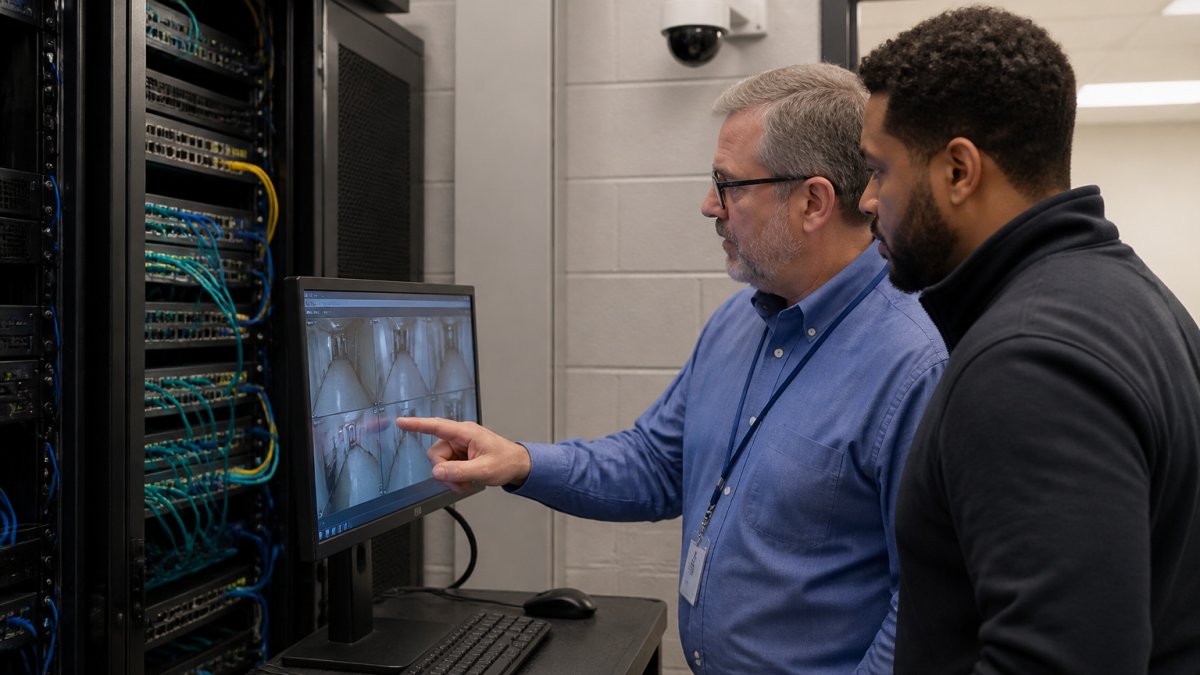
How IP Cameras, Door Controllers, and Intrusion Panels Live on Your LAN
Every one of these devices needs an IP address, a switch port, and often a route to the internet for remote viewing or cloud management, the same network your accounting system, email, and file servers use. When a vendor drops a camera on the default VLAN with factory credentials, it shares a broadcast domain with everything else.
What Misconfigured Devices Actually Expose
The exposure is rarely dramatic. It is usually quiet. A camera with default login credentials, an open port forwarded through the firewall, or firmware that has not been updated in three years gives an attacker a foothold inside the perimeter. From there, lateral movement toward business data is a network design problem, not a camera problem.
Network Segmentation for IoT Devices: The First Line of Defense
Network segmentation for IoT devices means placing cameras, readers, and panels on their own isolated VLAN, separate from business systems, with firewall rules that allow only the traffic they actually need.
In practice, that means a dedicated security VLAN, no direct internet access for devices, and a managed switch with port security. If a camera is compromised, the attacker lands in a dead-end segment instead of your file server.
OSDP vs. Wiegand: Why Encrypted Reader Communication Matters
OSDP versus Wiegand comes down to one difference: encryption. Wiegand is a decades-old wiring standard that sends credential data in the clear, so anyone who taps the reader cable can capture and replay a card number.
If your access control runs on Wiegand, you are transmitting credentials unprotected over copper that often runs through publicly accessible ceilings. Upgrading to OSDP readers is one of the clearest, most defensible security investments available.
Ask to see the wiring diagram before installation, not after. If the reader cabling runs through a public space and the protocol is Wiegand, you have a credential-capture risk that no amount of camera coverage will fix.
Secure Remote Access for Security Cameras Without Port Forwarding
Secure remote access for security cameras should never depend on port forwarding. Opening a firewall port to reach a camera or NVR exposes that device directly to the internet, where automated scanners find it within hours.
Cloud-managed video and access platforms handle much of this, because the device initiates an outbound connection rather than accepting inbound traffic, a single architectural choice that removes a common attack path.
NDAA-Compliant Security Cameras: A Procurement Requirement, Not a Preference
NDAA-compliant security cameras are a procurement requirement for many organizations, not a brand preference. The John S. McCain National Defense Authorization Act restricts federal agencies and their contractors from using certain covered telecommunications equipment, and that restriction flows down through contract terms to suppliers and subcontractors.
For government contractors and any business selling into that supply chain, hardware origin is a compliance question. You need documentation showing the make and model of every camera and component, not a verbal assurance.
How to Vet Security Companies in NJ: Licensing, Insurance, and Cyber Credentials
Vetting security companies in NJ means checking four things: licensing, insurance, network expertise, and hardware compliance. Most buyers check the first two and stop. The last two are where projects fail.
Step 1: Match the Provider Type to Your Actual Need
“Security company” covers at least five different businesses, and they are not interchangeable. Before you vet anyone, decide which one you are hiring:
- Guard and patrol services, staffing, post orders, and supervision. No network exposure, but licensing and insurance still apply.
- Alarm and monitoring companies, central station monitoring, signal paths, and response coordination.
- Video surveillance integrators, camera design, installation, recording, and retention.
Many commercial buyers need two or three of these at once. A firm that installs cameras but subcontracts access control is not the same as a single integrator who owns the whole stack. Ask who performs the work and who holds the license for each scope.
Step 2: Verify Licensing and Insurance Directly
New Jersey requires alarm and locksmith businesses to hold a state license. Verify the license number through the state’s official lookup rather than accepting a logo on a truck or a number typed into a proposal. Then confirm general liability and workers’ compensation coverage with a certificate issued to your business, not a photocopy bearing another client’s name.
Step 3: Screen for Network and Cyber Competence
This is the filter most buyers skip. Ask who on the team holds networking or cybersecurity certifications, who designs the segmentation plan, and whether that plan is delivered as documentation your IT team can maintain. A provider who cannot answer in specifics is a liability on your LAN.
Step 4: Confirm Hardware Compliance in Writing
For government contractors and anyone selling into that supply chain, request make-and-model documentation for every camera and component, not a verbal assurance.
Step 5: Check Service Coverage by County and Municipality
Coverage claims are easy to make and hard to verify. Ask for a written service map or a list of municipalities the provider actually staffs, then test it: how long is the guaranteed on-site response in your town, and who is dispatched after hours? A provider with a strong presence in one part of the state may route a technician from hours away to reach you.
The Questions to Ask Before You Sign
- Which of the five provider types above do you actually perform in-house?
- Who designs the network segmentation, and will you document it for our IT team?
- Do you install OSDP readers as standard, or is that an upgrade?
| Evaluation Area | What Weak Providers Show | What Strong Providers Show |
|---|---|---|
| Licensing | License number on request only | Verifiable state license up front |
| Insurance | Generic certificate copy | Certificate issued to your business |
| Network design | Cameras on the default VLAN | Documented segmentation plan |
| Reader protocol | Wiegand by default | OSDP with encryption |
| Remote access | Port forwarding | VPN or cloud-managed tunnel |
| Compliance | Verbal assurance | Written NDAA documentation |
| Coverage | “We serve the whole state” | Named municipalities and a response commitment |
| References | None offered | Two local references in your county |
That last row matters more than most buyers expect. A provider who cannot produce written documentation for hardware origin, or name a customer in your county, will leave you exposed when a contract audit arrives or a device fails on a Friday night.
What Security Services Cost in NJ and How to Compare Quotes
Pricing for commercial security work depends on device count, site conditions, cabling runs, and whether the system is cloud-managed or on-premises. Because those variables swing so widely, a single “typical price” is meaningless, any provider who quotes one without a site walk is guessing.
The Five Lines Every Quote Should Break Out
Ask every provider to separate their proposal into these categories. Providers who bundle everything into one number are harder to compare and audit later.
- Hardware, cameras, readers, controllers, panels, and mounting hardware, itemized by make and model.
- Installation labor, headcount, estimated hours, and whether cabling is included or billed separately.
- Cabling and infrastructure, cable runs, conduit, switches, and any electrical work. This line is where surprise change orders live.
- Configuration and commissioning, network setup, segmentation, credential programming, and documentation.
- Recurring fees, cloud licensing, monitoring, software subscriptions, and support agreements.
Compare Total Cost of Ownership, Not the Install Number
The recurring line is the one most buyers underweight. Cloud licensing and monitoring continue for the life of the system, so a low installation quote with high recurring fees can cost more over five years than a higher upfront bid.
Contract Terms to Read Before You Sign
- Term length and renewal, is the monitoring or cloud agreement month-to-month, annual, or multi-year, and does it auto-renew?
- Price escalation, is there a cap on annual increases, or can recurring fees rise at the provider’s discretion?
- Termination and data ownership, if you leave, who owns the recorded video, the credential database, and the configuration documentation?
- Equipment ownership, do you own the hardware outright, or is it leased and returned at term end?
Get Three Quotes on the Same Scope
The fastest way to make quotes comparable is to hand every provider the same written scope: device counts, locations, retention requirements, integration needs, and your network segmentation requirement. When each bid answers the same document, the remaining differences are real, in design quality, coverage, and terms, not differences in what each provider chose to include.
The most expensive mistake is choosing the lowest installation quote without reading the recurring fee schedule or the termination clause. A cheap install with premium cloud licensing and a multi-year auto-renewal often costs more by year three, and you are locked in once the hardware is mounted.
Questions That Expose a Weak Quote
- Is cabling included, and what triggers a change order?
- What is the monthly recurring total in year one, and in year five?
- Who owns the recorded video and credential data if we terminate?
- Does the agreement auto-renew, and how much notice is required to cancel?
A provider who answers all six in writing, on the same scope document as two competitors, has made your decision far easier, and shown you more about how they operate than any sales presentation will.
Frequently Asked Questions
How do I choose a commercial security company in NJ?
Start with licensing and insurance verification through the New Jersey Division of Consumer Affairs, then ask about network architecture experience. A qualified integrator should explain how they segment security devices on a VLAN, whether they support OSDP encrypted readers, and how they handle firmware patching. Request references from similar facilities and confirm the company carries both physical security expertise and IT networking credentials. The right security companies in NJ will welcome these questions rather than deflect them.
What should businesses ask a security integrator about cybersecurity?
Ask four things: How will you segment our security devices from our business network? Do you use OSDP instead of Wiegand for card readers? How do you provide remote camera access without opening inbound firewall ports? And what is your firmware update and credential management process? A cybercentric integrator will have documented answers. If the response is ‘that’s handled by your IT team,’ you have a finger-pointing risk that will surface during an incident.
Is OSDP more secure than Wiegand?
Yes. Wiegand transmits card credential data in plaintext over unencrypted wiring, so anyone who taps the reader cable can capture and clone credentials. OSDP (Open Supervised Device Protocol) supports AES-128 encryption, bidirectional communication, and continuous supervision that detects tampering. For any NJ facility using card access, OSDP is the current standard. Legacy Wiegand installations should be scheduled for replacement, especially at exterior doors and sensitive interior access points.
How often should businesses update security system firmware?
At minimum quarterly, and immediately when a vendor publishes a critical vulnerability patch. IP cameras, NVRs, access control panels, and intrusion systems all run firmware that attackers target. Unpatched devices are the most common entry point in physical security breaches. Ask your integrator whether they monitor vendor advisories and push updates automatically, or whether patching falls on your internal IT team. Managed firmware updates are a core reason to consolidate with a single provider.